
 Need help?
Do you have a question about the Microlab H-600 and is the answer not in the manual?
Explains caution about electric shock, graphical symbols used in the manual, and general warnings.
Details safety warnings related to operation, installation, power sources, grounding, and ventilation.
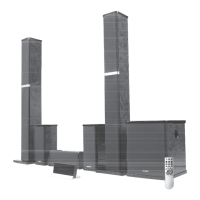
Introduction to the home theater system and its features.
Lists all items included in the product package.
Identifies and labels the various input/output ports and controls on the subwoofer.
Provides guidance on arranging speakers for optimal surround sound effect.
Instructions for positioning the center speaker and other satellites.
Illustrates how to connect each speaker (Front, Center, Rear, Subwoofer) to the system.
Offers advice on wall mounting speakers and preventing short circuits.
Shows how to connect a CD player using RCA cables.
Illustrates connecting to a 2.0 channel audio output system.
Demonstrates connecting to a 5.1 channel audio system like DVD or VCD.
Explains the function of each button on the remote control for system operation.
Covers turning on the system, default settings, and adjusting master volume.
Guide on selecting the audio input source (5.1CH, CD, AUX).
Instructions for adjusting individual channel volumes.
 General
| Subwoofer Power | 30W |
|---|---|
| Subwoofer | 1 |
| Color | Black |
| Input Impedance | 10kΩ |
| Power supply | AC 220 V |
| Dimensions (Satellite Speakers) | 90 x 160 x 100mm |

 To Next Page