6.
7.
8.
1
2
9.
()
()
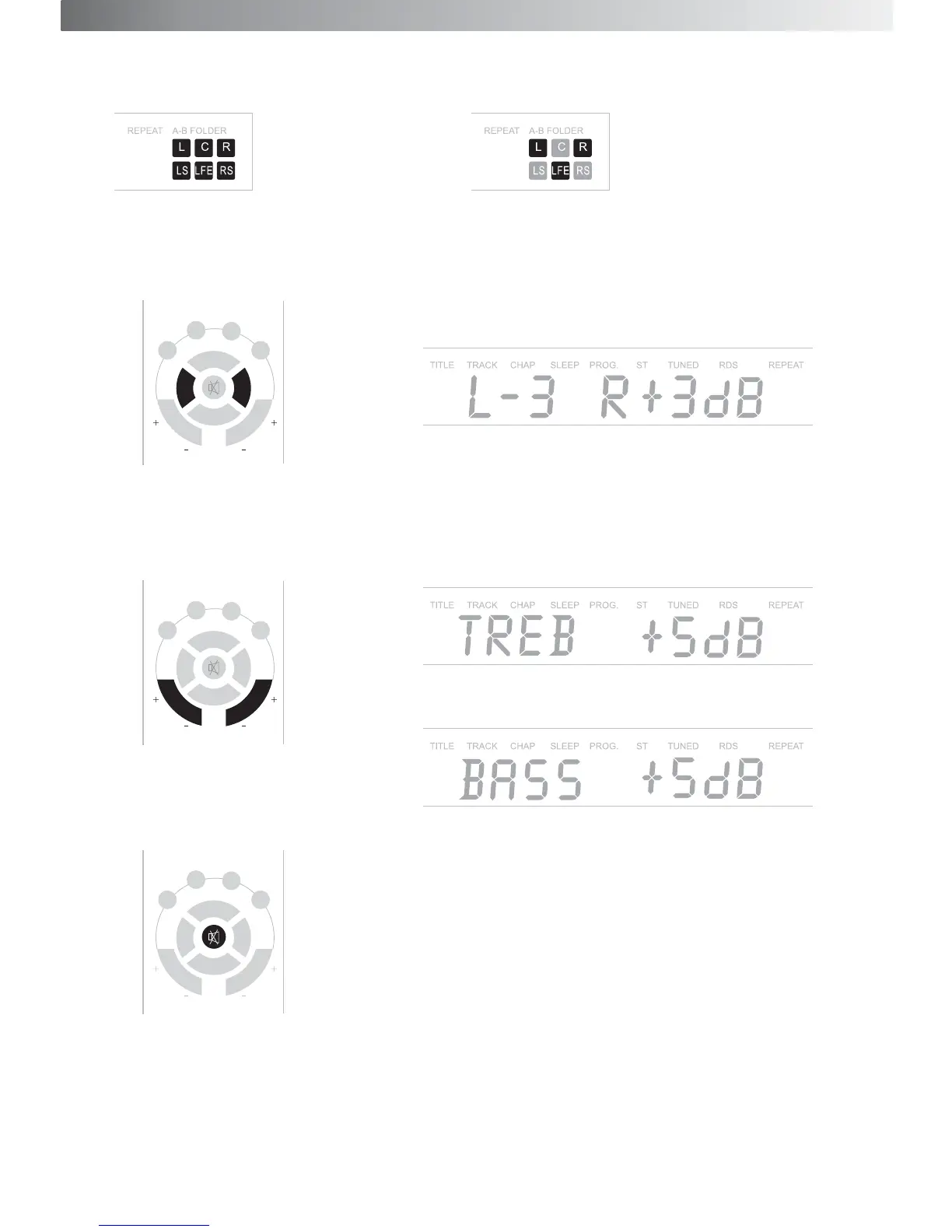
Output mode: Press Mode on the control unit or remote control to select output channel between 2.1CH or
5.1CH
Balance adjustment for R/L of front speakers: Pres BAL/L, and BAL/R to adjust the balance for the right and
left channel of front speakers, at +/- 4dB, start at 0dB
Tone adjustment for Right and Left channel of front speakers:
Press TREGBLE +/- on the remote control to adjust the treble,
at +/-5dB, start at 0dB.
Press BASS +/- on the remote to turn the volume of bass, at +/-5dB,
start at 0dB,
Press Mute key to mute the system, and MUTING on the VFD flashes.Press Mute again or Volume to finish.
C D AUX
5.1CH MODE
VOL+
BAL/L BAL/R
VOL-
TREBLE BASS
C D AUX
5.1CH MODE
VOL+
BAL/L BAL/R
VOL-
TREBLE BASS
C D AUX
5.1CH MODE
VOL+
BAL/L BAL/R
VOL-
TREBLE BASS
10
5.1 channel output 2.1channel output


 To Next Page