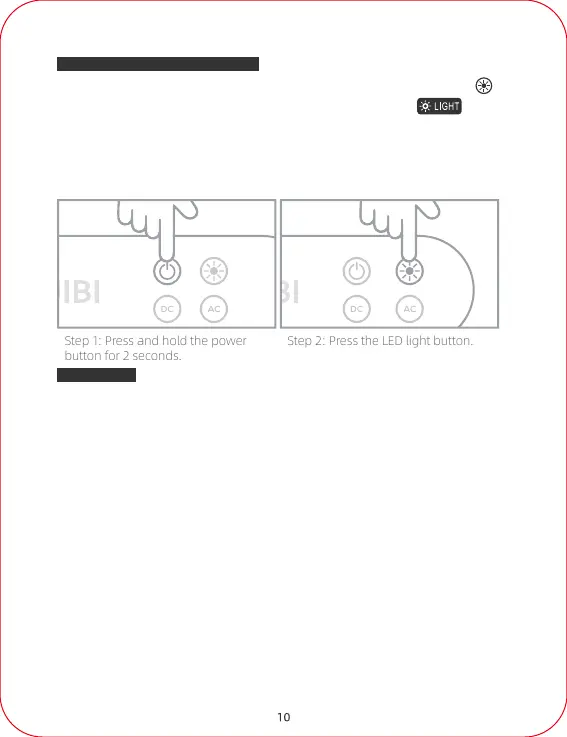
1. Please make sure that the main power is on, then press the LED light button to
turn on the lighting function and display the corresponding symbol on the
LCD screen.
2. Press the light button again to switch the light to 50% brightness.
3. Press the button one more time will switch to SOS mode
4. Press the button one more time will turn off the light.
Instructions for using LED light
10
1.The power station is equipped with a 700W pure sine wave inverter to provide power
for all electronic equipment and electrical appliances that are with a matching power
range.
2.The AC-rated output power of this machine is not more than 700W. You need to
determine the power rating and socket type of the relevant device before using the
equipment.
3.Using devices such as fans or motors requires additional power to start (commonly
known as "starting" or "peak" power). The power station can provide instantaneous
power surges of up to 1400W in less than 1/10th of a second, and devices rated less
than the maximum 700W may also exceed the inverter's surge capacity and cause an
overload automatic shutdown.
4.Do not use related products that exceed the power range of the inverter, as it may
cause instability of the equipment.
5.In the event of power overload (There is a flashing warning symbol on the LCD
screen, which is a safety feature to prevent damage to the inverter), the AC output will
automatically turn off.
AC Output
Step 1: Press and hold the power
button for 2 seconds.
Step 2: Press the LED light button.



 To Next Page