EasyManua.ls Logo

Micronta 22-214A - Making Measurements; Using Test Leads; DC Voltage Measurements

Default Icon
20 pages
Print Icon
To Next Page IconTo Next Page
To Previous Page IconTo Previous Page
Loading...
Setting
up
Your
Meter
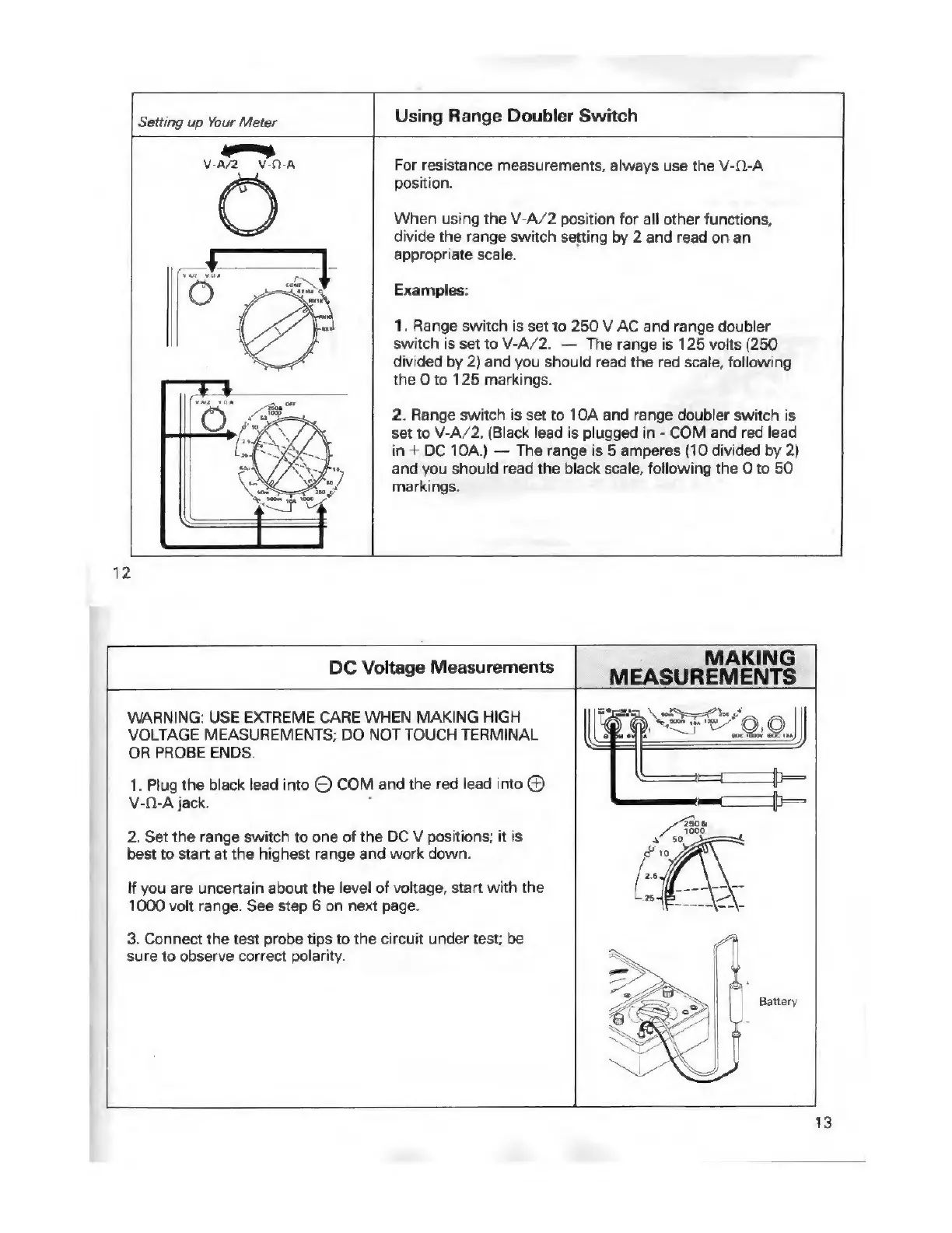
Using
Range
Doubler
Switch
For
resistance
measurements,
always
use
the
V-0-A
position.
When
using
the
V-A/2
position
for
all
other
functions,
divide
the
range
switch
setting
by
2
and
read
on
an
appropriate
scale.
Examples:
1.
Range
switch
is
set
to
250
V
AC
and
range
doubler
switch
is
set
to
V-A/2.
The
range
is
125
volts
(250
divided
by
2)
and
you
should
read
the
red
scale,
following
the
O
to
125
markings.
2.
Range
switch
is
set
to
10A
and
range
doubler
switch
is
set
to
V-A/2.
(Black
lead
is
plugged
in
-
COM
and
red
lead
in
+
DC
10A.)
The
range
is
5
amperes
(10
divided
by
2)
and
you
should
read
the
black
scale,
following
the
O
to
50
markings.
12
MAKING
DC
Voltage
Measurements
MEASUREMENTS
WARNING:
USE
EXTREME
CARE
WHEN
MAKING
HIGH
VOLTAGE
MEASUREMENTS;
DO
NOT
TOUCH
TERMINAL
OR
PROBE
ENDS.
1.
Plug
the
black
lead
into
©
COM
and
the
red
lead
into
@
V-0-A
jack.
2.
Set
the
range
switch
to
one
of
the
DC
V
positions;
it
is
best
to
start
at
the
highest
range
and
work
down.
If
you
are
uncertain
about
the
level
of
voltage,
start
with
the
1000
volt
range.
See
step
6
on
next
page.
3.
Connect
the
test
probe
tips
to
the
circuit
under
test;
be
sure
to
observe
correct
polarity.
S2FE/9.0.
\
eS
|
Battery

Related product manuals