108 Operator Maintenance
_______________________________________________________________________________________________
_______________________________________________________________________________________________
MICROPLEX Operator’s Manual SOLID F40 Edition 1.1
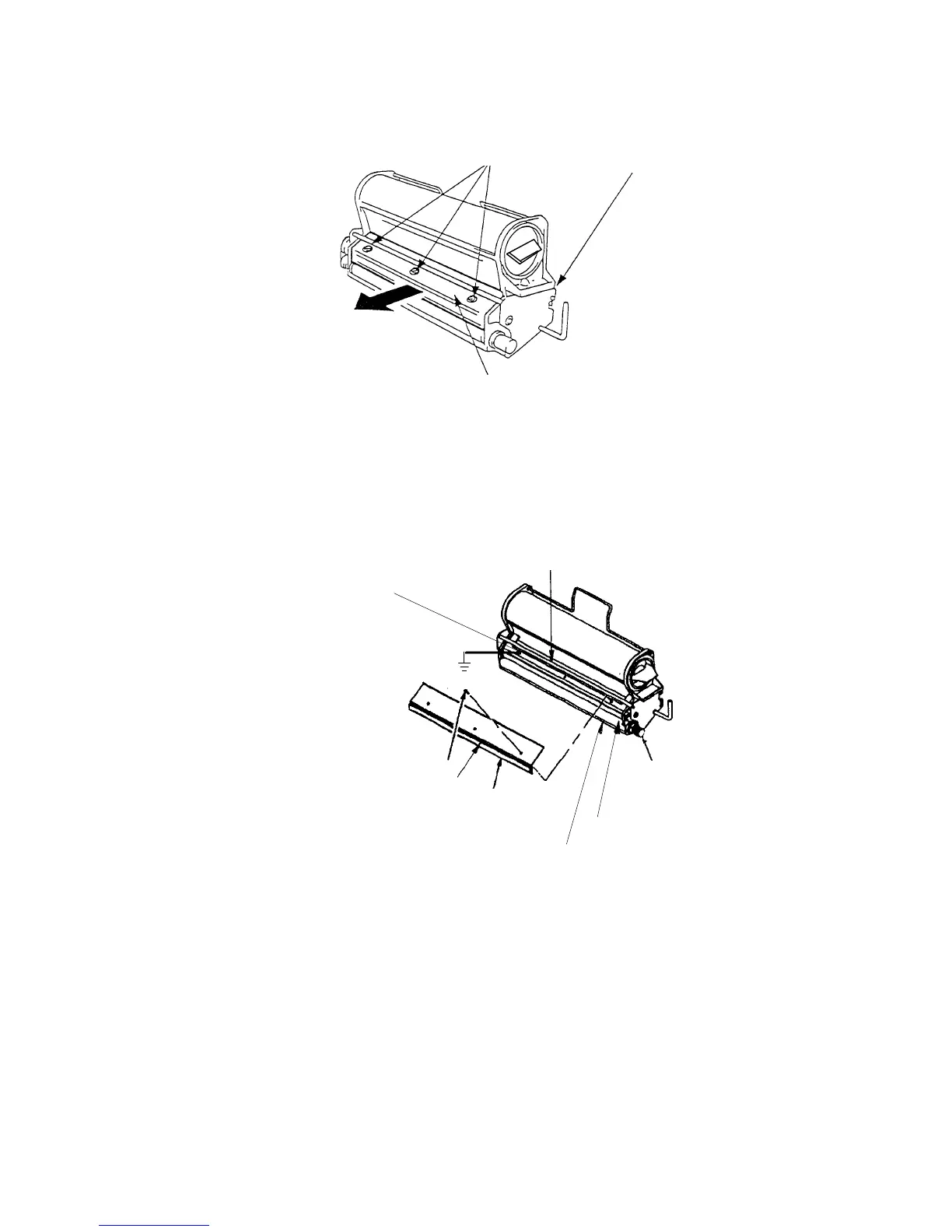
Screws (B)
Developer unit
Cover (C)
5. Please make a potential compensation (grounding) between
the developer unit and the printer cabinet before you
exchange the developer powder (vacuum). The grounding
has to be connected to the back fastening screw (B) of the
cover.
Screw ( B )
Cleaning brush
Cover ( C )
Sealin
wel
Developing roll ( J )
Roll knob ( F )
Dip (vacuum, refill)
Back fastening screw (B)
6. Remove the developer - toner mixture completely out of the
developer tub (see figure at the beginning of this section)
using an anti-static service vacuum cleaner.
Clean also the developer roll while turning it counterclock-
wise (roll knob F).



 To Next Page