Operator Maintenance 109
_______________________________________________________________________________________________
_______________________________________________________________________________________________
MICROPLEX Operator’s Manual SOLID F40 Edition 1.1
7. After that please clean the cover of the developer unit, the
cleaning brush and the sealing welt.
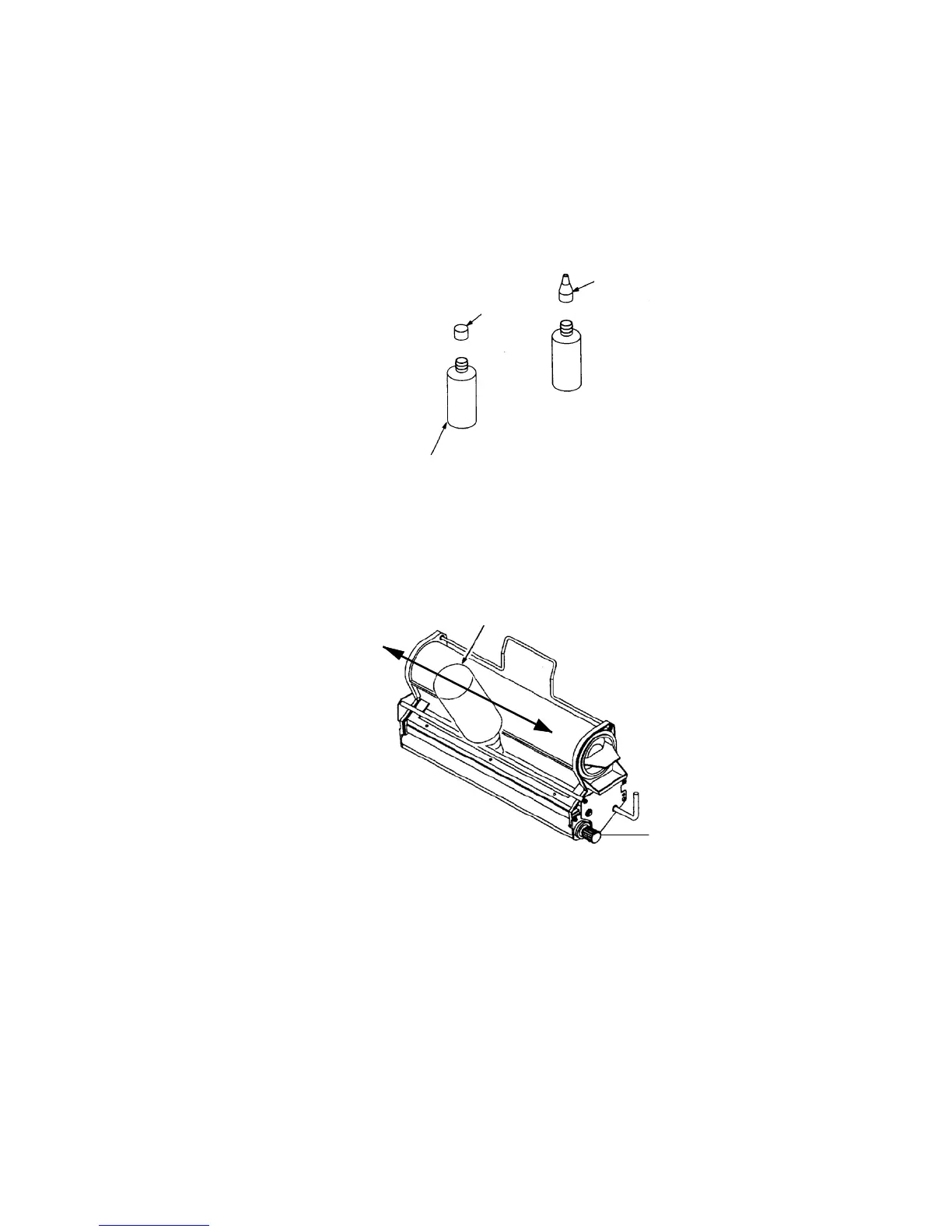
8. Shake the developer bottle several times, open the cap (D)
and tighten the nozzle (E).
Nozzle ( E )
Cap ( D )
Developer bottle ( A )
9. Fill the developer powder completely into the unit and turn
the roll knob (F) counterclockwise during the filling operation.
Developer bottle
Roll knob (F)
10. Remove the potential compensation and fix the cover (C)
and the screws (B) again.



 To Next Page