Troubleshooting 135
_______________________________________________________________________________________________
_______________________________________________________________________________________________
MICROPLEX Operator’s Manual SOLID F40 Edition 1.1
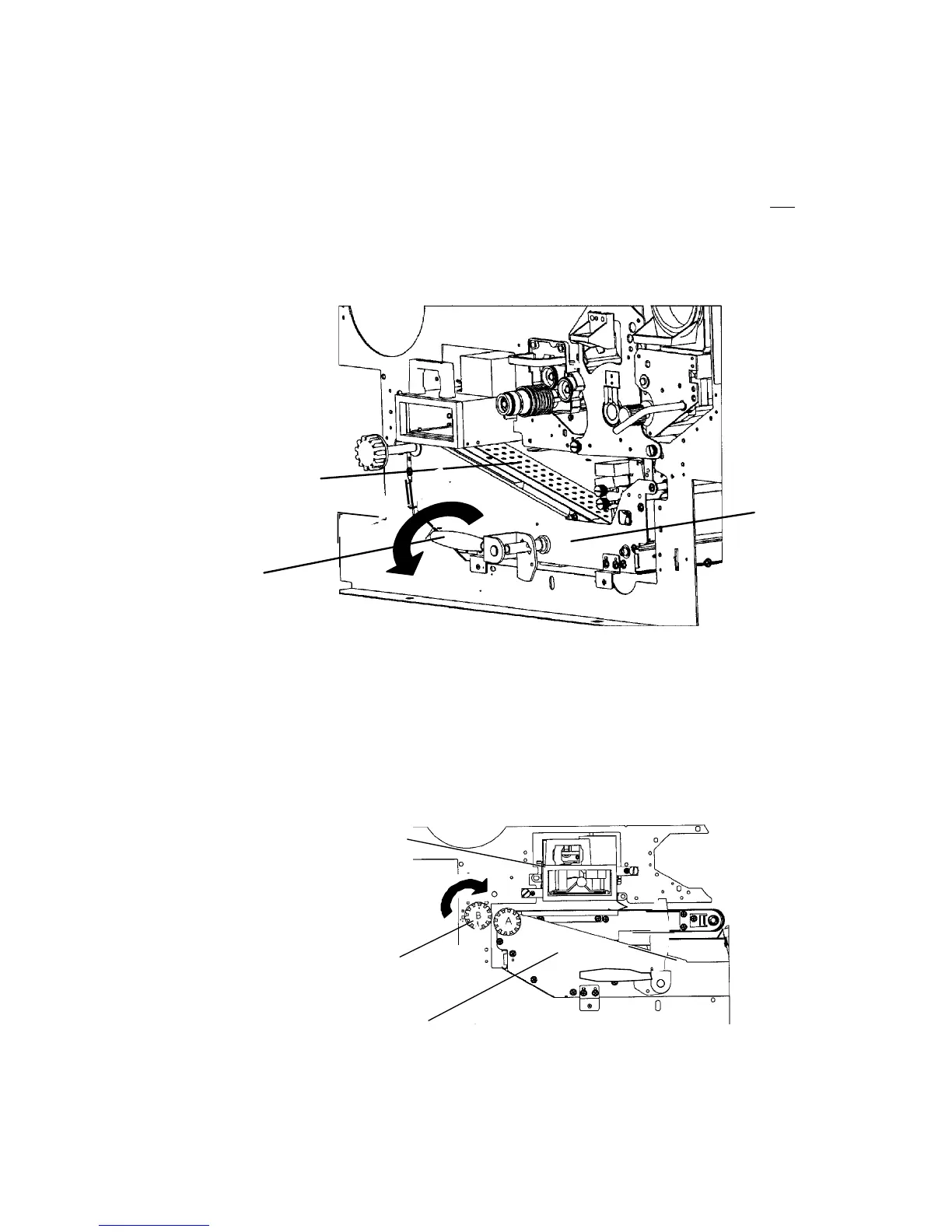
3. Turn the green lever at the transport unit counterclockwise
downwards. The transport path will be shifted down. Do not
pull
out the transport unit.
G
een
lever
ransport path
Transport
unit
4. Look for jammed paper in the transport unit.
5. Rotate the turning knob "B" 90° clockwise (free) to set
the scuff roller to the "open" condition.
Knob B
Fuser unit
Transport unit



 To Next Page