Operation
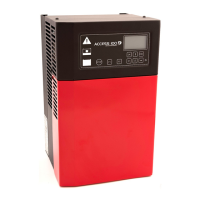
User interface - Control panel
See Control panel
1. Control panel
2. Alarm indicator (red)
3. Charging indicators (green and yellow)
4. STOP button
5. Multifunction buttons
6. Display
7. Keyboard for navigation in display menus
8. Mains power indicator (blue)
9. NFC symbol ( GET Ready)
Charging
WARNING
RISK OF ELECTRIC SHOCK!
Do not use the battery charger if it is damaged.
Disconnect the mains immediately.
Do not touch damaged parts, uninsulated battery
terminals, connectors, or other live electrical
parts.
Contact service personnel.
Connect and start charging
1. Check the cables and connectors for
damages.
2. Check that there is mains power to the
charger, see Control panel pos 8.
3. Connect the battery charger to the battery.
•
The BMS controls the charging process. If
charging curve is used, the charging
process starts automatically.
•
The charging status is shown on the
display on the control panel and by the
charging indicators. See LED indication.
•
A green battery symbol is lit when the
battery is fully charged, see Control panel
pos 3.
•
The battery can be continuously connect-
ed to the battery charger when not in use.
NOTE
The green battery symbol might not be lit up im-
mediately if a fully charged battery is connected.
The delay time can be up to several hours.
Stop charging and disconnect
CAUTION
RISK OF MATERIAL DAMAGE!
Do not disconnect the battery when the charging
process is in progress. Arc flash may occur and
damage the connector pins. Always stop the
charging process before the battery is
disconnected.
1. Stop the battery charging process by pressing
the STOP button on the battery charger
control panel.
The charging process can be resumed by
pressing the ESC.
2. While stopped disconnect the battery charger.
ENGLISH
7



 To Next Page