LVS-7510 Integrated System Installation and Quick Start Guide for Zebra Printers
LVS-7510 Integrated System Installation and Quick Start Guide for Zebra Printers Page 8 of 16
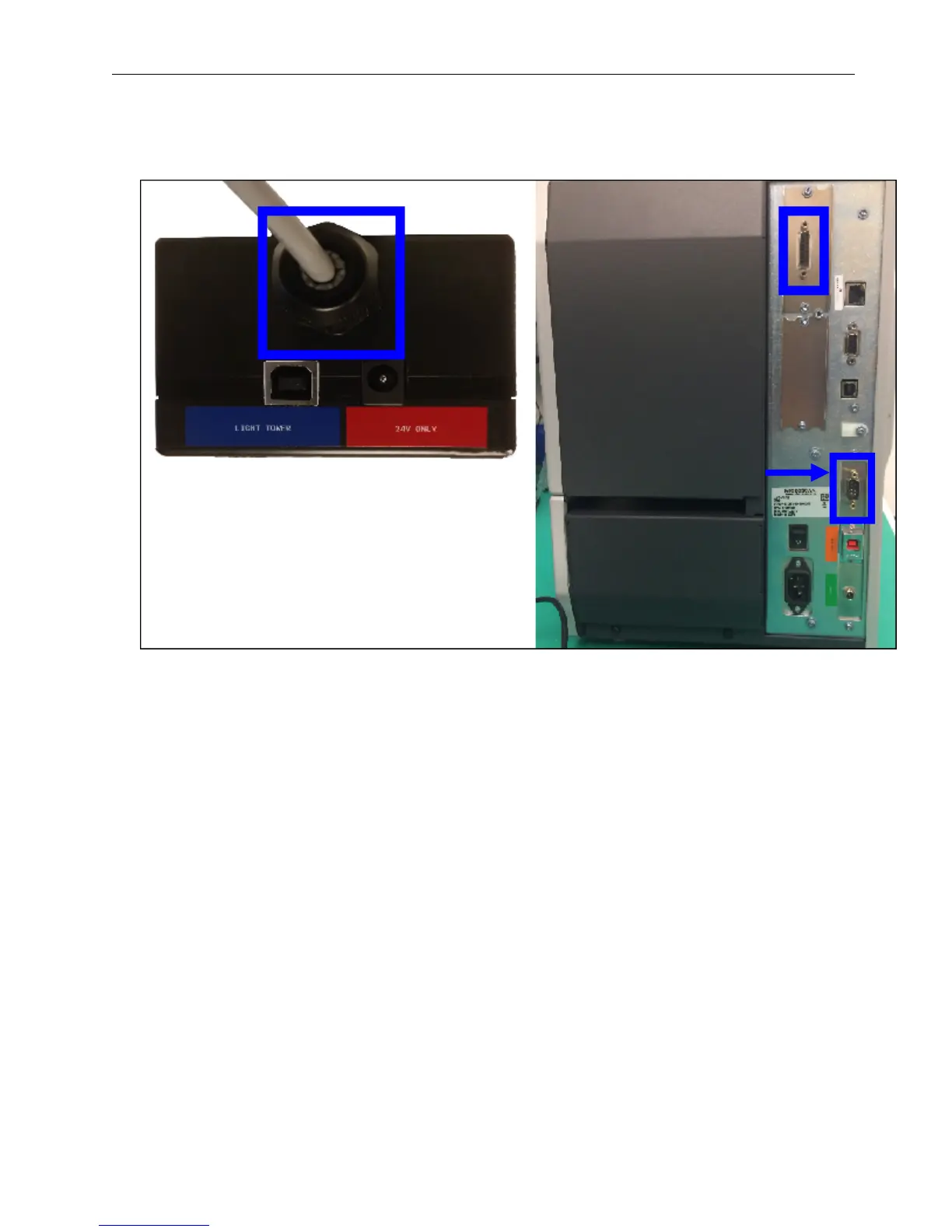
7. The 15-pin DB connector (connector shown below) is attached to the light tower. Connect the other end of
the connector to the printer. For the Peel and Present option, connect the other 9-pin DB connector cable
from the light tower to the mating DB connector on the back of the printer, as shown here.
8. The printer and computer cables are connected. Proceed to the next section.
Peel and Present
option only.


 To Next Page