4
1 – MDDR Configurator
The MDDR Configurator is used to configure the overall datapath and the external DDR Memory
Parameters for the MSS DDR controller.
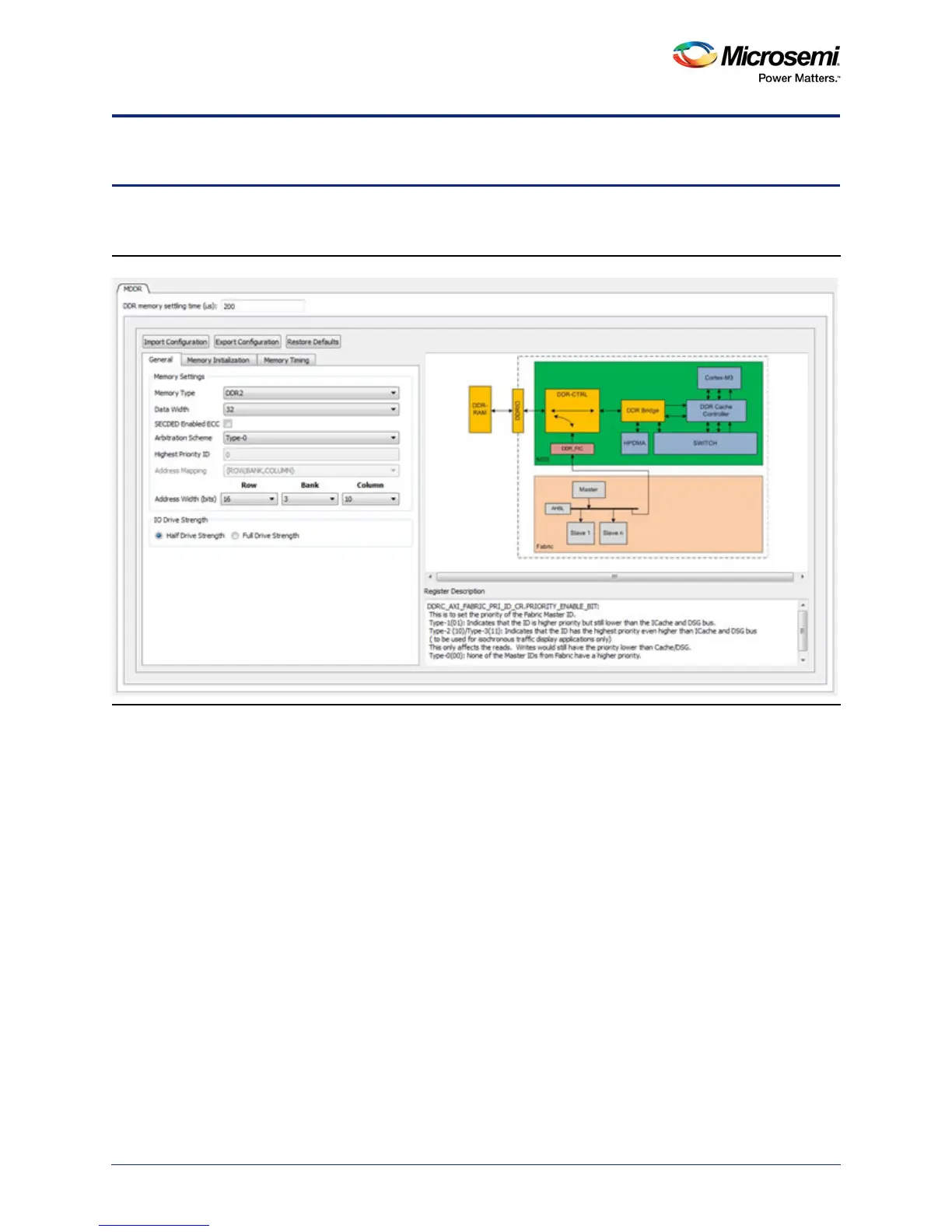
The General tab sets your Memory and Fabric Interface settings (Figure 1-1).
Memory Settings
Enter the DDR Memory Settling Time. This is the time the DDR memory requires to initialize. The default
value is 200 us. Refer to your DDR Memory Data Sheet for the correct value to enter.
Use Memory Settings to configure your memory options in the MDDR.
• Memory Type - LPDDR, DDR2, or DDR3
• Data Width - 32-bit, 16-bit or 8-bit
• SECDED Enabled ECC - ON or OFF
• Arbitration Scheme - Type-0, Type -1, Type-2,Type-3
• Highest Priority ID - Valid values are from 0 through 15
• Address Width (bits) - Refer to your DDR Memory Data Sheet for the number of row, bank, and
column address bits for the LPDDR/DDR2/DDR3 memory you use. select the pull-down menu to
choose the correct value for rows/banks/columns as per the data sheet of the LPDDR/DDR2/
DDR3 memory.
Note: The number in the pull-down list refers to the number of Address bits, not the absolute number of
rows/banks/columns. For example, if your DDR memory has 4 banks, select 2 (2
2
=4) for banks. If
your DDR memory has 8 banks, select 3 (2
3
=8) for banks.
Figure 1-1 • MDDR Configurator Overview



 To Next Page