
 Need help?
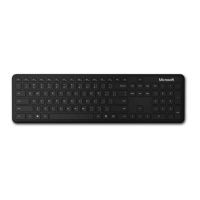
Do you have a question about the Microsoft 1898 and is the answer not in the manual?
Details on special keys for Office apps, emojis, and screen clipping functionality.
Software for customizing favorite keys and hot keys on the keyboard.
Remove battery tab or press Bluetooth button for >3 seconds to enter pairing mode.
Use Swift Pair notification or Windows Settings to connect the keyboard.
Safety information, including MSDs, available at aka.ms/KeyboardSafety.



 To Next Page
 General