
 Need help?
Do you have a question about the Microsoft Sculpt Mobile and is the answer not in the manual?
Insert two AAA alkaline batteries into the keyboard.
Slide the power switch to the ON position to activate the keyboard.
Follow detailed steps to pair the keyboard with your computer via wireless connection.
Download software to access all features of your new keyboard.
 General
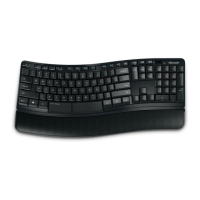
| Type | Ergonomic |
|---|---|
| Battery | 2 x AAA |
| Battery Life | Up to 10 months |
| Color | Black |
| Layout | QWERTY |
| Compatibility | Windows 8, Windows 7 |
| Operating Range | Up to 5 meters |
| Special Features | ergonomic design, Windows shortcut keys |
| Connectivity | Wireless (Bluetooth) |
| Weight | 440 grams |




 To Next Page