© 2015 Microsoft Page 18
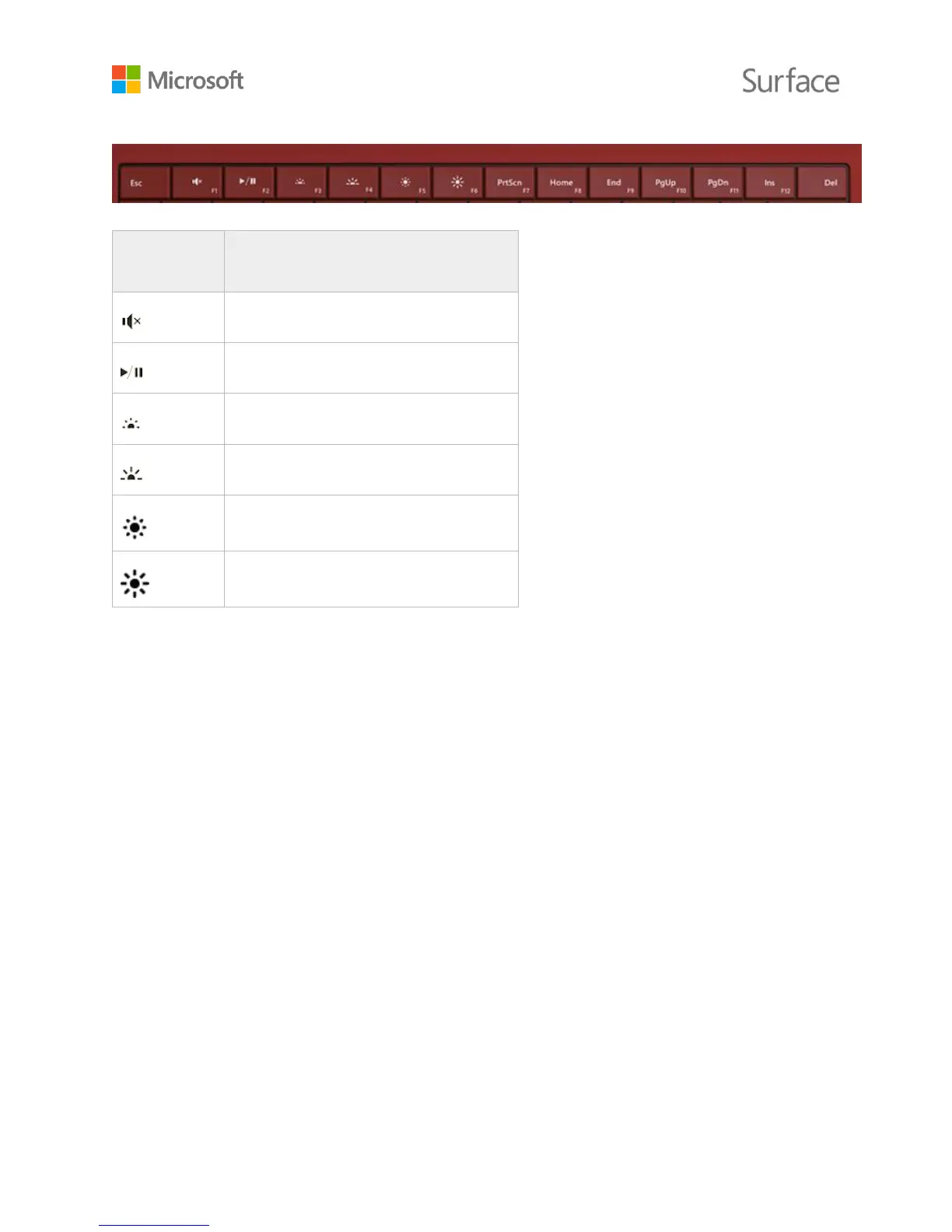
Keys on the top row of the Surface 3 Type Cover make it easy to do common tasks.
Turns audio muting on or off
Plays or pauses audio or video
Decreases keyboard backlighting
Increases keyboard backlighting
To lock and unlock the Fn keys:
Press the Fn key (in the bottom row on the keyboard) to lock the Fn keys. Press Fn again to
unlock them. A light on the Fn key lets you know you’ve locked the keys into function key
mode.
For detailed info about adjusting keyboard backlighting, using the shortcut and function keys, and
more, see Type Cover on Surface.com.












 To Next Page