M1154224-001
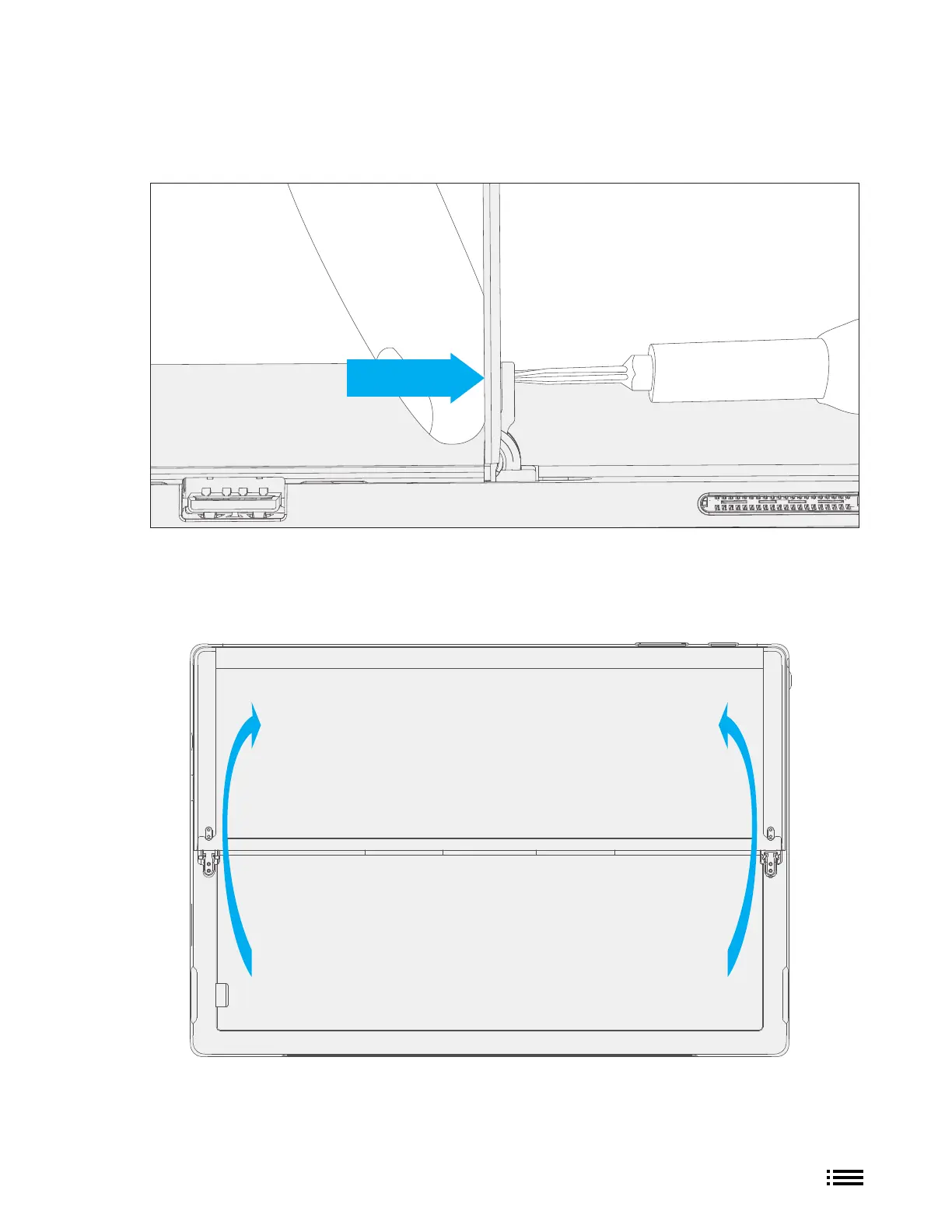
3. Remove hinge screws – Using the 3IP (Torx-Plus) driver, loosen all four hinge screws by 2-3 rotations. With
the screws loose, use your finger to hold the back of the kickstand behind each hinge while fully removing
the two hinge screws. Ensure screws do not fall into the hinge opening.
4. Lay Kickstand Down - Lay the kickstand flat against the IBC. Be careful not to jostle the kickstand in this
position as it may cause abrasions on the IBC.











 To Next Page