10 M1196211
Kickstand Replacement Process
Preliminary Requirements
IMPORTANT: Be sure to follow all special (bolded) notes of caution within each process section.
Required Tools and Components
• Tools:
o 3IP (Torx-Plus) driver
o Soft ESD safe mat
o Microber cloth
• Components:
o New Kickstand FRU
(FRU includes new 3IP screws)
Prerequisite Steps:
• Power off device – Ensure device is powered off and disconnected from a power supply.
• General Safety – Check to make sure that general guidelines and ESD compliance steps are followed prior to
opening device. Refer to Prior to Device Disassembly section (page 10) for details.
• Verify device model number – Ensure the model number on the new kickstand FRU matches the model
number on the backside of the device.
Procedure – Removal (Kickstand)
1. Place device screen-down on soft ESD safe mat. Ensure mat is clear of any abrasive material that may
scratch the Touch Display Module (TDM) glass.
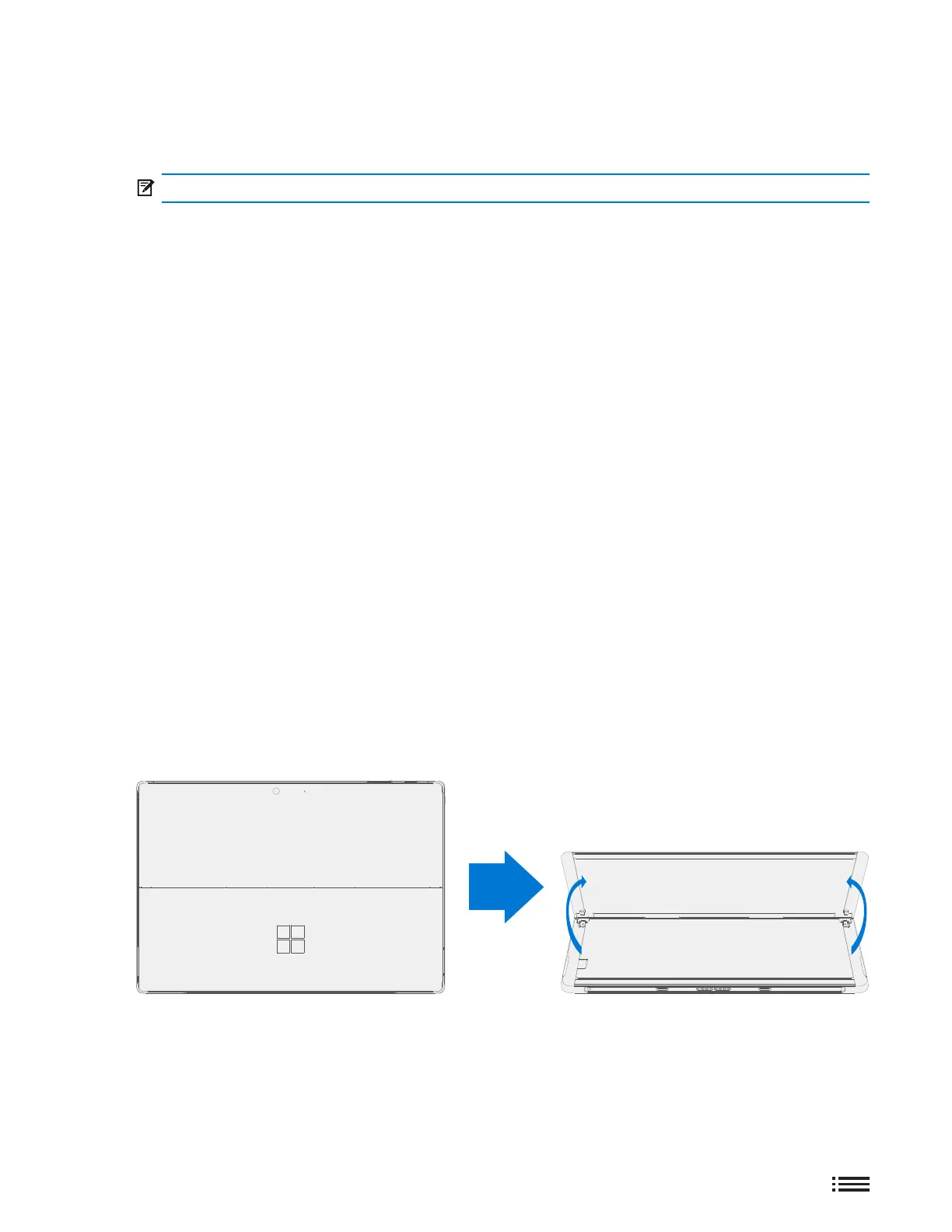
2. Extend the kickstand to approximately 90°.











 To Next Page