8
Step 4: Hang the Surface Hub on the wall plate
WARNING: Ergonomic Lifting
To reduce the potential for lifting related injuries, follow good ergonomic lifting guidelines.
Ergonomic lifting guidance
• Plan ahead. Ensure that everyone lifting the display knows the lifting plan and their role.
• Determine if you can lift the unit. Is it too heavy or too awkward?
• Decide if you need lifting aid.
• Check your environment for obstructions and slippery surfaces.
• Make sure the lifting team agrees on the plan.
• Lift with your legs, not your back.
• Bend at your knees, keeping your back straight.
• Keep the unit close to your body.
• Center your body over the unit.
• Keep your feet about shoulder width apart.
• Lift straight up smoothly.
• Keep your torso straight; do not twist while lifting or after the load is lifted.
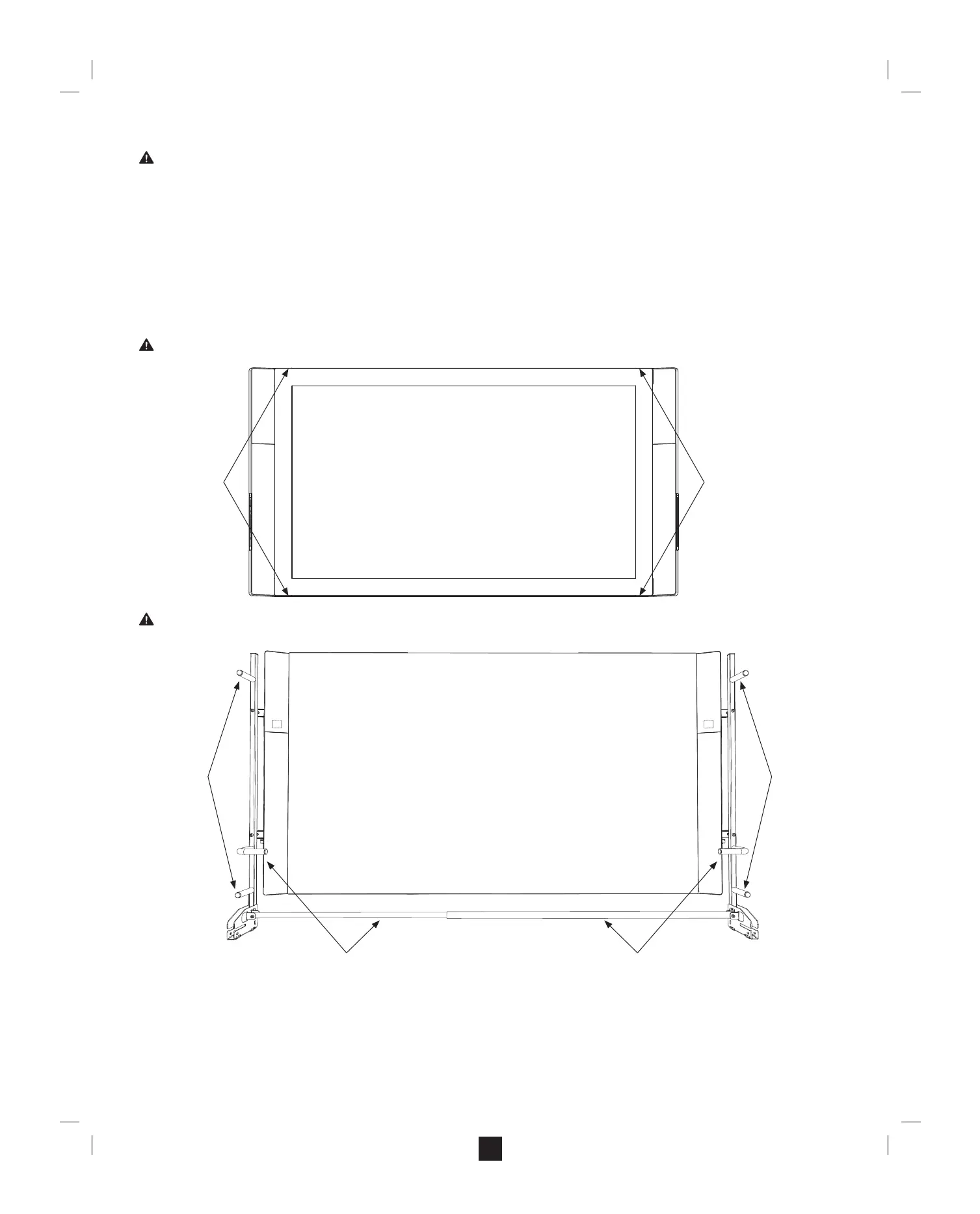
• Grasp the proper handhold locations as shown below.
• Set the unit onto the stand or wall mount slowly and smoothly with a straight back.
• Do not release the display panel until you are certain that it is properly seated.
WARNING: To reduce the risk of injury or product damage, use only the handhold locations shown below for the Surface Hub 55”. Lifting requires a minimum of two people.
WARNING: To reduce risk of injury or product damage, use only the handhold locations shown below for the Surface Hub 84”. Lifting requires a minimum of four people.
Person 1 Person 2
Person 2
Person 1
Person 4
Person 3


 To Next Page