- 6 -
• Remove the bottom vent from the 360.
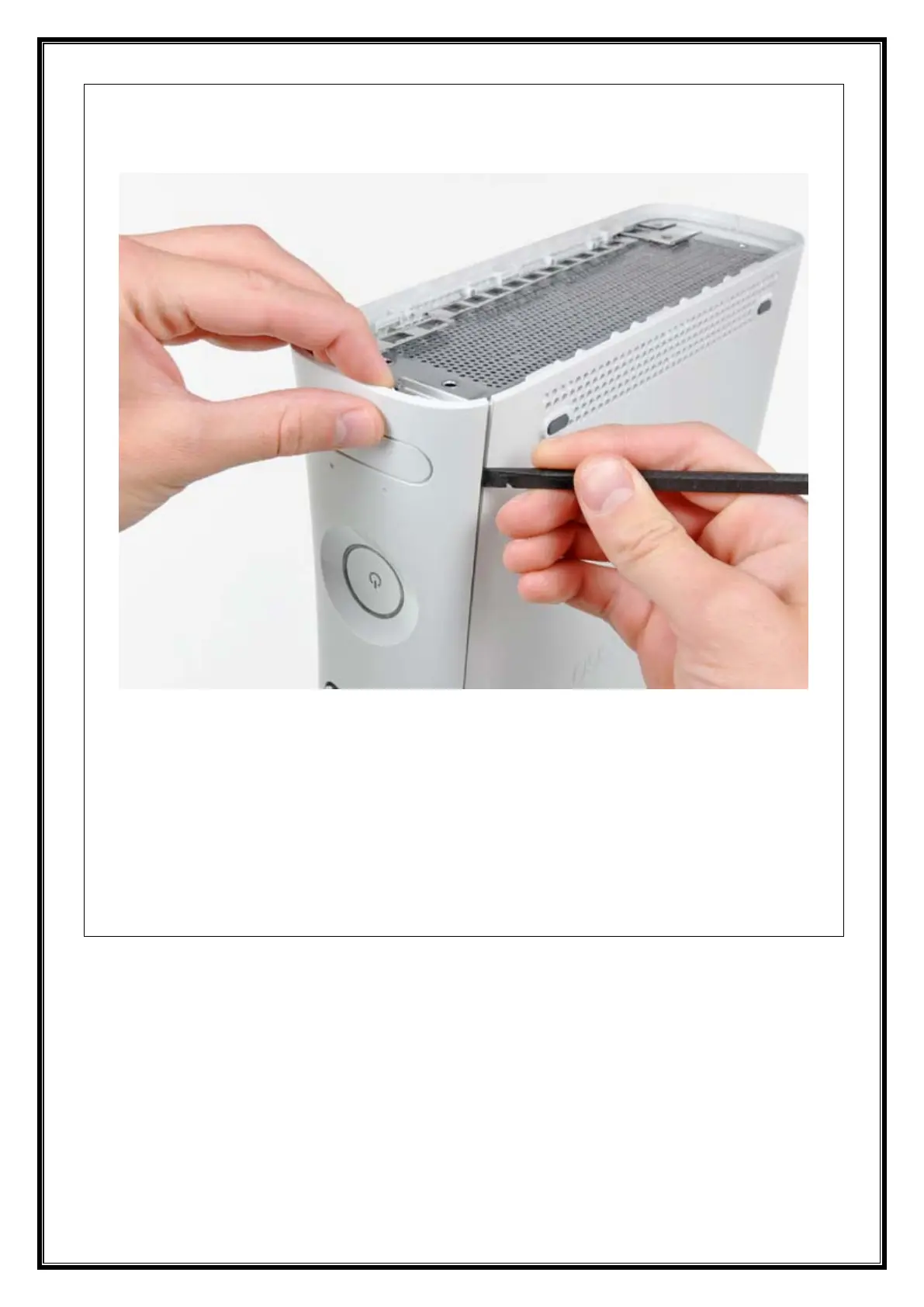
• Insert the edge of a spudger between the faceplate and the outer casing near the power
button.
• Run your spudger along the edge of the faceplate to release the clips securing it to the
front of the console.
• You may also accomplish this task by using the edge of the Xbox 360 opening tool, but it
may scratch the plastic case.
• Alternatively, you can use your hands to carefully pull the faceplate away from the Xbox.


















 To Next Page