Installation Overview
The USB CameraMate is relatively easy to install and operate. To avoid complications during the
installation process, please follow the steps in order as described in this chapter.
Installing the driver software
Before connecting and using the USB CameraMate, you must first install the device drivers
located on the accompanying Microtech Driver CD. Note: the screenshots below may vary
slightly from those on your computer.
Start your computer running Windows 98, 2000, or ME. Close any open applications.
Insert the Microtech Installer CD. The auto-run program will then launch the setup
application.
If the installer does not begin automatically, double click on "My Computer." The window
for "My Computer" will open. Double click on the drive corresponding to your CD-ROM.
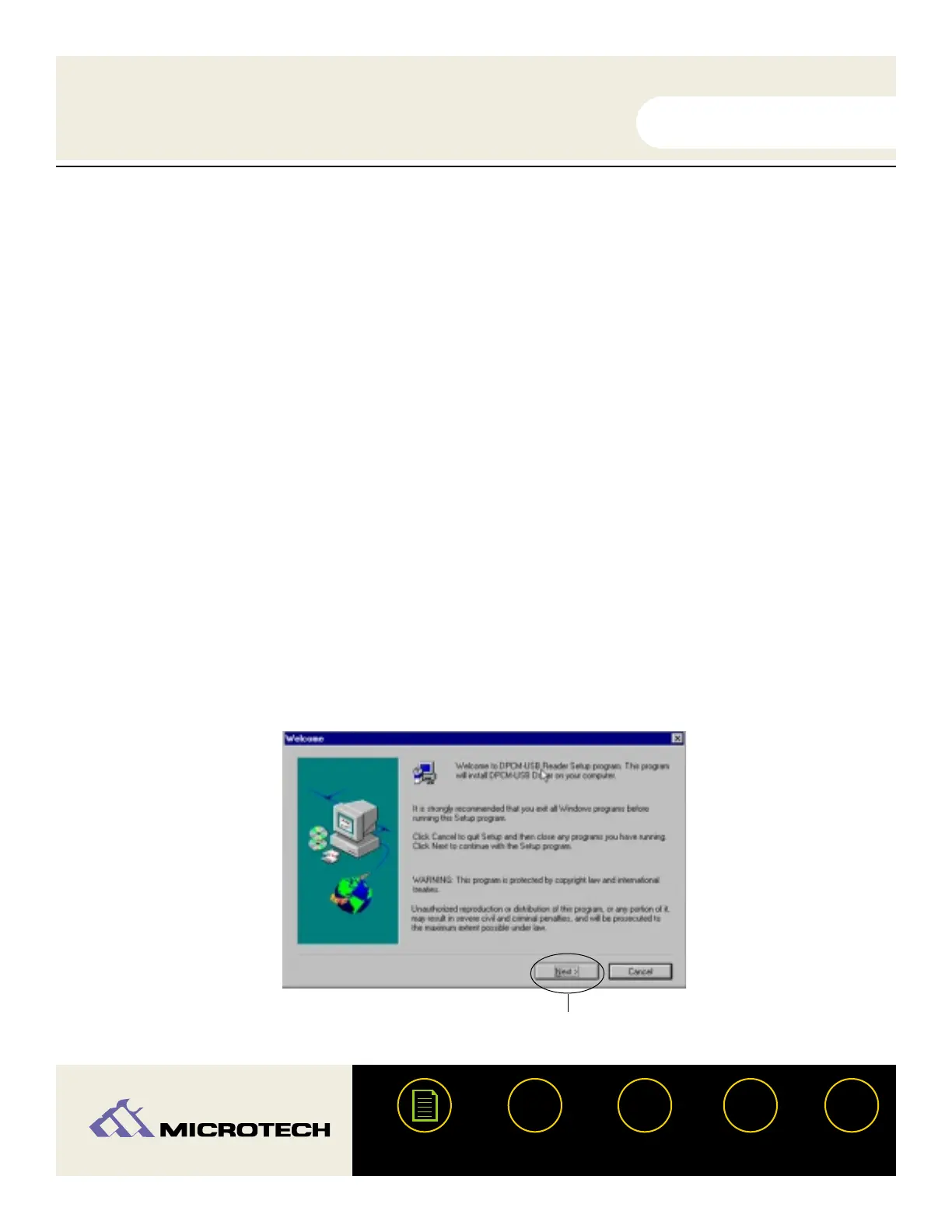
The window for the CD-ROM will open. Double click "Setup.exe". After a few moments
Setup displays a dialog box similar to the one as shown below. Click Next.
USER'S
MANUAL
USER'S
MANUAL
USB CameraMate
?
HELP
CONTACT
NEXTBACK
CONTENTS
15
1.
3.
2.
Click Next.


 To Next Page