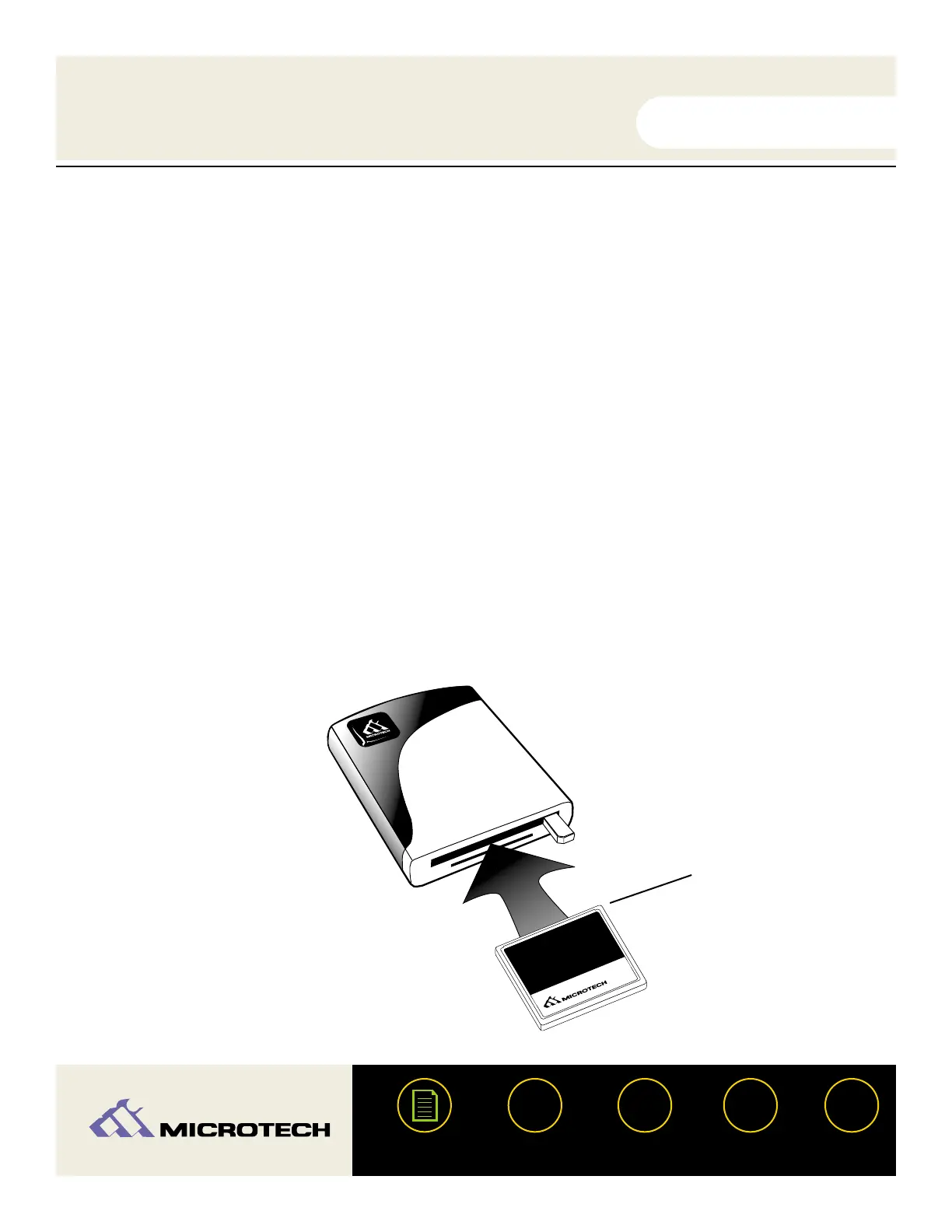
Inserting a CompactFlash card
Position the CompactFlash card in the direction as shown in the illustration below.
Insert the card into the upper slot. Be certain of the orientation - all leading
manufacturers of CompactFlash cards adhere to a specification requiring a positive keying
of the card. Gently push the card in all the way until the card is locked in place. The card
will slide in on the molded rails and a slight amount of resistance will be felt as the
connectors make contact. This is normal.
IMPORTANT: If excessive force is required, or the card just doesn’t seem to fit, do not attempt
to force the card in the reader, instead, call Microtech’s toll free tech support number for assis-
tance.
WARNING: Be careful not to insert the CompactFlash card in the wrong direction - be sure the
connectors are facing inward and the card is not inserted upside down. If it is forced in, the slot
or CompactFlash card may be damaged or data on the card may be lost.
USER'S
MANUAL
USER'S
MANUAL
USB CameraMate
?
HELP
CONTACT
NEXTBACK
CONTENTS
23


 To Next Page