Inserting a SmartMedia card (continued)
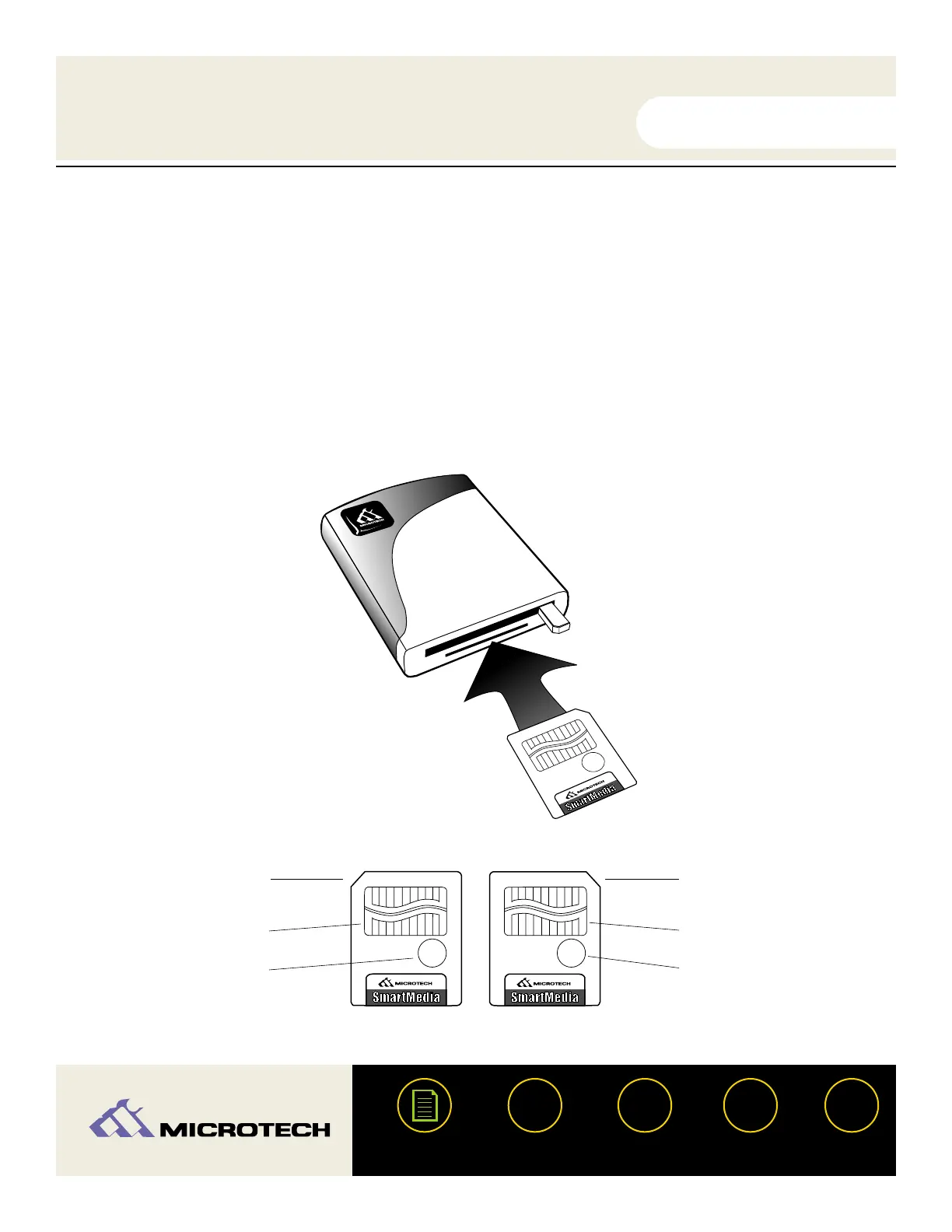
Insert the SmartMedia card as shown below. The CameraMate can accept both 3.3V and 5V
Smartmedia cards. Notice the notched corner of the SmartMedia card. The location of notch will
appear at different locations indicating whether the card is a 5V or 3.3V SmartMedia card - refer
to the illustration at the bottom of the page.
NOTE: For both 3.3V and 5V type Smartmedia cards, be sure to insert the card with the gold
contacts facing up.
USER'S
MANUAL
USER'S
MANUAL
USB CameraMate
?
HELP
CONTACT
NEXTBACK
CONTENTS
22
I N T E R N A T I O N A L, I N C.
I N T E R N A T I O N A L, I N C.


 To Next Page