10
How to Use the OSD (On Screen Display)
OSD function allows the user to easily adjust the display to the desired quality.
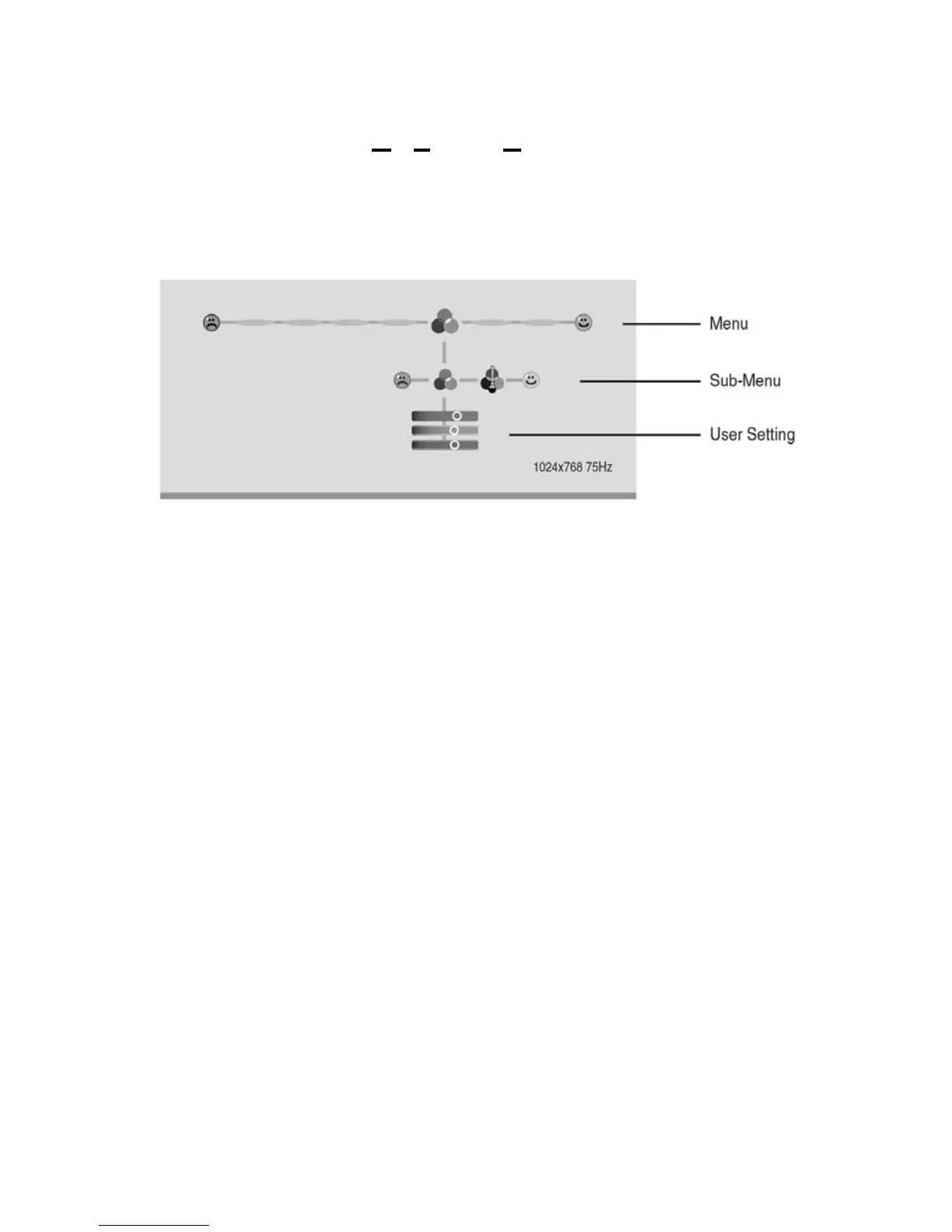
The OSD menu includes a main menu and a sub-menu.
Structure of OSD Menus
Operating Procedure
Use the buttons on the right side control panel to adjust the OSD
1. Power on the LCD monitor.
2. Press “MENU” button to pop up the OSD menu.
3. Press “e” or “ f” button to select menu item.
4. Press “MENU” button to select sub menu.
5. Press “e” or “ f” button to select sub menu item.
6. -If User setting does not appear then go to step 9.
7. Press “MENU” button to the user setting.
8. Press “e” or “ f” button to select or adjust.
9. Press “EXIT” button when finished adjusting and accept the user
setting.OR,
10. Press “MENU” button to process this item then accept or reject the
setting.


 To Next Page