"
Unpacking the Camera
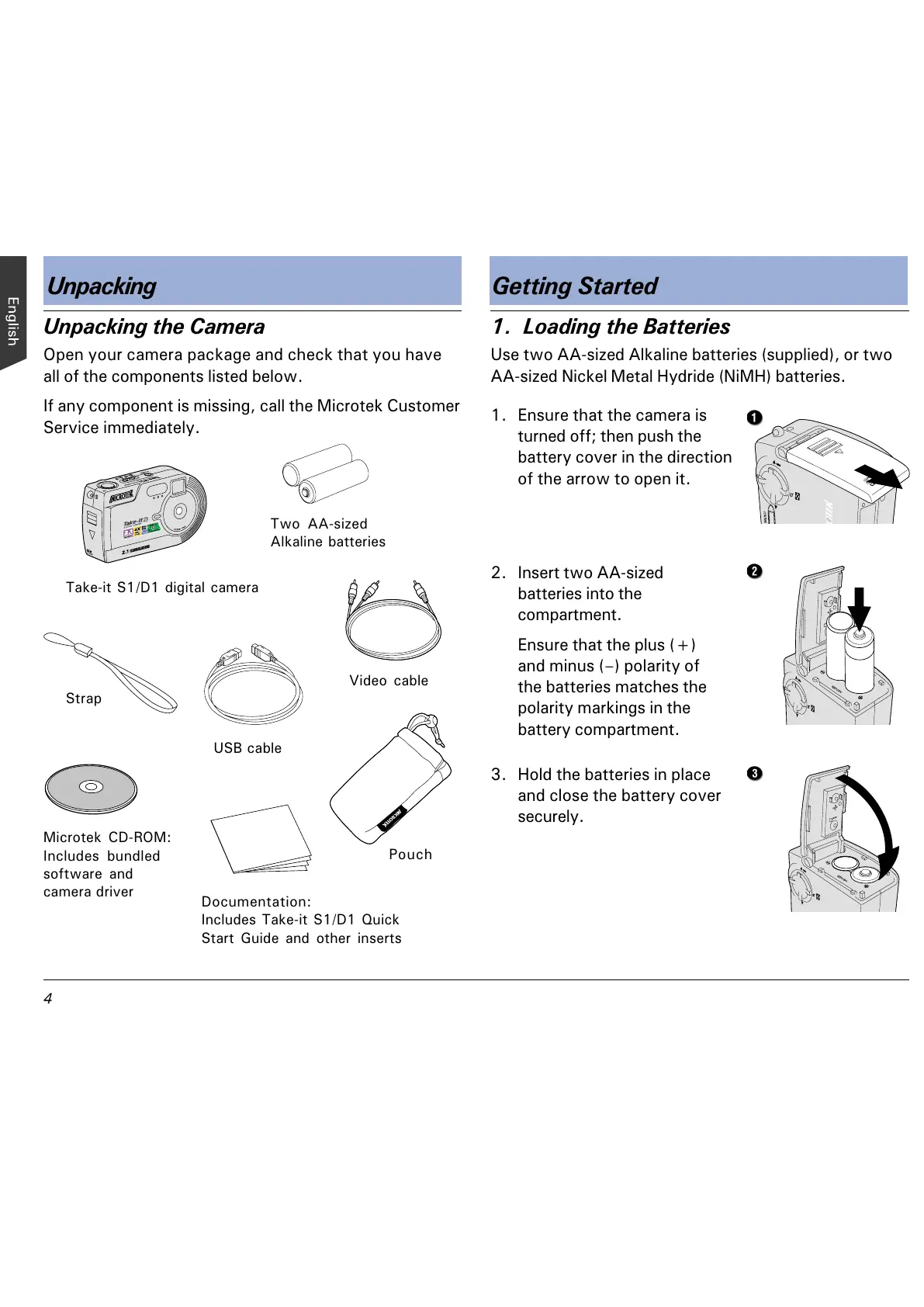
Open your camera package and check that you have
all of the components listed below.
If any component is missing, call the Microtek Customer
Service immediately.
Unpacking Getting Started
1. Loading the Batteries
Use two AA-sized Alkaline batteries (supplied), or two
AA-sized Nickel Metal Hydride (NiMH) batteries.
1. Ensure that the camera is
turned off; then push the
battery cover in the direction
of the arrow to open it.
2. Insert two AA-sized
batteries into the
compartment.
Ensure that the plus (+)
and minus () polarity of
the batteries matches the
polarity markings in the
battery compartment.
USB cable
Video cable
Take-it S1/D1 digital camera
Strap
Two AA-sized
Alkaline batteries
Microtek CD-ROM:
Includes bundled
software and
camera driver
Pouch
Documentation:
Includes Take-it S1/D1 Quick
Start Guide and other inserts
3. Hold the batteries in place
and close the battery cover
securely.



 To Next Page