75730 Instructions for Kit #75729 = West Temperature Controller • Rev. H • 09-27-21 Page 5 of 8
WEST CONTROLLER PROGRAMMING PROCEDURES
NOTE: The instrument will always return automatically to Operator mode if there is no key activity for 2
minutes.
Initial start-up
1. Turn the blower switch to start the oven without heat.
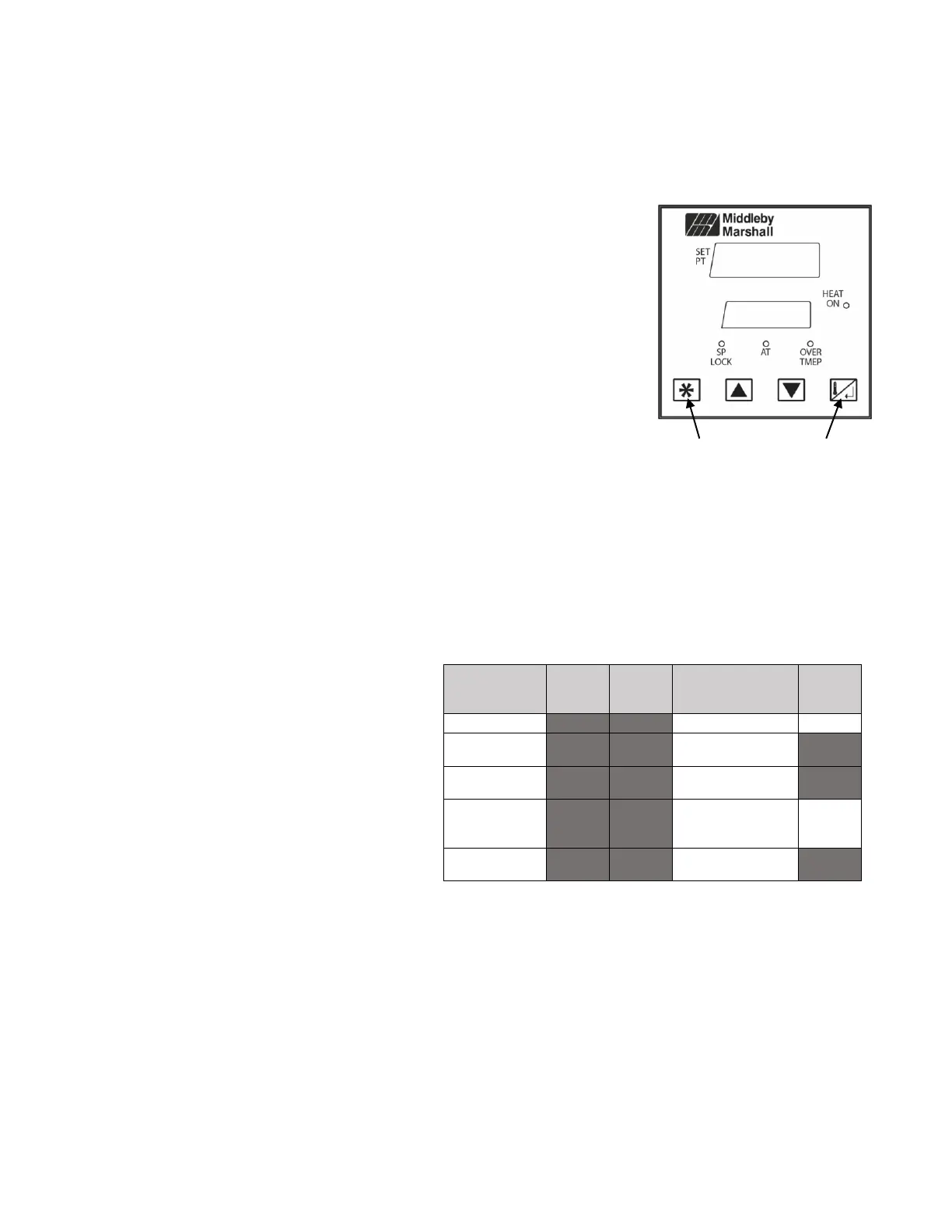
2. If “GoTo ConF” displays, press the Scroll key to enter the Unlock Screen.
3. Press the up key to enter the unlock code (“20”), then press the Scroll key to
proceed.
4. Press the Scroll key 20 times to scroll through the list of parameters.
5. Hold down the Star key for 3 seconds to return to Operator mode.
For all Electric ovens with Modulating Heat (Pigtail Positions 6 and 7
used), except PS520E.
a. Continue to Manually Loading PID Values.
For all Gas ovens with Modulating Heat (Pigtail Positions 6 and 7 used)
a. No further setup is required. Continue to Operating Instructions.
For all ovens with On/Off or Solenoid Heat (Pigtail Positions 10 and 11
used):
(Oven Models include PS570S, PS360, PS360WB, PS200, etc.)
a. Hold down the Scroll key and press the up key to enter Select mode.
b. Press the up key until “SEtP” appears in the upper display.
c. Press the Scroll key to enter the Unlock Screen.
d. Press the up key to enter the unlock code (“10”), then press the Scroll key
to proceed.
e. Press the Scroll key until parameter Pb_P is displayed.
f. Use the down arrow key to set Pb_P to “0.0”.
g. Hold the Star key for 3 seconds to return to Operator mode. Continue to
Operating Instructions.
For PS520E ovens only:
a. Hold down the Scroll key and press the up
key to enter Select mode.
b. Press the up key until “ConF” appears in
the upper display.
c. Press the scroll key to enter the Unlock
Screen.
d. Press the up key to enter the unlock code
(“20”) then press the Scroll key to proceed.
e. Press the Scroll key until parameter “tYP 2”
is displayed.
f. Use the up key to change the value of
“tYP 2” to “0_10” (other ovens use 4_20).
g. Press the Star key to confirm.
h. Hold the Star key for 3 seconds to return to
Operator mode. Continue to Manually
Loading PID Values.
Tailor settings to
the application
Configure the
instrument for use
Check
manufacturing
information
Invoke Pre-Tune
or Self-Tune
Note: In Configuration Mode, modified parameters
must be confirmed by pressing the “star” key after
making a change. The parameter will blink until the
change is confirmed.



 To Next Page
 Loading...