75730 Instructions for Kit #75729 = West Temperature Controller • Rev. H • 09-27-21 Page 7 of 8
Proper Installation Checklist
1. Set the set point at the correct operating temperature.
2. Turn on the heat switch. Ensure the oven comes up to temperature and stays at temperature.
NOTE: HEAT LIGHT: For modulating ovens, the heat light will stay on at any effort above 0%, and will only turn off
if the set point temperature is lowered below the current temperature. For solenoid ovens, the heat light will turn on
when the solenoid is open and off when the solenoid is closed.
3. Turn off the blower switch. Ensure that the oven blowers remain running until the oven has dropped below 200°F,
after which the oven will turn off.
4. After the oven has turned off, turn the blower switch back on again. Ensure that the oven operates normally.
Troubleshooting
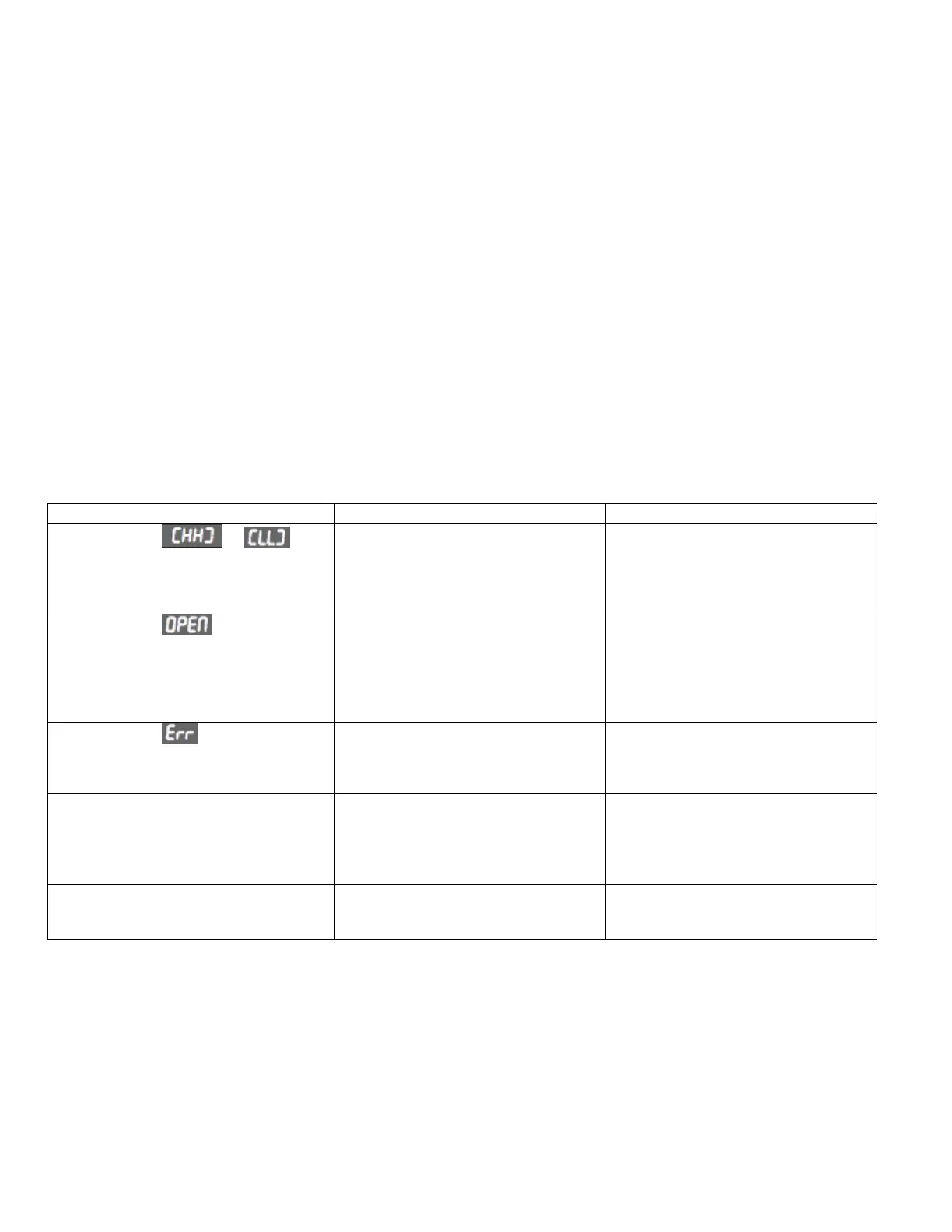
Temperature input is out of range.
Double check that the thermocouple
wires are in the correct positions in
the pigtail as well as on the
temperature controller (WHITE in
terminal 2 and RED in terminal 3).
The controller does not detect
Thermocouples.
Double check that the thermocouple
wires are in the correct positions in
the pigtail as well as the temperature
controller. Ensure the terminal
blocks are properly plugged
together.
There is an internal fault in the
controller.
Turn off the power for at least 10
seconds, then turn it back on. If error
does not clear, replace the defective
controller.
Solenoid Ovens: Solenoid is not
opening.
The Solenoid is not receiving power.
Check that parameter Pb_P is set to
0. Check that pigtail position 10 is
connected to Line voltage and
position 11 is connected to the
solenoid.
All ovens: A relay is not working
(cooldown relay, heat relay, high limit
relay)
The relay is not receiving power.
Check that any jumpers (except L1-
10) were transferred to the terminal
block.
NOTE: If GoTo ConF displays after power is cycled:
a. Turn the blower switch to start the oven without heat.
b. When “GoTo ConF” displays, press the Scroll key to enter the Unlock
Screen.
c. Press the up key to enter the unlock code (“20”), then press the Scroll key
to proceed.
d. Press the scroll key 20 times to scroll through the entire list of parameters.
e. Hold the Star key for 3 seconds to return to the Operator screen.
f. “GoTo ConF” should not return.



 To Next Page
 Loading...