Need help?
Do you have a question about the Midea FS5077 and is the answer not in the manual?
Explains the operation of ON/OFF/START and Warm/Cancel buttons for device control.
Details using Menu, Soup/Stew, Rice, and Slow Cook function buttons for various cooking modes.
Describes using TIMER/TEMP and +/- buttons for setting cooking time and temperature.
Step-by-step guide for using the Sauté function, including heating and ingredient addition.
Instructions for operating the Steam function, including time adjustment and boil detection.
Guide on using the Pasta function, time adjustment, and proportion table for cooking pasta.
Instructions for Porridge and Manual/DIY modes, including time and temperature settings.
Details for Meat, Bread, and Yogurt cooking functions, including preparation and timing.
Instructions for Soup/Stew, Rice, and Slow Cook functions, covering operation and timing.
Explains how to set cooking times for various functions using +/- buttons.
Describes the timer pre-set function for multiple cooking modes up to 24 hours.
Procedures for opening, removing, and cleaning the rice cooker's cover plate.
Instructions for safely disassembling, cleaning, and reassembling the steam valve.
Details on washing the steam valve parts and correctly installing the steam valve.
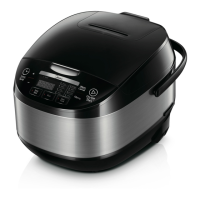
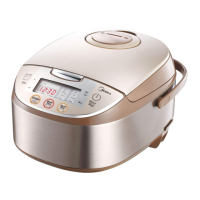
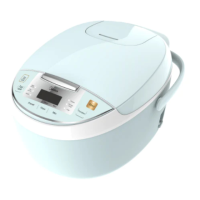
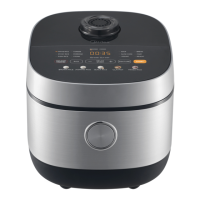
The Midea Rice Cooker, model FS5077, is an electric multi-cooker designed for household use, offering a variety of cooking functions beyond just rice. This appliance is intended to simplify meal preparation with its intuitive controls and diverse cooking programs.
The Midea Rice Cooker is a versatile kitchen appliance equipped with multiple cooking functions to cater to various culinary needs. Its primary function is, of course, cooking rice, but it also features dedicated programs for other dishes.
The ON/OFF/START button serves as the main power control. Plugging in the power supply and pressing this button turns on the appliance, indicated by "——" on the LED display and a flashing "ON/OFF/START" light, signifying standby mode. Pressing it again returns the cooker to an "OFF" (ECO) state with no display. From standby, users can select a desired function and press "ON/OFF/START" to begin cooking. If no operation occurs for two minutes in the "ON" state, the cooker automatically enters the "OFF" state.
The Warm/Cancel button has dual functionality. In standby mode, pressing it initiates the temperature preservation program, keeping food warm. During an active cooking program, pressing "Warm/Cancel" exits the current operation and returns the cooker to standby. After cooking is completed, the temperature preservation mode automatically activates, displaying a timer from 0 to 12 hours. After 12 hours, the LED displays "——" and the cooker returns to standby. It's recommended to consume food within 5 hours for optimal flavor, as the Sauté and Yogurt modes do not include this preservation feature.
The Menu button allows users to cycle through various cooking functions when the cooker is in standby mode. These functions include Steam, Yogurt, Pasta, Sauté, Porridge, Meat, Manual/DIY, and Bread.
Specific dedicated buttons are also available for frequently used functions:
The TIMER/TEMP button is used for pre-setting cooking times and adjusting temperatures in manual mode. After selecting a function that allows pre-setting, pressing "TIMER/TEMP" illuminates both the "TIMER/TEMP" and the corresponding function lights, allowing users to set the desired completion time before pressing "Start."
The "+" and "-" buttons are used in conjunction with the TIMER/TEMP button to adjust values. They can be used to set the cooking completion time for pre-set functions, select temperature values in manual mode, and adjust cooking times for various programs.
The Midea Rice Cooker offers a range of programs with adjustable settings to suit different recipes and preferences.
Sauté Function: This function allows users to sauté ingredients directly in the cooker. After selecting "Sauté" from the menu, the "Sauté" light turns on. Pressing "Start" begins the function, with the "Start" light on and "Sauté" light flashing, and the digital screen displaying a "running circle." The cooker lid should be open at this stage to add olive oil and heat for 5 minutes. Once the oil is hot, ingredients like Thai fragrant rice can be added and stir-fried for 10-13 minutes until golden. After adding soup, closing the cover allows the program to detect the closed lid, and the "Sauté" light remains steady. The cooker then enters a stew stage with a countdown timer. The program completes and returns to standby mode.
Steam Function: To steam, select "Steam" from the menu. The default steaming time is 5 minutes, adjustable between 5 and 30 minutes using the "+" and "-" buttons. Pressing "Start" begins the function, with "Start" and "Steam" lights on and a "running circle" display. Once water boils, a countdown timer appears. Upon completion, the cooker automatically enters temperature preservation.
Pasta Function: Select "Pasta" from the menu. The default cooking time is 10 minutes, adjustable from 10 to 35 minutes using "+" and "-" buttons. Water and salt are added (up to 5 scales). Pressing "Start" begins the program, with "Start" and "Pasta" lights on and a "running circle" display. When water boils, a countdown timer appears. The lid can then be opened to add pasta, stir for 1-2 minutes, and close the lid to continue cooking. After completion, the cooker automatically enters temperature preservation.
Porridge Function: Select "Porridge" from the menu. The default cooking time is 2 hours, adjustable between 2 and 4 hours using "+" and "-" buttons. Pressing "Start" begins the program, with "Start" and "Porridge" lights on, and a Soup/Stew countdown timer displayed. The cooker automatically enters temperature preservation upon completion.
Manual/DIY Function: This function provides greater control. Select "Manual/DIY" from the menu. The default program time is 1 minute, adjustable from 1 minute to 4 hours using "+" and "-" buttons. Pressing the "TEMP" button allows selection of cooking temperature, with a default of F95 and options including F95, F105, F120, F140, F160, F175, F195, F210, F230, F250, and F275 (F250 and F275 are unavailable for cooking times over 2 hours). The digital screen displays the selected temperature. Pressing "Start" begins the function, with "Start" and "Manual/DIY" lights on. A "running circle" appears until the specified temperature is reached, then a countdown timer is displayed. Pressing "TEMP" during this time momentarily shows the set temperature. The cooker automatically enters temperature preservation upon completion.
Meat Function: Select "Meat" from the menu. The default cooking time is 20 minutes, adjustable from 10 minutes to 1 hour using "+" and "-" buttons. A tablespoon of cooking oil and meat are added, and the cover is closed. Pressing "Start" begins the function, with "Start" and "Meat" lights on, and a steaming countdown timer displayed. The cooker automatically enters temperature preservation upon completion.
Bread Function: For bread, defrost frozen dough thoroughly (not exceeding 500g). Select "Bread" from the menu. The default cooking time is 3 hours, adjustable between 2 and 4 hours using "+" and "-" buttons. The bowl should be wiped with cooking oil before placing the dough. Pressing "Start" begins the function, with "Start" and "Bread" lights on, and a steaming countdown timer displayed. The cooker automatically enters temperature preservation upon completion.
Yogurt Function: This program involves heating milk to 180°F in a saucepan, cooling to 115°F, adding yogurt culture, and stirring. The mixture is then poured into the clean, dry inner pot. Select "Yogurt" from the menu. The default cooking time is 8 hours, adjustable between 6 and 12 hours using "+" and "-" buttons. Pressing "Start" begins the function, with "Start" and "Yogurt" lights on, and a steaming countdown timer displayed. The cooker returns to standby when the program completes. Once incubation is done, the yogurt should be stored in an airtight container in the refrigerator and not left in the rice cooker.
Timer Pre-set Method: For functions like Bread, Porridge, Steam, Slow Cook, Soup/Stew, Rice, and Pasta, a pre-set timer can be used. After selecting the desired function, press "TIMER/TEMP" to enter the setting state. Use "+" or "-" to adjust the completion time in 1-hour increments (long press for automatic increase). The timer can be pre-set up to 24 hours. Press "Start" to activate the pre-set timer, and the screen will display the completion time and begin counting down. While temperature preservation is available for most functions (up to 12 hours), a shorter preservation time is recommended for better taste, and pre-setting the timer for more than 12 hours is not advised to prevent food deterioration.
Proper cleaning and maintenance are crucial for the longevity and optimal performance of the Midea Rice Cooker.
General Cleaning:
Cover Plate Cleaning: To clean the cover plate, first open the top cover. Then, pull up the cover plate to remove it. Once removed, the cover plate can be cleaned. To reinstall, align the cover plate and press it back into place until it clicks.
Steam Valve Disassembly, Cleaning, and Assembly: The steam valve should be cleaned frequently to ensure smooth venting and prevent burns, so it's important to clean it when the appliance has cooled down.
 General
| Non-stick Inner Pot | Yes |
|---|---|
| Capacity | 5L |
| Voltage | 220V |
| Frequency | 50Hz |
| Functions | Steam |

 To Next Page