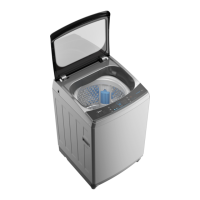
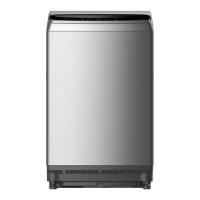
EasyManua.ls Logo

Midea MA200W80/G-MV - User Manual

Midea MA200W80/G-MV
24 pages
Print Icon
To Next Page IconTo Next Page
Loading...
Read This Manual
Use all instructions and explanations on delete installation
before use. Follow the instructions carefully. Keep the operation
instructions handy for later use. If the product is sold or passed
on then ensure that the new owner always receives this manual.
OWNER’S MANUAL
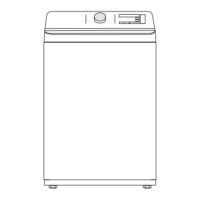
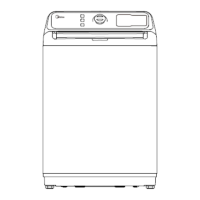
Fully AUTOMATIC WASHING MACHINE
MODEL:
MA200W80/G-MV
MA200W100D/S-MV
Washing Machine
Fully AUTOMATIC

Questions and Answers

  • T
    Tiffany MartinezAug 12, 2025
    Why is my Midea MA200W80/G-MV Washer not spinning properly?
    • P
      Paige GrossAug 12, 2025
      If your Midea Washer isn't spinning correctly, make sure the door lid is completely closed. Also, check that the clothing isn't piled up on one side of the barrel or overloaded. Ensure the washer is placed on a stable, level surface. If the issue persists, the motor belt might be loose and require tightening.
  • D
    David HeathAug 16, 2025
    What does E1 Alarm mean on my Midea MA200W80/G-MV Washer?
    • R
      rallenAug 16, 2025
      The E1 alarm on your Midea Washer indicates an abnormal water intake. To solve this, check whether the water tap is opened.
  • M
    matthewmartinAug 19, 2025
    How to fix no water flow in my Midea MA200W80/G-MV Washer?
    • K
      Kristina WellsAug 19, 2025
      If your Midea Washer isn't filling with water, first, check if the power is on and the fuse is working. Next, ensure that the water supply isn't cut off and the water pressure is adequate. Verify that the inlet hose is correctly connected and the water tap is fully open. Also, the filtering screen of the inlet valve may be blocked by dirt; try cleaning it. If none of these steps work, the coil of the inlet valve may be damaged, requiring you to replace the inlet valve. Finally, ensure you press the 'Start / Pause' button after turning on the power.
  • C
    Courtney RiveraAug 25, 2025
    Why is my Midea MA200W80/G-MV Washer not washing?
    • K
      Kelly PadillaAug 25, 2025
      If your Midea Washer isn't washing, check if the power is on or if a fuse has blown. Verify that the power supply voltage is sufficient. Ensure that the water level reaches the required amount. Also, check if the washer is set to a 'Delay' washing mode, which might postpone the start of the cycle. Check the power and voltage.
  • B
    brian78Aug 27, 2025
    How to fix E4 Alarm on Midea MA200W80/G-MV?
    • M
      Mary ChurchAug 28, 2025
      The E4 alarm on your Midea Washer indicates that the washing is staying on one side. To fix this, manually balance the clothes in the barrel by hand to distribute them evenly.
  • G
    Greg MooreAug 31, 2025
    Why is my Midea Washer draining abnormally?
    • G
      gonzalesmatthewAug 31, 2025
      If your Midea Washer is experiencing abnormal draining, ensure that the water drain hose is not placed too high. Also, check that the end of the water drain hose is not sealed in a pond. Additionally, the internal rubber ring of the drain valve might be blocked by dirt, so try cleaning it.
  • L
    Lisa NashSep 4, 2025
    What to do if my Midea MA200W80/G-MV shows E3 Alarm?
    • J
      James HoffmanSep 4, 2025
      The E3 alarm on your Midea Washer indicates that the lid is not closed properly. To resolve this, ensure the lid is fully closed and then press the 'Start' button to resume the washing cycle.
  • K
    kingjulieSep 7, 2025
    What does E2 Alarm mean on Midea MA200W80/G-MV?
    • K
      Kevin ParsonsSep 7, 2025
      If your Midea Washer is showing an E2 alarm, it means that the water drain hasn't finished. Check the water level sensor and the drain pump to ensure they are functioning correctly.

Summary

Safety Instructions

General Safety Precautions

General safety advice to minimize risks like fire, shock, property damage, or injury.

Explanation of Symbols

Details the meaning of warning, caution, and note symbols used in the manual.

Electric Shock Warning

Provides critical warnings regarding electric shock hazards and safe usage.

Child Safety

Highlights dangers for children, including supervision and machine interaction.

Explosion Risk

Warns against using flammable or explosive substances with the machine.

Installation Cautions

Offers cautions related to the proper installation of the washing machine.

Appliance Damage Prevention

Lists precautions to prevent damage to the washing machine itself.

Safe Operation Guidelines

Provides essential guidelines for safe and correct operation of the washing machine.

Packaging and Disposal Information

Details proper disposal and recycling guidelines for the product and its packaging.

Installation

Product Description

Details the various parts and components of the washing machine.

Included Accessories

Lists and illustrates the included accessories with the washing machine.

Installation Area Requirements

Specifies the ideal location characteristics for installing the washing machine.

Unpacking the Washing Machine

Step-by-step guide for safely removing the washing machine from its packaging.

Drain Hose Installation

Instructions for correctly connecting and positioning the drain hose.

Levelling the Washing Machine

Guide on how to ensure the washing machine is stable and level.

Detergent and Softener Usage

Details how and where to add detergents and fabric softeners.

Tap Selection

Guidance on choosing the appropriate water tap for connection.

Inlet Hose Connection Guide

Step-by-step instructions for connecting the water inlet hose.

Operations

Pre-Wash Preparation

Steps to take before starting the first wash cycle.

Basic Washing Procedure

Basic steps for operating the washing machine during a wash cycle.

Washing Attention Points

Important considerations and tips for effective and safe washing.

Detergent and Washing Powder Use

Guidance on selecting and using the correct detergents and washing powders.

Control Panel Explained

Explanation of the buttons, display, and functions on the washing machine's control panel.

Program Options

Details on selectable options like water level, soak/wash/rinse/spin, and soil level.

Delay Start Function

Instructions on how to set the delay start function for the washing cycle.

Child Lock Feature

Information on activating and deactivating the child lock feature.

Customizing Washing Programs

How to customize washing programs based on user needs and preferences.

Washing Process Steps

Detailed steps for specific washing processes like 'Wash only' and 'Spin only'.

Specialty Wash Programs

Details operations for Soak+Wash+Rinse+Spin, Hygiene, and Turbo programs.

Washing Program Table

A comprehensive table outlining available washing programs and their suitability.

Maintenance

General Care and Cabinet Cleaning

General advice for maintenance and instructions for cleaning the cabinet.

Inlet Filter Cleaning

Instructions for cleaning the water inlet filter to ensure proper water intake.

Troubleshooting Guide

A guide to identifying and resolving common problems and error codes.

Technical Specifications

Provides technical specifications like model, capacity, dimensions, weight, and power.

Overview

This document is an owner's manual for a Midea Fully Automatic Washing Machine, covering models MA200W80/G-MV and MA200W100D/S-MV. It provides comprehensive instructions for installation, operation, and maintenance, ensuring safe and efficient use of the appliance.

Function Description:

The Midea Fully Automatic Washing Machine is designed for household use, specifically for machine washing textiles. It offers various washing programs and settings to cater to different laundry types and soil levels. Key functions include:

  • Washing: The core function, with options for different programs like Normal, Quick, Strong, Heavy, Soft, Jeans, and Baby Care.
  • Rinsing: Multiple rinse cycles can be selected.
  • Spinning: The machine includes a spin-dry tub for water extraction.
  • Soaking: An option to pre-soak clothes for better cleaning, though not available for Quick and Spin programs.
  • Delay Function: Allows users to set a delayed start time for a wash program.
  • Water Level Selection: Users can choose the water level based on clothing categories, degree of soiling, and personal washing habits.
  • Soil Level Selection: Offers four levels (Extra Heavy, Heavy, Medium, Light) to adjust the wash intensity.
  • Auto Clean: A feature that uses strong water flow during dehydration to flush the inner and outer tubs, reducing dirt residue. This function is available by default for Normal, Strong, Heavy, Jeans, and Baby Care programs (indicated by a flashing no-clean light).
  • Hygiene Function: Increases washing time, rinsing times, and dehydration time to ensure cleaner and more hygienic clothes.
  • Turbo Function: Shortens the program duration while maintaining good washing performance.
  • Child Lock: A safety feature to prevent accidental operation by children, locking all buttons except the On/Off button.

Important Technical Specifications:

The manual provides specifications for two models:

  • MA200W80/G-MV:
    • Washing Capacity: 8.0 kg
    • Dimension (WDHmm): 550x565x915 mm
    • Net Weight: 36 kg
    • Rated Power: 450 W
  • MA200W100D/S-MV:
    • Washing Capacity: 10.0 kg
    • Dimension (WDHmm): 580x596x965 mm
    • Net Weight: 39 kg
    • Rated Power: 390 W
  • Standard Water Pressure (for both models): 0.03MPa~0.8MPa

Usage Features:

  • Control Panel: Features buttons for On/Off, Start/Pause, Program selection, Option settings (soak time, wash time, rinse times, spin time), Water Level, and Function (Hygiene, Turbo). A digital display shows settings, estimated time remaining, options, and status messages.
  • Detergent and Softener Inlets: Dedicated compartments for detergents and softeners. The softener inlet has a maximum delivery volume of 20ml.
  • Tap Connection: Instructions are provided for connecting the inlet hose to ordinary faucets, screw taps, and special washing machine taps.
  • Preparation Before Washing: Includes steps like plugging in, opening the tap, loading clothes, and adding detergent.
  • Washing Process: Outlines the sequence of Power On, Program Selection, Water Level Selection, and Start.
  • Personalized Program Settings: Users can customize wash programs by selecting water volume and appointment time. Specific sequences are detailed for "Wash only," "Spin only," and "Soak+Wash+Rinse+Spin" operations.
  • Safety Instructions: Emphasizes crucial safety measures such as indoor use only, avoiding humid places, not inserting hands into the spin-dry tub, unplugging before maintenance, ensuring proper earthing, and using new hose-sets. It also warns against washing articles with combustible substances and advises supervision for children and pets.
  • Environmental Considerations: The manual includes a marking indicating that the product should not be disposed of with other household waste, encouraging responsible recycling.

Maintenance Features:

  • Cleaning and Care:
    • Cabinet Cleaning: The surface can be cleaned with diluted non-abrasive neutral detergents. Any water overflow should be wiped immediately. Formic acid, alcohol, solvents, or chemical products are forbidden.
    • Inlet Filter Cleaning: Essential if water flow is reduced. Involves unscrewing the inlet pipe, pulling out and cleaning the filter with a brush, then reconnecting.
    • Lint Filter Cleaning: The built-in lint filter collects lint during washing. It is recommended to clean it every 10 cycles by taking it out, washing it with water, and placing it back. The manual illustrates both "magic filter" and "normal filter" types.
  • Troubleshooting: A dedicated section helps users diagnose and resolve common issues such as "No washing," "No water flows in," "Abnormal draining," and "Abnormal spin." It also lists alarm codes (E1, E2, E3, E4, EXX) with corresponding reasons and solutions. Users are advised to contact service if problems persist after initial checks.

The manual stresses the importance of reading all instructions before use, following them carefully, and keeping the manual handy for future reference or for new owners.

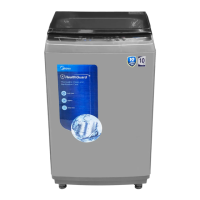
Midea MA200W80/G-MV Specifications

General IconGeneral
BrandMidea
ModelMA200W80/G-MV
CategoryWasher
LanguageEnglish

Related product manuals