3
Product
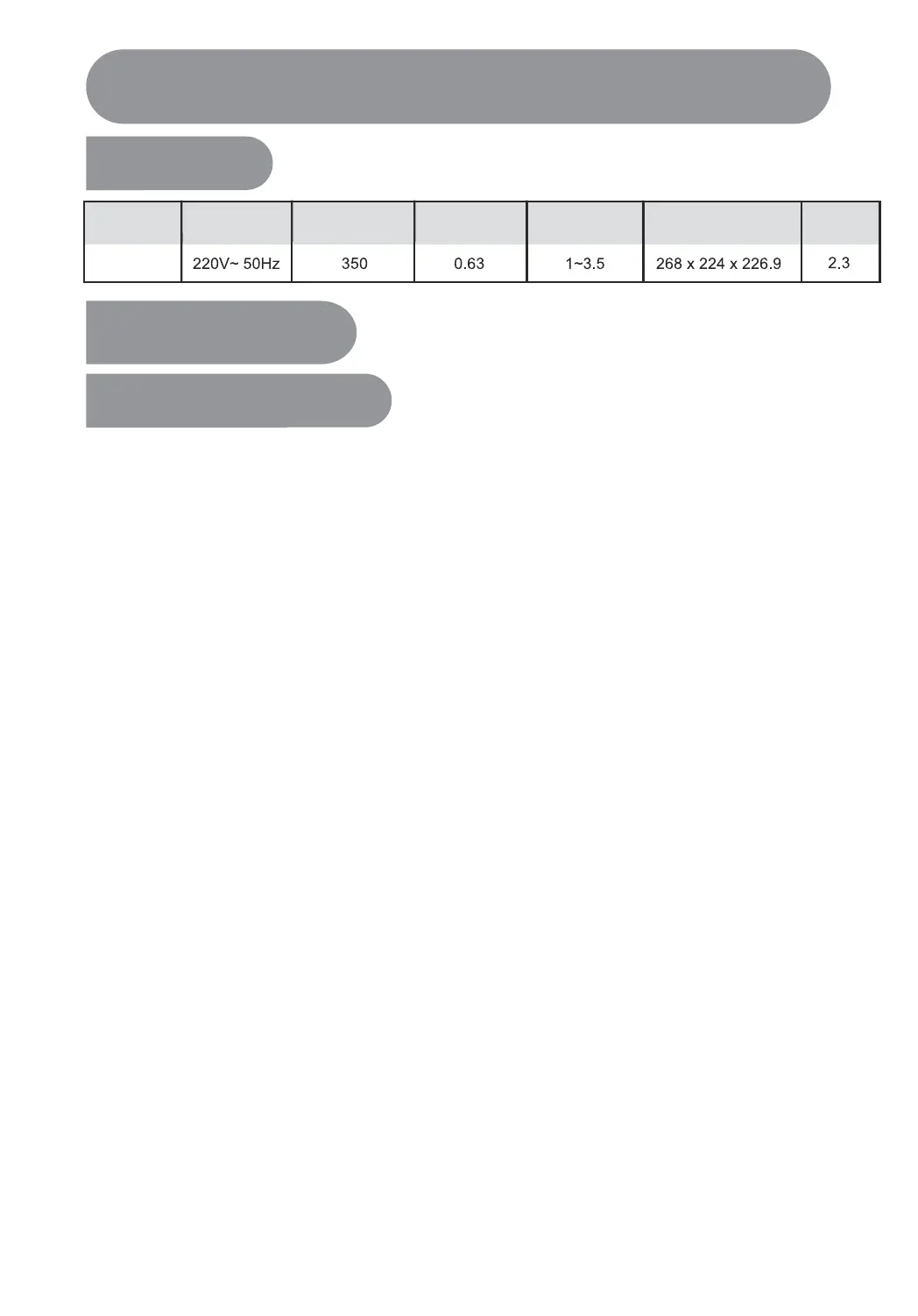
specification
Model
Rated Volage Rated Power(W)
Rice Cooking
Amount (Cup)
L x W x H (mm)
WEIGHT(kg)
Rated
Capacity(L)
Usage Instructions
The use of the function button
Product Instructions
MBFD165
Quick start guide
Reserve cooking
For example, pre-setting 3 measurement cups of White rice for cooking,and it will complete
after 8 hours.
Eg: Cook 3 cups of White rice
Place the rinsed rice into the inner pot and choose the appropriate water level
according to rice amount.
1、Prepare rice and water
Close the rice cooker lid, press the “Menu” button, select the features you need
(such as “White rice”).
2、Function selection
Press the “Timer” button, enter the pre-set time adjustment mode,then press the
"Timer"button again to adjust the pre-set time.
3、Set the timer for cooking completion
4、Start cooking
Press “Start” button, the cooking will be finished at appointed time.
5、Cancel cooking
Press the “Keep warm/Off” button can cancel the selected cooking function.
Gentle Reminder:
• The time displayed under pre-set timer mode is the length of time from the start to
the completion of cooking;
• The pre-set the time is suggested not for more than 12 hours, otherwise the off-fla
vor may occur;
• "Cake"and"Reheat"functions do not have pre-set time mode;
• The selected cooking function’s pre-set time should not be less than the cooking
time, such as “Porridge”, the cooking time is 2 hours, the pre-set time should be
more than 2 hours, otherwise cooking will started immediately.


 To Next Page