EasyManua.ls Logo

Midea MC-STW2018 - User Manual

Midea MC-STW2018
28 pages
Print Icon
To Next Page IconTo Next Page
Loading...
Model: MC-STW2018
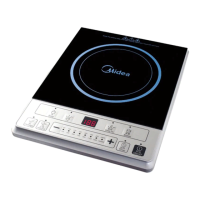
Induction Cooker
User’s Manual
Thank you for purchasing this induction cooker. Please thoroughly read
through this instruction manual before use and store it carefully for future
use.
The pictures are only for reference, please keep the real product as a
standard.

Questions and Answers

Midea MC-STW2018 Specifications

General IconGeneral
ModelMC-STW2018
CategoryCookers
Power700W
Voltage220-240V
DisplayLED
TimerYes
Overheat ProtectionYes
Child LockYes
Capacity5L
MaterialStainless Steel
Non-stick CoatingYes
Temperature ControlYes
Indicator LightYes
Automatic Shut-offYes
Frequency50/60Hz
Preset ProgramsYes

Summary

Safety Instructions

General Safety Precautions

Abide by all safety instructions to avoid damage to the appliance or injuries to people.

Avoid Heating Sealed Containers

Never heat foods in sealed containers to prevent explosion due to heat expansion.

Prevent Water Damage to Cooker

Do not rinse the cooker under water or spill liquid into internal parts.

Avoid Heating Empty Pots

Do not heat empty pots to maintain performance and prevent injury; do not leave unattended without water.

Avoid Placing on Gas Stove

Do not place the induction cooker on a gas stove while in use to prevent accidents.

Avoid Heating Metal Items

Do not heat iron items on the heating plate to avoid danger from high temperatures.

Use Designated Cookware

Utensils provided are for induction cooker use only and not for gas stoves.

Child Safety Operation

To avoid scalding injuries, do not let children operate the appliance alone.

Unplug After Use

Unplug the power cord after use to prevent fire or damage to electronic components.

Prevent Foreign Object Insertion

Do not insert foreign objects or block air ventilation/entry ports to avoid danger.

Pacemaker User Consultation

Pacemaker users should consult a doctor before using the appliance.

Protect Heating Plate from Impact

Avoid impacts on the heating plate; switch off if cracked to prevent electric shock.

Avoid Unsuitable Plate Articles

Do not place paper, foil, or cloth on the heating plate for indirect heating.

Avoid Metal;Thin Pad Platforms

Do not place on metal platforms or thin non-metal pads (<10cm) on the heating plate.

Ensure Ventilation Space

Place cooker horizontally with 10cm free space around it; avoid narrow spaces and covering vents.

Use High-Quality Power Outlet

Use a dedicated, high-quality outlet (>=10A) and avoid sharing with high-power appliances.

Damaged Cord Replacement

A damaged supply cord must be replaced by qualified personnel to avoid hazards.

Avoid Sharp Tool Contact

Do not touch the cooker plate with sharp tools; switch off if cracked.

Maintain Cleanliness and Protect from Elements

Keep cooker clean, protect from bugs, dust, humidity; store in a plastic bag if unused long-term.

Avoid Overloading Cooker

Do not overload the cooker; overloading can damage the plastic cover and plate.

Avoid Placing Metal Objects on Hotplate

Do not place metallic objects like knives or spoons on the hotplate as they can get hot.

Avoid Use Near Heat Sources

Do not use near gas stoves, kerosene stoves, open fires, or high-temperature environments.

Avoid Blocking Air Vents

Do not place on carpet or thin paper to avoid blocking air inlet/outlet and affecting heat emission.

Careful Cleaning of Surface

Clean surface carefully with wet sponge/cloth, beware of steam burns and toxic gases.

Cooking Area Remains Hot

Cooking area remains hot after use; avoid touching to prevent scalding.

Intended Use Environments

Appliance is for household and similar applications in kitchens, hotels, etc.

Child and Limited Capability Use

Children >=8 and those with limited capabilities can use with supervision and instruction.

Regular Vent Check

Periodically check for obstructions (glass, paper) in the air inlet.

Children Supervision

Children should be supervised to ensure they do not play with the appliance.

Avoid Empty Pot Operation

Never operate the cooker without food; it affects performance and may cause danger.

Keep Appliances Away from Children

Keep appliances out of reach from children and inform persons; do not let them use without supervision.

External Timer;Remote Control Restriction

Appliance is not intended for operation by external timer or remote control system.

Household Use Only

This appliance is for household use only; do not use outdoors.

Product Introduction

Performance Parameters

Details on Model, voltage, power, dimensions, and weight for MC-STW2018.

Before Using the Cooker

Read the guide, note safety warnings, and remove protective film from the ceramic plate.

Using Touch Controls

Controls respond to touch; use finger ball, ensure controls are clean and dry.

Product Sketch Map

Power Cord

Connection point for the power supply cable.

Air Vent

Opening for air circulation and cooling.

Ceramic Plate

The cooking surface of the induction cooker.

Cooking Zone Indicator

Indicates the active cooking area on the ceramic plate.

Control Panel

Interface for operating the induction cooker.

Air Entry

Opening for air intake into the appliance.

Control Panel Overview

ON;STANDBY Button

Powers the appliance on/off and puts it in standby mode.

Lock Function

Activates/deactivates the control lock to prevent accidental changes.

Function Button

Selects different cooking modes or power levels.

Keep Warm Function

Maintains food at a warm temperature after cooking.

Timer Function

Sets a countdown timer for automatic shut-off.

Operation Instructions

Placing the Pot

Ensure air vents are clear and place pot with food in the center of the ceramic plate.

Plugging In

Connect power; appliance enters standby mode ('L' displayed) with a beep.

Turning On

Press ON/STANDBY, then Function to heat; auto-off after 10s if no function selected.

Adjusting Power;Temperature

Use 'Function' button to select mode, then '+' or '-' to adjust power level or temperature.

Timer Operation

Press 'Timer' to set duration (1 min to 3 hours); cooker counts down and shuts off automatically.

Keep Warm Mode

Press 'Keep warm' to maintain food warmth with low power; power is not adjustable.

Lock Function

Press '+' and '-' to lock; only ON/STANDBY works. Press again for 3s to unlock.

Turning Off

Cooker auto-shuts off at end of time. Press ON/STANDBY to turn off manually. Note 'H' for high, 'L' for low temp.

Compatible Cookware

Cookware Material Requirements

Pots must contain magnetic materials and be flat-bottomed, 14.5-20 cm diameter.

Incompatible Cookware Materials

Do not use glass, ceramic, aluminum, copper, or other non-magnetic materials.

Pot Removal Detection

Cooker stops heating if pot is removed; buzzer sounds for 1 min before standby.

Cleaning and Maintenance

Cleaning the Cooker Plate

Wipe with moist cloth and mild detergent/toothpaste for oil spots; rinse with moist cloth until clean.

Long-Term Storage

Disconnect power, protect from dust/bugs when not in use for a long time.

Cleaning Air Vents

Clean air inlet/outlet with soft dry cloth, soft brush, or mini vacuum for dust/dirt.

Related product manuals