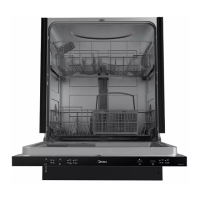
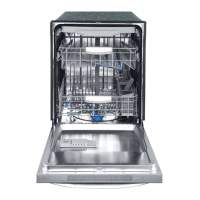
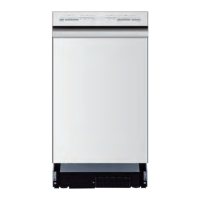
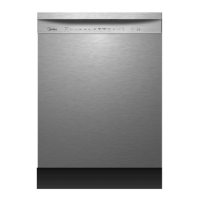
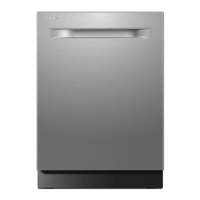
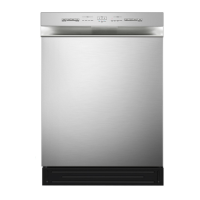
This document is a user manual for a Midea Counter Top, 6 Place Setting Dishwasher, available in models MDC3203DWW3A, MDC3203DSS3A, and MDC3203DBB3A.
Function Description
The Midea Counter Top Dishwasher is designed for household use to clean dishes, silverware, and glassware. It operates by spraying a mixture of hot water and detergent under pressure against soiled surfaces. The water is pumped through a rotating spray arm, filtered to remove food and soiled particles, and then recirculated. Soiled water is eventually pumped out and replaced with clean water at the end of each cycle. The dishwasher offers various wash cycles to accommodate different cleaning needs, including Heavy, Normal, Light, Glass, Speed, and Soak. It also features a 3-in-1 program for use with multi-function tablets and a delay start option.
Important Technical Specifications
- Model: MDC3203DWW3A/SS3A/BB3A
- Power Input: 680W
- Outer Dimensions (LxWxH): 21.7" x 19.7" x 17.2"
- Weight: 48.4 LBS
- Max. Water Consumption: 2.83 Gallons (10.7L)
- Water Pressure: 0.04~1MPa
- Operation: Electronic
- Detergent Capacity: .42 Oz (12g)
- Plate Capacity: 6 Standard Place Settings
- Electrical Requirements: 15 AMP, 120 Volt, 60 Hz Grounded Outlet.
- Water Temperature: Incoming water should be HOT, ideally at least 120°F (49°C) and no more than 150°F (66°C) for optimal cleaning and to prevent damage.
- Power Cord Length: 6 feet
Usage Features
- Control Panel: Features a Power Indicator Light, Program Indicator LED Display, Wash Program Selector Button, Power Button (ON/OFF), Start/Pause Button, Delay Button (0-24 Hours), 3 in 1 Button, and Child Lock Function.
- Wash Programs: Includes Heavy, Normal, Light, Glass, Speed, and Soak cycles, each with specific pre-wash, wash, rinse, and dry phases.
- 3-in-1 Function: Allows the use of 3-in-1 tablets, with a dedicated button and indicator on the control panel. A tablet container is provided to hang on the rack.
- Rinse Aid Dispenser: Helps prevent spots and films, and reduces drying time. The amount of rinse agent released can be adjusted. A "Rinse Aid" icon illuminates when the level is low.
- Delay Start: The start of a wash cycle can be delayed between 1 and 24 hours in one-hour increments.
- Child Lock Function: Prevents the unit from functioning and the door from opening when activated. It is engaged/disengaged by pressing the "3-in-1" and "Delay" buttons simultaneously.
- Loading Capacity: Designed for a standard "6 place setting," with specific recommendations for loading various items like cups, serving bowls, glasses, saucers, fruit bowls, oval platters, dinner plates, bread and butter plates, and a cutlery basket.
- Quick Faucet Adapter Connection: Provides an easy snap-on/snap-off connection to standard 7/8" diameter faucets, including separate fittings for water intake and drain hoses. A red pressure release button is included on the adapter.
- Permanent Installation Option: The dishwasher can also be permanently installed, requiring connection to a "HOT" water intake and a special sink drain pipe. Professional installation is recommended for this option.
Maintenance Features
- Filter System: Composed of a coarse filter, a main filter, and a micro (fine) filter. These filters trap food and soil particles. Regular cleaning of the filter assembly is crucial for optimal performance. The manual provides instructions for disassembling and cleaning the filters.
- Spray Arm Cleaning: The spray arm should be cleaned regularly to prevent clogging from hard water chemicals. This involves washing it in soapy, warm water and using a soft brush on the jets.
- Control Panel Cleaning: Should be cleaned with a lightly dampened cloth and then dried. Appliance polish wax can be used for the exterior. Avoid sharp objects, scouring pads, or harsh cleaners.
- Door Cleaning: The edge around the door should be cleaned with a soft, warm, damp rag. Spray cleaners are not recommended for the door panel to avoid damage to the door lock and electrical components. Abrasive cleansers or rough paper towels should also be avoided to prevent scratching.
- Post-Wash Care: After every wash, the door should be left slightly ajar to prevent moisture and odors from being trapped inside.
- Interior Cleaning: To remove spots or stains from the interior, a cloth dampened with water and white vinegar, or a dishwasher-specific cleaning product, can be used.
- Hard Water Management: For areas with hard water, periodic operation/rinsing of the empty dishwasher with 1 cup of white vinegar (at least once a week) or special cleaning products is recommended to minimize lime deposits and scaling.
- Troubleshooting Guide: The manual includes a comprehensive troubleshooting section to address common issues like the dishwasher not starting, water not pumping, suds in the tub, stained interior, white film, rust stains, knocking/rattling noises, dishes not clean, cloudiness on glassware, black/gray marks, detergent left in cups, and dishes not dry.
- Error Codes: The dishwasher has an error code indicator function for certain malfunctions, with codes like E1 (Water Intake Problem) and E4 (Overflow) displayed on the LED.

 Need help?
 General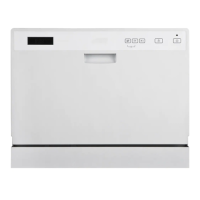

 To Next Page