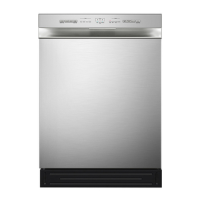
Control Panel
OPERATION INSTRUCTIONS
Description
●
No.1
Press this button to turn on your dishwasher.
16
Power
●
Press the button to set the delay time.
No.4
Delay
●
When you have about or less than half of full place
settings dishware to wash, you can choose this
function to save energy and water. (It can not be
used with Rapid.)
Half load
No.6
10
●
No.2
Wi-Fi
Press the button for more than 3 seconds. After a
shout bleeping and the icon starts to blink slowly,
it's in the network linking status to APP.
Slowly flashing shows DW is waiting for connection.
Quickly flashing shows DW is connecting.
Quickly flashing solid shows DW is connected to
your wireless router.
●
This option allows you to lock the buttons on the
control panel, except the Power button, so children
cannot accidently start the dishwasher by pressing
the buttons on the panel.
To lock or unlock the buttons on the control panel,
press the button for 3 seconds.
No.7
Child lock
1
●
Press these buttons to select the appropriate
washing program, the corresponding program
indicator will be lit.
No.3
Program
2 3 3 4 5 6 7 8109 11 12
●
For better drying result. (It can't not be used with
Rapid)
No.5
Extra drying


 To Next Page