14
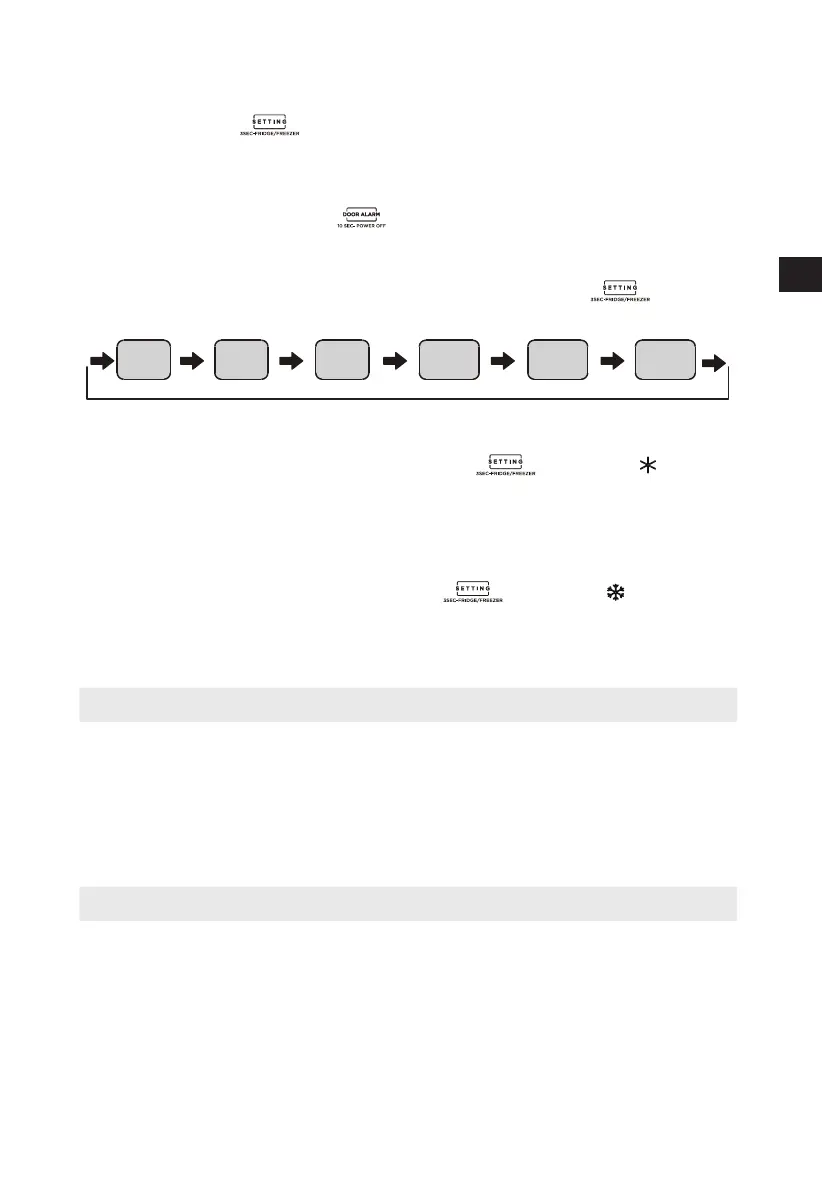
• Press the botton for 3 seconds to achieve Fridge/Freezer conversion, the
corresponding temperature icons shine.
Fridge/Freezer conversion
• Long press the standby buton for 10 seconds to set the standby function.
Standby function
• The temperature setting will be changed once you press button . Then,
the refrigerator will run according to the new temperature setting after 15s.
Temperature setting
Setting 1 Setting 2 Setting 3 Setting 4 Setting 5 Setting 6
• Enter: under refrigerator mode, press the button until the icon lighten.
During quick cooling mode, the refrigerator runs according to the temperatures
set at 2℃, and it will exit this mode automatically after running for 150 minutes or
temperature setting or mode setting.
Quick cooling mode
• Enter: under freezer mode, press the button until the icon lighten.
During quick freeze mode, the freezer runs according to the temperature set at
-24 ℃, it will exit this mode automatically after running for 24 hours or
temperature setting or mode setting.
Quick freezing mode
Refrigerating
• The Refrigerating Chamber is suitable for storage of a variety of fruits, vegetables,
beverages and other food consumed in the short term, suggested storage time
3days to 5days.
• Cooking foods shall not be put in the refrigerating chamber until cooled to room
temperature.
• Foods are recommended to be sealed up before putting into the refrigerator.
Freezing
• The freezer may keep food fresh for a long time and it is mainly used to store
frozen foods and making ice.
• The freezing chamber is suitable for storage o
f meat, fish, rice balls ande other
foods not to be consumed in shoet time.
• Chun
ks of meat are preferably to be divided into small pieces for q
uick freezing and
easy access. Please be n
oted food shall be consumed within the shelf time.
• The appliance has the function of refrigerator-freezer transition, by operating on
display panel, end- consumers could select refrigerator or freezer in accordance
with their requirement.
EN



 To Next Page