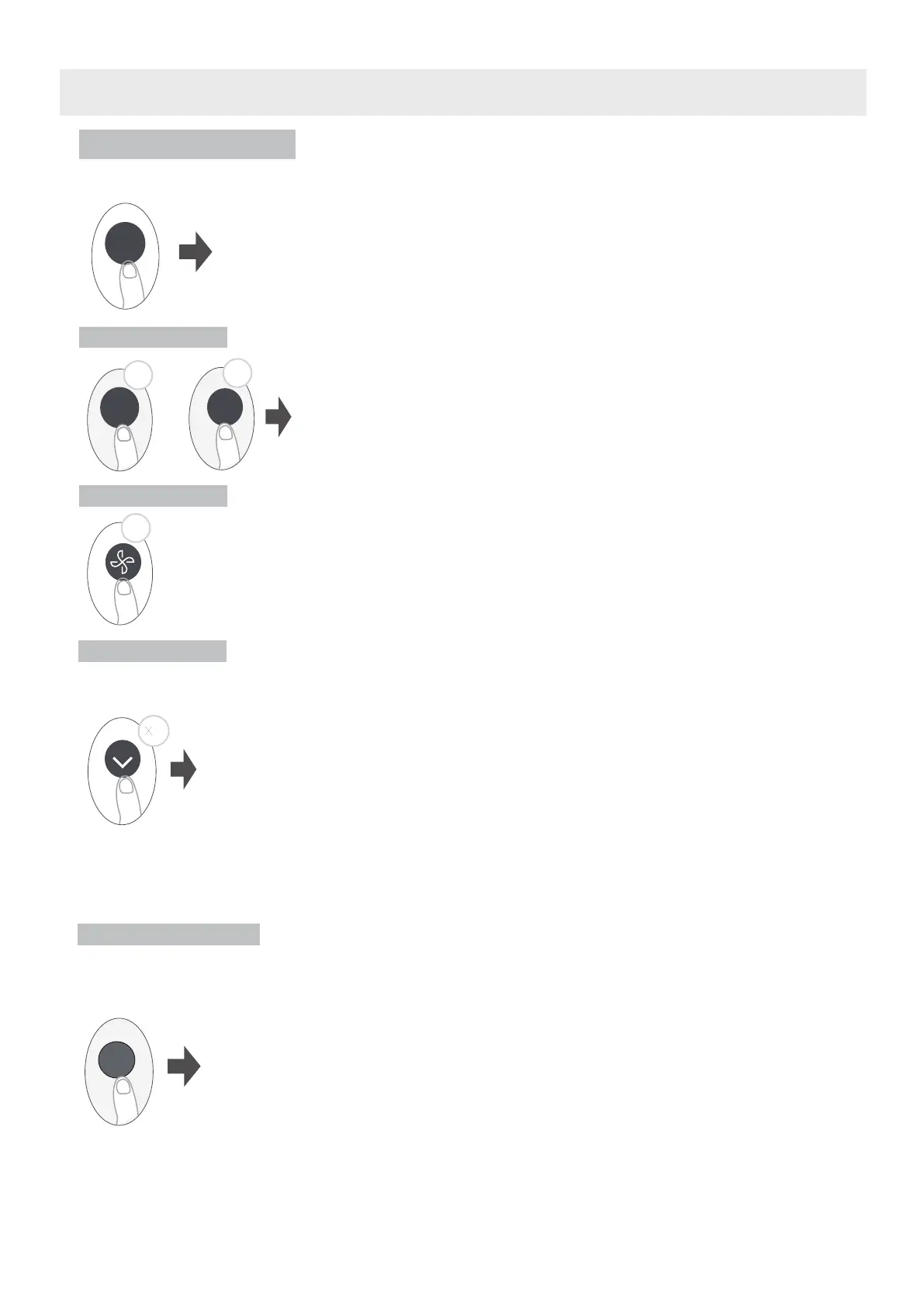
BOOST Function
When you select Boost feature in COOL mode, the unit will blow cool air
with strongest wind setting to jump-start the cooling process.
When you select Boost feature in HEAT mode, the unit will blow heat air with
strongest wind setting to jump-start the heating process(some units). For units
with Electric heat elements, the Electric HEATER will activate and jump-start
the heating process.
Press Boost button
Boost
48
CLEAN function
FP function
Keep pressing Fan button for more than 2 seconds to activate/disable Silence
function(some units).
Due to low frequency operation of compressor, it may result in insufficient cooling
and heating capacity. Press ON/OFF, Mode, Sleep, Boost or Clean button while
operating will cancel silence function.
Silence function
LOCK function
Press this button 2 times during one second under HEAT Mode with setting temperature of
16°C /60°F or 20°C /68°F(for model RG10A10(B2)/BGEF).
The unit will operate at high fan speed (while compressor on) with temperature
automatically set to 8°C /46°F.
Note: This function is for heat pump air conditioner only.
Press this button 2 times under HEAT Mode with setting temperature of 16°C /60°F or 20°C /68°F
(for model RG10A10(B2)/BGEF) to activate the FP function. Press On/Off, Sleep, Mode, Fan and Temp.
button while operating will cancel this function.
2
2s
Press Clean button to active self clean or active clean function(Model dependent )
Active clean function:
The Active Clean Technology washes away dust, mold, and grease that may
cause odors when it adheres to the heat exchanger by automatically freezing
and then rapidly thawing the frost. When this function is turned on, the indoor
unit display window appears “CL”, after 20 to 45 or 130(model dependent)
minutes, the unit will turn off automatically and cancel CLEAN function.
Self clean function:
Airborne bacteria can grow in the moisture that condenses around heat exchanger
in the unit. With regular use, most of this moisture is evaporated from the unit. By
pressing the CLEAN button, your unit will clean itself automatically. After cleaning,
the unit will turn off automatically. Pressing the CLEAN button mid-cycle will cancel
the operation and turn off the unit. You can use CLEAN as often as you like.
Note: You can only activate this function in COOL or DRY mode.
How to Use Advanced Functions
Press together Clean button and Boost button at the same time
more than 5 seconds to activate Lock function. All buttons will not
response except pressing these two buttons for two seconds
again to disable locking.
Clean
5s
5s
Boost
+
Clean




 To Next Page