Need help?
Do you have a question about the Midea MFW-1255CV and is the answer not in the manual?
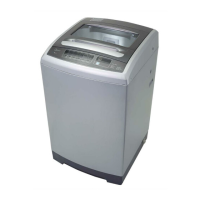
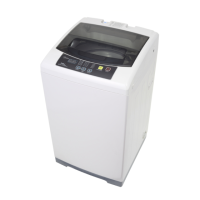
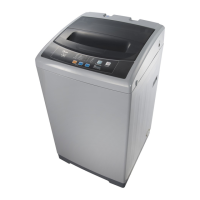
Details the main components and features of the washing machine.
Specifies the ideal location and environmental conditions for installing the washing machine.
Instructions for removing packaging, transport bolts, and preparing the machine.
Guidance on correctly connecting and positioning the drain hose for proper water removal.
Steps to ensure the washing machine is stable and level on the floor for optimal performance.
Choosing the correct tap and connecting the water inlet hose to the machine.
Key steps to take before starting the first wash cycle and general preparation.
Step-by-step instructions for operating the washing machine, including power, program, and start.
What happens after the wash cycle finishes and how to unload the laundry.
Important considerations for washing, including load balance, detergent use, and fabric care.
Explanation of the buttons, indicators, and display functions on the washing machine's control panel.
Details on selecting water level, temperature, delay start, and other optional settings.
Instructions on how to activate and deactivate the child lock function to prevent accidental operation.
How to set individual washing, rinsing, and spinning times, water volume, and appointment times.
Guides for performing single or combined washing, rinsing, and spinning processes.
Overview of available wash programs, their suitability for different fabrics, and special functions.
Instructions for proper cleaning of the washing machine's exterior and interior components.
Procedure for cleaning the water inlet filter to ensure adequate water supply.
Steps to clean the drain pump filter to remove debris and ensure efficient water draining.
Guidance on diagnosing and resolving common problems and error codes encountered with the appliance.
Key technical details and specifications of the washing machine model MFW-1255CV.
This document is the owner's manual for a Midea Washing Machine, model MFW-1255CV, providing comprehensive instructions for its installation, operation, and maintenance.
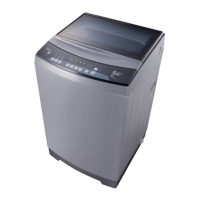
The Midea MFW-1255CV is a washing machine designed for indoor use, capable of handling various laundry types with multiple washing programs. It features a top-loading design with an impeller for washing action. The machine is equipped with both cold and hot water inlet valves, allowing for flexible water temperature selection. Its primary function is to clean textiles suitable for machine washing, offering different programs tailored to specific fabric types and soil levels. The control panel allows users to select programs, adjust water levels, set wash, rinse, and spin times, and utilize a delay function for deferred operation.
Before initial use, it is crucial to ensure the washing machine is properly installed and operated through a complete cycle without clothes. Users should always check garment labels and use non-foaming or low-foaming detergents suitable for machine washing, especially for drum-type machines. It is important to empty all pockets of clothing to prevent damage from sharp or rigid items. For optimal performance and to avoid unbalance alarms, it is recommended to wash one or two more clothes together when washing a single item. The machine operates best between 0-40°C; if exposed to temperatures below 0°C, it should be brought to normal ambient temperature before use to prevent damage to the inlet valve and draining system.
The control panel is intuitive, featuring an On/Off button, Start/Pause button, program selection, and an option button for additional functions. The display shows current settings, estimated time remaining, and status messages. Programs include Standard (Normal) for ramie cotton, Delicate for silk fabrics, ECO for lightly soiled clothes to save water, Heavy for heavily stained items, Quick for light stains and summer clothes, and Baby Care for children's clothes with increased rinsing. An Air Dry function is available for non-fading, non-deforming, and non-waterproof clothes, allowing them to dry without heating. The Tub (Drum) Clean program uses intermittent spinning to clean the inner and outer tub and impeller.
The machine also offers a "Fuzzy weighting" function, which automatically selects the water level based on load weight. This function is not available if water is already in the tub or if the user manually selected the water level before pressing Start/Pause. Once Start/Pause is pressed, the fuzzy weighting function runs, but users can still adjust the water level as needed.
For personalized washing, customers can select individual processes or combinations of washing, rinsing, and spinning. The "One Touch Smart Wash" simplifies this by allowing a single start for a complete cycle. Users can also set specific wash, rinse, and spin times. The "Memory" function allows the machine to remember previously set washing parameters like water level, wash time, and rinse times, making it convenient for recurring wash preferences. "Soft" mode offers mid/high/low water level selection with a gentle, slow washing and spinning speed to minimize wear, while "Strong" mode provides a longer wash time and stronger stream for better cleaning of heavily soiled items.
A "Child Lock" feature is included to prevent accidental operation by children. It locks all buttons except the On/Off button and can be activated or deactivated by pressing two specific buttons for 3 seconds. Cutting off the power supply also releases the child lock. The "Delay" function allows users to set a deferred start time from 0 to 24 hours. If there's a power interruption during operation, a special memory stores the selected program, and the cycle can resume by pressing the Start/Pause button once power is restored.
Regular maintenance is essential to extend the washing machine's working life. Before any maintenance, the machine must be unplugged, and the water tap closed. The cabinet surface can be cleaned with diluted non-abrasive neutral detergents. Any water overflow should be wiped immediately with a wet cloth, and sharp items should not be used on the surface. Formic acid, diluted solvents, alcohol, or chemical products are forbidden for cleaning.
The inlet filter requires cleaning if water flow is reduced. This involves unscrewing the inlet pipe from the back of the machine, pulling out the filter with long-nose pliers, cleaning it with a brush, and then reinstalling the filter and pipe.
The built-in lint filter should be cleaned every 10 cycles. Users need to take it out, clean it with water, and place it back into the washer.
The drain pump filter also needs periodic cleaning to ensure normal operation and prevent blockages from yarns and small foreign matters. This process involves draining water from the pump into a container, opening the filter by turning it counter-clockwise, removing any extraneous matter, cleaning the filter, and then restoring and tightening the pump cover clockwise. Caution is advised as hot water may be present in the pump during or after a wash cycle, so users should wait until the appliance has finished its cycle and is empty before removing the pump cover. It is crucial to ensure the valve cap and emergency drain hose (if present) are reinstalled properly to prevent water leakage.
The manual also includes a troubleshooting guide for common issues like no washing, no water flow, abnormal draining, or abnormal spin, providing inspection items and solutions. For instance, if there's no washing, users should check power, water supply, and delay settings. If water doesn't flow, they should check the water supply, inlet hose connection, and filter for blockages. Alarm codes (E1, E2, E3, E4, EXX) are explained with corresponding reasons and solutions, such as checking the water tap for E1 (abnormal water intake) or closing the lid for E3 (lid not closed). If problems persist after troubleshooting, users are advised to contact the service center.
 General
| Model Number | MFW-1255CV |
|---|---|
| Brand | Midea |
| Washing Capacity | 12 kg |
| Capacity | 12 kg |
| Control Type | Electronic |
| Color | White |
| Product Type | Washer |
| Wash Programs | Quick Wash |
| Voltage | 220V |
| Number of Tubs | Single Tub |

 To Next Page