EasyManua.ls Logo

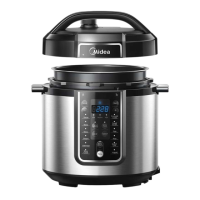
Midea MPC176-SS - User Manual

Midea MPC176-SS
54 pages
Print Icon
To Next Page IconTo Next Page
Loading...
User Manual
Electric Pressure Cooker
MPC176-SS
(Pictures in the text are for reference only,
please refer to the actual product)
Thank you for purchasing Midea electric pressure cooker.
Please read the User Manual carefully before use and keep it in
a convenient place for future reference.

Table of Contents

Questions and Answers

  • M
    Mercedes BellAug 15, 2025
    What does C1 code mean on my Midea Electric Pressure Cooker?
    • J
      Jonathan MoralesAug 15, 2025
      Please check whether there is water or food in the pot; after adjustment, the appliance can be normally used after beep stops; otherwise, send it to service center.
  • W
    William StricklandAug 18, 2025
    What does E1 code mean on my Midea MPC176-SS Electric Pressure Cooker?
    • M
      Melissa ClarkAug 18, 2025
      Please return the appliance to service center for repairing
  • K
    Kendra SantosAug 21, 2025
    Why is steam leaking from the side of the lid of my Midea Electric Pressure Cooker?
    • S
      Sara HuntAug 21, 2025
      Steam leakage from the side of the lid on your Midea Electric Pressure Cooker can occur for several reasons. It could be due to a missing sealing ring, a damaged sealing ring, food debris attached to the sealing ring, or the lid not being closed properly. Ensure the sealing ring is installed correctly and is not damaged. Clean the sealing ring to remove any food particles. Also, try opening and closing the lid again to ensure a proper seal.
  • K
    Kayla WilkinsonAug 25, 2025
    What to do if the lid of my Midea MPC176-SS Electric Pressure Cooker is difficult to open?
    • D
      David LongAug 26, 2025
      If you're having trouble opening the lid of your Midea Electric Pressure Cooker, it could be due to pressure still existing inside the cooker or the float valve being stuck. Use the steam release handle to reduce the internal pressure completely before attempting to open the lid. If the float valve is stuck in the popped-up position, gently press it down with a pen or chopstick.
  • D
    David HarrisonAug 28, 2025
    Why does steam come out from the exhaust valve non-stop on my Midea Electric Pressure Cooker?
    • S
      Stanley MoranAug 28, 2025
      Non-stop steam coming from the exhaust valve of your Midea Electric Pressure Cooker might be because the steam release handle is not in the sealing position. Turn the release handle to the sealing position. If the issue persists, contact support online.
  • J
    Jennifer RodriguezAug 31, 2025
    What to do if steam leaks from the float valve for over 2 minutes on my Midea Electric Pressure Cooker?
    • S
      stephanieellisonSep 1, 2025
      If steam leaks from the float valve for more than 2 minutes on your Midea Electric Pressure Cooker, it could be due to food debris on the float valve silicone seal or a worn-out silicone ring. Try cleaning the float valve silicone seal first. If the problem continues, replace the float valve silicone seal.
  • S
    Sharon DixonSep 4, 2025
    Why is the float valve unable to rise on my Midea MPC176-SS Electric Pressure Cooker?
    • A
      april37Sep 4, 2025
      If the float valve on your Midea Electric Pressure Cooker isn't rising, it could be due to too little food or water in the inner pot, or the float valve being obstructed by the lid locking pin. Add water according to the recipe. Also, ensure the lid is completely closed.
  • A
    Amanda SchroederSep 7, 2025
    Why is rice half cooked or too hard in my Midea MPC176-SS?
    • J
      Jeremy MartinezSep 7, 2025
      If your rice is coming out half cooked or too hard in your Midea Electric Pressure Cooker, it might be due to too little water or opening the cover prematurely. Adjust the dry-rice and water ratio according to the recipe. After the cooking cycle completes, leave the cover on for 5 more minutes.
  • M
    morrisonaprilSep 10, 2025
    What to do if the display remains blank after connecting the power cord on my Midea MPC176-SS Electric Pressure Cooker?
    • X
      xhernandezSep 12, 2025
      If the display remains blank on your Midea Electric Pressure Cooker after connecting the power cord, it could be due to a bad power connection or a blown fuse. Inspect the power cord to ensure a good connection and check that the power outlet is active. If the issue persists, contact support online.

Summary

IMPORTANT SAFEGUARDS

SPECIFICATIONS

PRODUCT STRUCTURE

CONTROLS AND STATES OF THE COOKER

Control Panel

Overview of the electric pressure cooker's control panel, including LED display and function keys.

States of the Cooker

Describes the different operational states (Standby, Preset, Program, Keep-Warm) shown on the LED display and indicators.

Operation Keys

Explains the function of the Timer, Manual, and Adjust buttons for presetting and time adjustment.

Function Keys

Details the purpose of the "Keep Warm/Cancel" key and other function keys like Rice, Soup/Stew, etc.

BEFORE THE FIRST USE

Remove and Install the Anti-Block Shield

Instructions on how to detach and attach the anti-block shield for cleaning or maintenance.

Remove and Install the Sealing Ring

Steps for removing and installing the sealing ring, with important notes for use.

Safe Lid Opening

Procedures for safely releasing pressure and opening the lid after cooking, including Quick and Nature Release.

COOKING PREPARATION

COOKING WITH YOUR COOKER

Pressure Cooking

Step-by-step guide for using the pressure cooking functions like Rice, Soup/Stew, Chicken, Meat, Fish, Pasta, Steam, Chili/Beans.

Preset Cooking

Instructions on how to use the preset function for delayed cooking, specifying compatible functions.

Browning;Sauté

Guide for using the Browning/Sauté function, including safety precautions about the lid.

Parfait

Steps for preparing Parfait using the cooker, including ingredient preparation and settings.

Slow Cook

Instructions on how to use the Slow Cook function, including its maximum cooking time.

Warming

Explains how to activate and use the Keep Warm function, its display indicators, and lid usage.

CARE AND MAINTENANCE

Cleaning

Detailed instructions on how to clean the pressure cooker components after use.

Electrical Circuit Diagram

A diagram illustrating the electrical components and connections within the pressure cooker.

TROUBLESHOOTING

Midea MPC176-SS Specifications

General IconGeneral
Timer typeDigital
Display typeLED
Product colorStainless steel
Built-in displayYes
Auto programs quantity12

Related product manuals