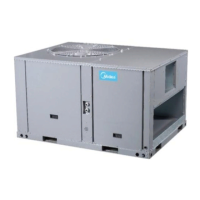
R410A Rooftop Package Unit 60Hz MCAC-RTSM-2014-03
Fresh alkaline batteries should provide about one year of service. However, when the batteries become
drained, “BATT” will alternate on the display with the current time. When this message occurs, install 2
new AA batteries, You have approximately 1 minute to change the batteries and keep thermostat’s clock.
Once the batteries have become too low to ensure proper operation, your system will be turned off, and
the display will be cleared except for “BATT” flashing on the LCD display.
16.4.3 Installation
Remove the packing material from the thermostat. Gently pull the cover straight off the base. Forcing or
prying on the thermostat will cause damage to the unit.
Connect wires beneath terminal screws on base using appropriate wiring schematic.
Place base over hole in wall and mark mounting hole locations on wall using base as a template.
Move base out of the way. Drill mounting holes.
Fasten base loosely to wall, as shown in fig. 1, using two mounting screws. Place a level against bottom
of base, adjust until level, and then tighten screws. (Leveling is for appearance only and will not affect
thermostat operation.) If you are using existing mounting holes, or if holes drilled are too large and do not
allow you to tighten base snugly, use plastic screw anchors to secure subcase.
Push excess wire into wall and plug hole with a fire-resistant material (such as fiberglass insulation) to
prevent drafts from affecting thermostat operation.
16.4.4 Error mode
If the thermostat is unable to control your system due to an unexpected battery problem, the thermostat
will enter Error Mode. In this condition, the thermostat flashes “E1”,“E2”,”E3”or”E4”on the LCD display,
and shuts off your system. To correct this problem, replace the batteries with 2 new AA alkaline batteries,
even if you have recently replaced them. Move the battery out, and then hold any key to release the rest
energy. Then place the battery again. You will need confirm normal operation.
If Error Mode returns, please call us for further information.
noitamrofniyalpsiddcL
rorrErosneS1E
rorrEhctiwsmetsyS2E
esuoN3E
rorrEyromem2E4E
Warning Mode
If the SYSTEM MONITOR SWITCH is close, that means the system have error. the thermostat flashes
“E5”on the LCD display.


 To Next Page
 Loading...