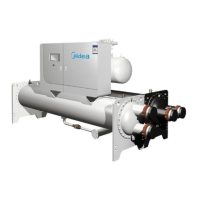
Flooded type water cooled screw chiller (PCB Control)
41
⑧Press ENTER to save the new parameter values;
⑨Repeat the above 5, 6, 7, 8 step change other parameters;
⑩Press Esc to exit the repair parameters modify the program.
The following shows the detailed settings: 13 pages
Checking or changing manufacturer parameters step:
①Press one or more Esc to switch to the standard display interface;
②Press Prg: display interface input password;
③Press ENTER input manufacturer password, starting from the rightmost digit, each input a digital,
confirm with ENTER ;
④If the password is correct, will display the following parameter type list:
- Configuration parameters
- ensor parameters
- Control parameters
Control parameter settings 13/13
DC power supply mode 1
Drive hardware configuration 1/13
Network address 198
Drive hardware configuration 2/13
Refrigerant type
R134a
Valve type
Danfoss ETS 250
Drive hardware configuration 3/13
Type of probe S1
User-defined
Unit type
Fin coil evaporator air-conditioner
Drive hardware configuration 4/13
Type of probe S1
NTC Carel
Auxiliary control type
Disabled
Drive hardware configuration 5/13
Type of probe S3
Unused
Relay configuration
Generate alarms
Drive hardware configuration 6/13
Type of probe S4
Unused
DI1 configuration
Start/stop SH control
Drive hardware configuration 7/13
Language
Chinese
DI2 configuration
Control parameter settings 8/13
Overheat degree 6.0K
Valve opening upon start 50%
Pre-positioning duration 30s
Control parameter settings 9/13
Hot air by-pass temperature ---
Hot air by-pass temperature ---
EPR back pressure ---
Control parameter settings 10/13
LowSH 2.0K
LOP -50°C
MOP 50°C
Control parameter settings 11/13
Enable manual valve positioning 0
Manually set the valve position 0stp
Control parameter settings 12/13
HiTcond threshold 80.0°C
Constant temperature
Constant temperature



 To Next Page