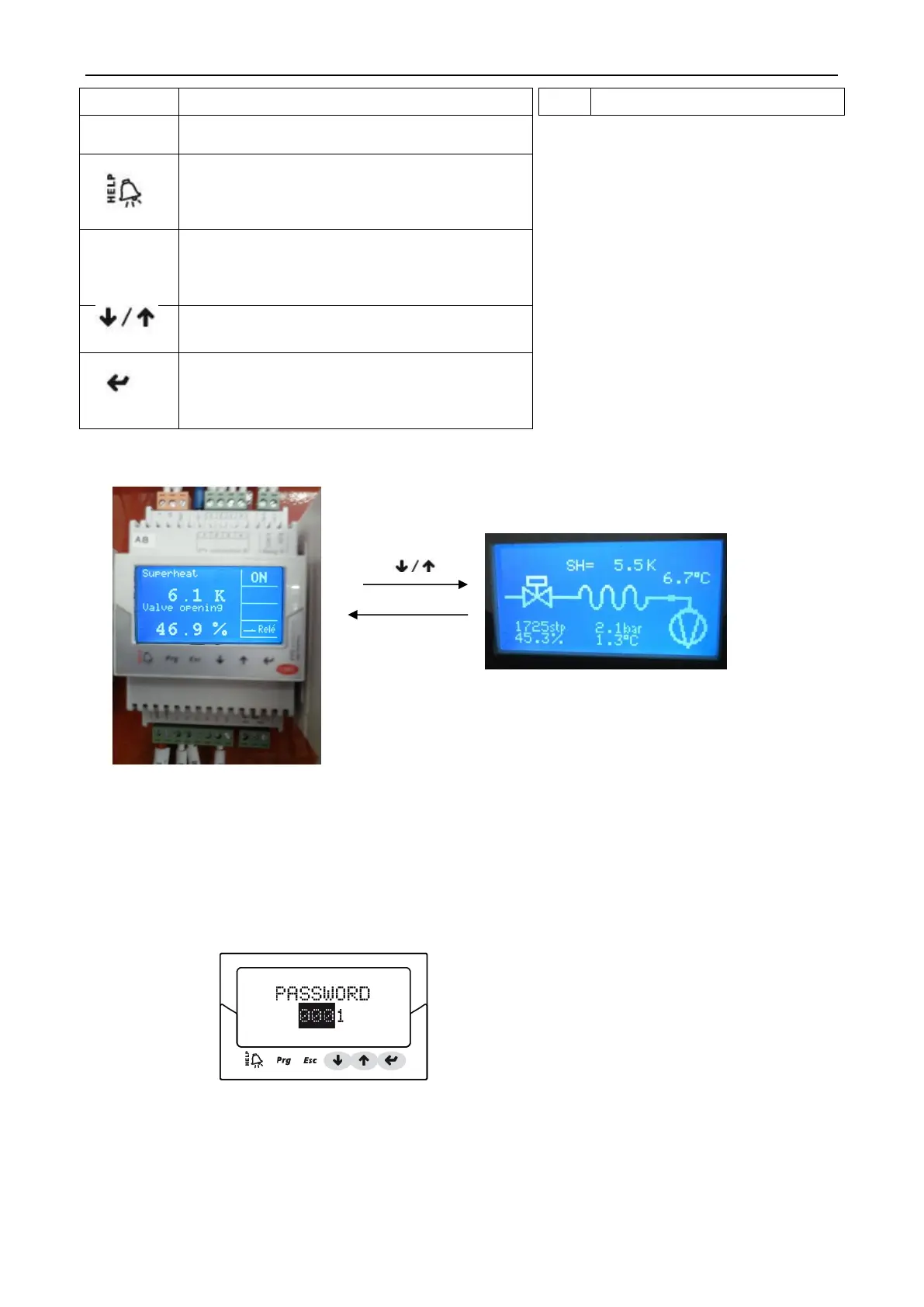
Flooded type water cooled screw chiller (PCB Control)
40
Open the display screen, enter the password
to enter the programming mode
• In the alarm state, the display alerts the
queue;
• When the "producer" level under the rolling
parameters, the display shows the interface
• To exit the programming (maintenance /
producer) and display mode;
• set a parameter, the exit without saving
changes
• Display screen navigation;
• Increase / decrease the value
• from the parameter setting mode, the display
switches to
• Confirm the list of parameters and return the
value
Running display status display all status
c. Controller parameter checking and changing.
Checking or changing repair parameters step:
①Press one or more Esc to switch to the standard display interface;
②Press Prg: display interface input password;
③Press ENTER input repair level password: 22, starting from the rightmost digit, each input a digital,
confirm with ENTER ;
④If the password is correct, will display the first parameters can be modified: network address;
⑤Press UP/DOWN to select parameters should be set up;
⑥Press ENTER to move to the parameter value;
⑦Press UP/DOWN to modify the parameter value;



 To Next Page