EasyManua.ls Logo

Midea RACE8002E - User Manual

Midea RACE8002E
15 pages
Print Icon
To Next Page IconTo Next Page
Loading...
Before using your air conditioner, please read
this manual carefully and keep it for future reference.
WINDOW/WALL TYPE
ROOM AIR CONDITIONER
-
Before using your air conditioner, please read
this manual carefully and keep it for future reference.
WINDOW/WALL TYPE
ROOM AIR CONDITIONER
-
Before using your air conditioner, please read
this manual carefully and keep it for future reference.
WINDOW/WALL TYPE
ROOM AIR CONDITIONER
-
Before using your air conditioner, please read
this manual carefully and keep it for future reference.
WINDOW/WALL TYPE
ROOM AIR CONDITIONER
-
Before using your air conditioner, please read
this manual carefully and keep it for future reference.
WINDOW/WALL TYPE
ROOM AIR CONDITIONER
-
Before using your air conditioner, please read
this manual carefully and keep it for future reference.
WINDOW/WALL TYPE
ROOM AIR CONDITIONER
-
Before using your air conditioner, please read
this manual carefully and keep it for future reference.
WINDOW/WALL TYPE
ROOM AIR CONDITIONER
-
Before using your air conditioner, please read
this manual carefully and keep it for future reference.
WINDOW/WALL TYPE
ROOM AIR CONDITIONER
-
Before using your air conditioner, please read
this manual carefully and keep it for future reference.
WINDOW/WALL TYPE
ROOM AIR CONDITIONER
-
Before using your air conditioner, please read
this manual carefully and keep it for future reference.
WINDOW/WALL TYPE
ROOM AIR CONDITIONER
-
Before using your air conditioner, please read
this manual carefully and keep it for future reference.
WINDOW/WALL TYPE
ROOM AIR CONDITIONER
-
Before using your air conditioner, please read
this manual carefully and keep it for future reference.
WINDOW/WALL TYPE
ROOM AIR CONDITIONER
-
MULTI-STEP SPEED ELECTRONIC CONTROL
TABLE OF CONTENTS
Installation Instructions
.................................................9
4-8
Normal Sounds
....................................
......................................
Important Safety Instructions ..........................1-3
Troubleshooting Tip 12-13
.....................................
Air Conditioner Features 9-11
..............................
Care and Cleaning 11-12

Questions and Answers

  • A
    Andrew ReeseAug 16, 2025
    How to fix Midea Air Conditioner when it does not start?
    • J
      Jodi GeorgeAug 16, 2025
      If your Midea Air Conditioner isn't starting, there could be several reasons. First, ensure the wall plug is firmly pushed into the outlet. Second, check your house fuse or circuit breaker and replace the fuse or reset the breaker if needed. Third, if your unit has a Plug Current Device, press the RESET button. Finally, make sure the power is turned ON.
  • R
    rwarrenAug 19, 2025
    Why does my Midea RACE8002E turn on and off rapidly?
    • M
      mmillerSep 12, 2025
      Your Midea Air Conditioner might be turning on and off rapidly due to a dirty air filter restricting airflow. Clean the air filter to resolve this. Also, extremely hot outside temperatures can cause this issue. Set the fan speed to a higher setting to increase airflow over the cooling coils.
  • K
    Kristina BryanAug 22, 2025
    What to do if Midea RACE8002E Air Conditioner is cooling, but the room is too warm with no ice forming?
    • J
      John WilliamsAug 22, 2025
      If your Midea Air Conditioner is cooling, but the room isn't getting cold enough and there's no ice forming, try these steps: First, clean the air filter. Next, set the temperature to a lower setting. Position the louvers for better air distribution. Ensure there are no blockages in front of the unit. Close doors, windows, and registers. Finally, allow additional time for the unit to remove stored heat from walls, ceiling, floor and furniture.
  • B
    Bradley NguyenAug 26, 2025
    What to do if Midea Air Conditioner is cooling, but room is too warm and ice is forming?
    • J
      Jill MaysAug 26, 2025
      If your Midea Air Conditioner is cooling, but the room is too warm and ice is forming on the cooling coil, it might be due to the outdoor temperature being below 64°F (18°C). To defrost the coil, set the unit to FAN ONLY mode. Also, a dirty air filter can cause this issue, so clean the filter. If the thermostat is set too cold for night-time cooling, set it to FAN ONLY mode to defrost the coil, and then set the temperature to a higher setting.
  • D
    Dorothy CalhounAug 28, 2025
    Why Midea RACE8002E air doesn't feel cold enough?
    • L
      laurenjohnsonAug 28, 2025
      If the air from your Midea Air Conditioner doesn't feel cold enough, it could be because the room temperature is below 62°F (17°C). Cooling may not occur until the room temperature rises above this level. Also, check if the temperature sensor behind the air filter is touching the cold coil; if so, keep it away from the coil. You may also need to set the unit to a lower temperature and wait for 3 minutes after setting it to the COOL mode.
  • H
    holly99Aug 31, 2025
    How to reduce noise when Midea RACE8002E is cooling?
    • Z
      zhowardAug 31, 2025
      If your Midea Air Conditioner is making noise while cooling, it could be due to air movement. If the noise is too loud, set the fan to a slower setting. Window vibration due to poor installation can also cause noise.
  • K
    Kelly RhodesSep 3, 2025
    What causes water to drip inside my Midea RACE8002E when cooling?
    • M
      matthewschwartzSep 4, 2025
      If water is dripping inside your Midea Air Conditioner when it's cooling, it's likely due to improper installation. Tilt the air conditioner slightly to the outside to allow for proper water drainage.
  • T
    ttownsendSep 6, 2025
    Why is my Midea RACE8002E Air Conditioner dripping water outside when cooling?
    • M
      Mrs. Kaylee BrownSep 6, 2025
      If your Midea Air Conditioner is dripping water outside when cooling, it's likely because the unit is removing a large quantity of moisture from a humid room. This is normal during excessively humid days.
  • W
    williamsstacySep 9, 2025
    Why is my room too cold with Midea RACE8002E Air Conditioner?
    • M
      Mark PaulSep 9, 2025
      If your room is too cold when using your Midea Air Conditioner, the set temperature might be too low. Try increasing the set temperature.
  • J
    John BowmanSep 12, 2025
    What to do if Midea RACE8002E Air Conditioner remote sensing is deactivating prematurely?
    • J
      Jaime Clark MDSep 12, 2025
      If the remote sensing on your Midea Air Conditioner is deactivating prematurely, make sure the remote control is within 20 feet and 180 degrees of the front of the unit. Also, ensure that there are no obstructions blocking the remote control signal.

Summary

Important Safety Instructions

Electrical Safety Precautions

Guides on proper plug usage, circuit breakers, grounding, and avoiding electrical hazards like fire and shock.

General Operation and Handling Safety

Covers safe usage, environmental considerations, cleaning, and handling precautions to prevent injury or damage.

Installation and Cord Safety

Details safety requirements for installation, power cord usage, extension cords, and proper grounding.

Installation Instructions

Unit Securing and Support

Guidance on placing the unit, securing it to the window sill, and installing support brackets.

Troubleshooting Tips

Unit Not Starting

Solutions for when the air conditioner does not start, including power and plug issues.

Airflow and Cooling Issues

Addresses problems like insufficient cooling, ice formation, and temperature settings.

Overview

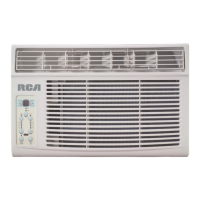
This document is a user's manual for a window/wall-type room air conditioner, branded RCA, featuring a multi-step speed electronic control. It provides comprehensive instructions for installation, operation, and maintenance, along with troubleshooting tips.

Function Description:

The RCA room air conditioner is designed to provide cooling for indoor spaces. It can be installed in standard double-hung windows or through a wall. The unit features an electronic control panel with multi-step speed settings, allowing users to adjust fan speed, operating mode, and temperature. Some models include a "Clean Air" feature with an ion generator to help remove pollen and impurities from the air. The "Energy Saver" mode optimizes energy consumption by cycling the fan and compressor. The "Sleep" mode gradually adjusts the temperature for comfortable nighttime operation. The "Follow Me" feature, available on some models with a remote control, acts as a remote thermostat for precise temperature control at the remote's location. The unit also includes a "Timer" function for auto start/stop programming.

Important Technical Specifications:

The air conditioner is designed for operation within specific temperature ranges:

  • Cooling Operation:
    • Outdoor temperature: 64-109°F (18-43°C) (64-125°F / 18-52°C for special tropical models)
    • Indoor temperature: 62-90°F (17-32°C)
  • Heating Operation (if applicable):
    • Outdoor temperature: 23-76°F (-5-24°C)
    • Indoor temperature: 32-80°F (0-27°C) Performance may be reduced outside these operating temperatures. The power supply cord includes a current detection device to reduce fire risk. If the cord is damaged, it must be replaced by the manufacturer or an authorized service center. The unit requires proper grounding with a three-prong grounding plug. Window opening widths for installation range from 23 to 36 inches (584mm to 914mm). The vertical opening (H) varies by BTU/h model: 14" (356mm) for 5000-8000 Btu/h models and 15-1/2" (394mm) for 10000-12000 Btu/h models. The unit is designed to be tilted back about 3-4 degrees downward to the outside to ensure proper condensate drainage. For 10000-12000 Btu/h models, a Fresh Air Vent Control allows for recirculation of inside air, drawing fresh air into the room, or exchanging air from the room while drawing fresh air in.

Usage Features:

  • Control Panel: The unit can be controlled via the electronic control panel or a remote control (if included).
  • ON/OFF Button: Turns the unit on or off. Automatically initiates Energy Saver function in Cool, Dry, and Auto modes.
  • Temperature Setting: Adjustable between 62°F (17°C) and 86°F (30°C) using UP/DOWN buttons.
  • Fan Speeds: Four settings: Auto, Low, Med, High. Fan speed is automatically controlled in Dry mode.
  • Operating Modes: Auto, Cool, Dry, and Fan. The unit automatically selects cooling, heating (for models with heating), or fan-only operation in Auto mode based on temperature settings.
  • Sleep Mode: Initiates a program that gradually increases the set temperature by 2°F/1°C after 30 minutes, and again after another 30 minutes, maintaining the new temperature for 6 hours before reverting to the original setting. Can be canceled at any time.
  • Check Filter Feature: Reminds the user to clean the air filter after 250 hours of operation. Resets by pressing the button after cleaning.
  • Energy Saver Mode: Available in Cool, Dry, and Auto modes. The fan runs for 3 minutes after the compressor shuts off, then cycles on for 2 minutes at 10-minute intervals until the room temperature rises above the set temperature.
  • Follow Me Feature (on some models): Activated via remote control. The remote acts as a thermostat, sending temperature signals to the unit every 3 minutes for precise temperature control at the remote's location.
  • Timer Function: Allows programming for auto start or auto stop, adjustable in 0.5-hour increments up to 10 hours, then 1-hour increments up to 24 hours.
  • Air Directional Louvers: Allow manual adjustment of airflow Up/Down and Left/Right.
  • Temperature Display: Shows set temperature in °C or °F. In Fan-only mode, it displays the actual room temperature.
  • Error Codes: Displays codes for room temperature sensor error (AS), evaporator temperature sensor error (•), and electric heating sensor error (HS).
  • Power Outage Restart: The unit automatically restarts with previous settings after an unexpected power cut.

Maintenance Features:

  • Air Filter Cleaning: The air filter should be checked at least once a month. It can be washed with liquid dishwashing detergent and warm water, rinsed, and thoroughly dried, or vacuumed. Avoid hot water above 40°C (104°F). Do not operate the unit without the air filter.
  • Cabinet Cleaning: Unplug the unit before cleaning. The cabinet and front can be dusted with an oil-free cloth or washed with a cloth dampened in a solution of warm water and mild liquid dishwashing detergent. Rinse thoroughly and wipe dry. Avoid harsh cleaners, wax, or polish. Wring excess water from the cloth before wiping around controls to prevent damage.
  • Winter Storage: For winter storage, the unit should be carefully removed from the window according to installation instructions, covered with plastic, or returned to its original carton.
  • Troubleshooting Tips: The manual includes a detailed troubleshooting guide to address common issues such as the unit not starting, insufficient cooling, ice formation on coils, rapid cycling, noise, and water dripping.

Midea RACE8002E Specifications

General IconGeneral
BrandMidea
ModelRACE8002E
CategoryAir Conditioner
LanguageEnglish

Related product manuals