Notes
Remove excess clutter and cables on the floor before cleaning.
Installation of side brushes
≥ 5 ft (1.5m)
≥ 1.5 ft (0.5m)
≥ 1.5 ft (0.5m)
Water Inlet/Outlet
09
PREPARATIONS BEFORE USE
Turn the main unit over. Attach the side brush to its color-matched post and press down until they
fit into place.
Filter installation
Robot comes with filter installed. Before use,
ensure the filter is securely in place. If not,
remove dustbin from robot, pull up lid of
dustbin and make sure filter is snApped into
place. Ensure dustbin lid and bottom latch are
securely closed and place back dustbin onto
robot.
When using the mopping function, open the
tank lid, fill the water tank with purified cold
water, and securely close the lid.
Please do not add any detergent into the water
tank to prevent potential clog.
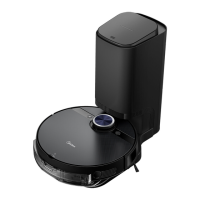
Setting up self-emptying base
1. Place the self-emptying base flat against the
wall on a level surface. If there is any
charging base for other robot vacuum
cleaners in the room, please put it away
before use of our self-emptying base to
avoid mismatching.
2. Place the self-emptying base in an area
covered with wireless network signal to
ensure stable network connection of the
robot and proper function of the App. Store
the excess cables into the slot at the back of
the charging base to avoid aecting the
proper function of the robot vacuum.
3. Plug the power plug into a power outlet.


 To Next Page