How to use the Pianobox USB
The basic buttons of the Pianobox USB are the Drum/Sound button and the Play/Stop button. The
Drum/Sound button switches between the basic modes: Drumbox and General MIDI-Soundmodule.
In drum mode, the display shows a „d“, in sound mode, a „s“. After this you can switch between the
sounds or drumpatterns with the Preset +1/-1 and Preset +10/-10 buttons.
The Play/Stop button plays the drumpatterns of the Pianobox USB. Press button PLAY to start
playing style, press the same button for STOP, when the drum playing the first LED dot shall blink
according the beat.
You can set one of the reverb types by holding RevT. Then you can choose between the reverb
types wit Preset +1 and Preset -1. This reverb types are possible: 1= Room1, 2= Room2, 3= Room3,
4=Hall 1, 5= Hall 2, 6= Plate, 7= Delay, 8= Pan Delay
The display shows a „P“ for this reverb programs.
To choose the value of the reverb, hold RevD in the same combination with Preset +1/-1.
Possible values are between 0 and 127.
To adjust the MIDI volume level of the drumpatterns or the Pianobox USB sounds, please use the
Volume +10/-10 buttons.
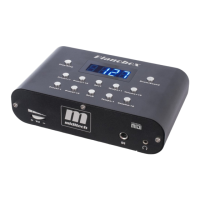
This is an overview of the 10 function buttons and what the display is showing:
Sound-Mode overview:
Please switch with the Drum/Sound button in the sound mode, the display shows a „S“.
1.Preset +1 – this button switches the sound program number in one step up
display: „S“ for sound and then the program-number, e.g. S.xxx
2.Preset +10 – this button switches the sound program number in 10 step up
display: „S“ for sound and then the program-number, e.g. S.xxx
3.RevT – with this button you can choose a reverb type. In the Pianobox II there are 8
reverb types usable.
display: „P“ for the reverb type and then the type number, e.g. P.008
4.Tempo +1 - In sound-mode the Tempo +1 button controls the volume +1
display: „L“ for the volume level and then the number, e.g. L.127
5.Volume +10 - In sound-mode this button controls the volume +10 step up
display: „L“ for the volume level and then the number, e.g. L.127
6.Preset -1 – this button switches the sound program number in one step down
display: „S“ for sound and then the program-number, e.g. S.xxx
7.Preset -10 – this button switches the sound program number in 10 step down
display: „S“ for sound and then the program-number, e.g. S.xxx
8.RevD – with this button you can choose a reverb type parameter.
display: „e“ for the effect power from 0-127, e.g. e.110
9.Tempo -1 - In sound-mode the Tempo -1 button controls the volume -1
display: „L“ for the volume level and then the number, e.g. L.127
10.Volume -10 - In sound-mode this button controls the volume +10 step down
display: „L“ for the volume level and then the number, e.g. L.127
15



 To Next Page