EasyManua.ls Logo

Midland MXT275 - User Manual

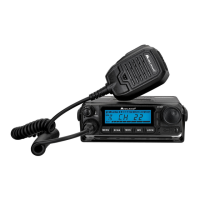
Midland MXT275
33 pages
Print Icon
To Next Page IconTo Next Page
Loading...
MXT275 Owner’s Manual

Questions and Answers

  • W
    William ReeseJul 27, 2025
    What to do if my Midland Two-Way Radio cannot receive messages?
    • E
      Elizabeth HensonJul 27, 2025
      If your Midland Two-Way Radio cannot receive messages, ensure that both radios are set to the same channel and Privacy Code. Also, confirm that you are within the communication range of the other radio. Buildings and other structures can affect communication, so keep that in mind.
  • C
    carlycraigAug 5, 2025
    Why is my Midland MXT275 not powering on?
    • D
      Debra HendersonAug 5, 2025
      If your Midland Two-Way Radio isn't powering on, verify the vehicle power source (battery) and replace it if needed. In addition, check the input power connection and wiring to the vehicle's power source.
  • M
    Melissa GordonAug 16, 2025
    How to unlock the keypad on a Midland Two-Way Radio?
    • C
      Charles DanielsAug 16, 2025
      If the keypad on your Midland Two-Way Radio is unresponsive, first ensure that the keypad 'lock' is not activated. If it's still not responding, try resetting the radio by turning it off and then back on.

Summary

FCC NOTICE

Exposure to Radio Frequency Energy

Guidelines for radio frequency energy exposure compliance.

INSTALLING YOUR RADIO

Installing the Mounting Bracket

Instructions for securely attaching the radio's mounting bracket.

Installing the Antenna

Guidance on optimal placement and installation of the radio antenna.

Electrical and Rear Panel Connections

Details on connecting power and other cables to the radio.

CONTROLS AND INDICATORS

OPERATING YOUR RADIO

Transmitting and Receiving a Call

Steps for sending and receiving voice communications.

UTILITY FUNCTIONS

Locking the Keypad

How to prevent accidental changes to radio settings by locking the keypad.

MENU MODE FUNCTIONS

Selecting a Privacy Code

Setting CTCSS or DCS codes to filter transmissions and reduce interference.

Selecting the Transmit (TX) Power Level

Adjusting the radio's output power between High (Hi) and Low (Lo).

Adjusting Squelch Sensitivity

Tuning the squelch level to filter out weak or unwanted signals.

RESTORING THE DEFAULT SETTINGS

TROUBLESHOOTING GUIDE

Midland MXT275 Specifications

General IconGeneral
Power Output15 Watts
DisplayLCD
NOAA Weather AlertYes
External Speaker JackYes
Channels15 GMRS Channels
MicrophoneHandheld
Waterproof RatingNot Waterproof
Privacy Codes142 Privacy Codes (38 CTCSS/104 DCS)

Related product manuals