5
© 2018 Midmark Corp. | 60 Vista Drive Versailles, OH 45380 USA | 1-800-643-6275 | 1-937-526-3662 |
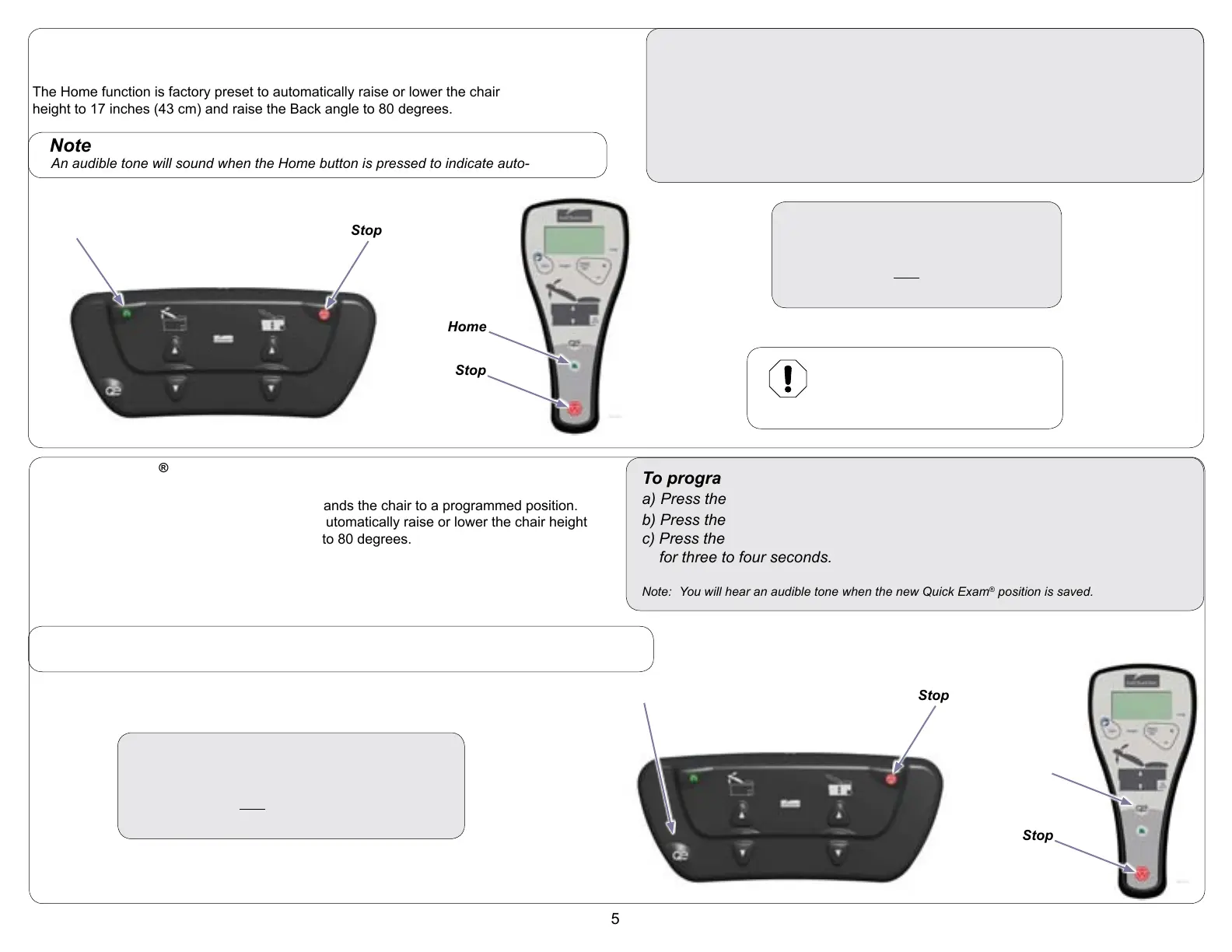
Programmable ’Home’ Function
The Home function automatically commands the chair to a programmed position.
The Home function is factory preset to automatically raise or lower the chair
height to 17 inches (43 cm) and raise the Back angle to 80 degrees.
To activate the Home function...
Press & release the Home button.
Note: At any time, ANY button can be
pressed to terminate movement.
To program the Home function...
a) Press the Base Up / Down button to move the Base to the desired height.
b) Press the Back Up / Down button to move the Back to the desired angle.
c) Press the Stop button, then the Home button and hold simultaneously for
three to four seconds.
Note: You will hear an audible tone when the new ’Home’ position is saved.
Note
An audible tone will sound when the Home button is pressed to indicate auto-movement.
Equipment Alert
Controllers must be within a fifteen
foot radius of chair to be able to
command the chair.
Quick Exam
®
Function
The Quick Exam
®
function automatically commands the chair to a programmed position.
The Quick Exam
®
function is factory preset to automatically raise or lower the chair height
to 34 inches (86 cm) and raise the Back angle to 80 degrees.
To program the Quick Exam
®
function...
a) Press the Base Up / Down button to move the Base to the desired height.
b) Press the Back Up / Down button to move the Back to the desired angle.
c) Press the Stop button, then the Quick Exam
®
button and hold simultaneously
for three to four seconds.
Note: You will hear an audible tone when the new Quick Exam
®
position is saved.
Home
Stop
Home
Stop
Stop
Stop
To activate the Quick Exam
®
function...
Press & release the Quick Exam
®
button.
Note: At any time, ANY button can be pressed to
terminate movement.
Note
An audible tone will sound when the Quick Exam
®
button is pressed to indicate auto-movement.
Quick Exam
®
Quick Exam
®



 To Next Page
 Loading...