EasyManua.ls Logo

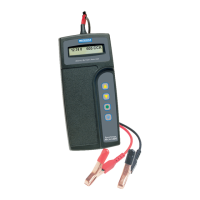
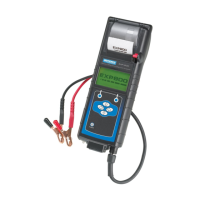
Midtronics PowerSensor Micro700 - User Manual

Midtronics PowerSensor Micro700
23 pages
Print Icon
To Next Page IconTo Next Page
Loading...
INSTRUCTION MANUAL
For testing 6- and 12-volt heavy-
duty automotive, commercial, and
marine batteries and 12- and 24-volt
charging systems.

Questions and Answers

  • C
    Carolyn FarleyAug 11, 2025
    How to fix Midtronics PowerSensor Micro700 Measuring Instruments if the display does not turn on?
    • D
      Daniel CraigAug 11, 2025
      If the display of your Midtronics Measuring Instruments doesn't turn on, first check the connection to the vehicle battery or pack. If the vehicle battery is too low (below 1 volt), fully charge it and retest. Also, the 9-volt battery may need replacement, so follow the directions in 'Replacing the Micro700 Battery' and replace it (alkaline recommended). Ensure all vehicle accessory loads are off and the ignition switch is in the OFF position to avoid computer or ignition noise. Weak batteries should be fully charged before retesting. If the analyzer still doesn't power on when you press and hold the MENU button, try replacing the 9-volt battery.
  • S
    Samantha PrattAug 17, 2025
    What to do if the STATUS LED is flashing on my Midtronics Measuring Instruments printer?
    • O
      ohughesAug 18, 2025
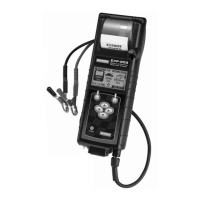
      When the STATUS LED on your Midtronics Measuring Instruments printer flashes, it indicates a printer fault. This could be due to the paper being out, in which case you should fit new paper. It could also mean the thermal head is too hot, so allow it to cool. Another reason could be a low battery; recharge the printer battery for 16 hours.
  • L
    lopezrobertAug 23, 2025
    What to do if Midtronics Measuring Instruments displays PRINTING RESULTS but nothing prints?
    • H
      holtbryanAug 25, 2025
      If the analyzer displays PRINTING RESULTS, but the test results are not printing with your Midtronics Measuring Instruments, press MENU to cancel. Then, turn off the printer and charge the printer battery for at least 15 minutes before attempting to print again.
  • B
    Brittany AlvarezAug 29, 2025
    How to turn on the printer for Midtronics PowerSensor Micro700?
    • M
      Mr. William Chambers PhDAug 29, 2025
      To turn on the printer of your Midtronics Measuring Instruments, briefly press the MODE button. The green STATUS light should then turn on.
  • W
    whitenicholeSep 4, 2025
    What to do if the IR transmitter and receiver are not aligned on Midtronics Measuring Instruments?
    • J
      Jonathan MooreSep 4, 2025
      If the IR transmitter and receiver are not aligned on your Midtronics Measuring Instruments, the infrared ports on the top of the Micro700 and on the front of the printer below the MODE button should be pointed directly at each other. To realign, press MENU to cancel the print job.

Midtronics PowerSensor Micro700 Specifications

General IconGeneral
BrandMidtronics
ModelPowerSensor Micro700
CategoryMeasuring Instruments
LanguageEnglish

Related product manuals