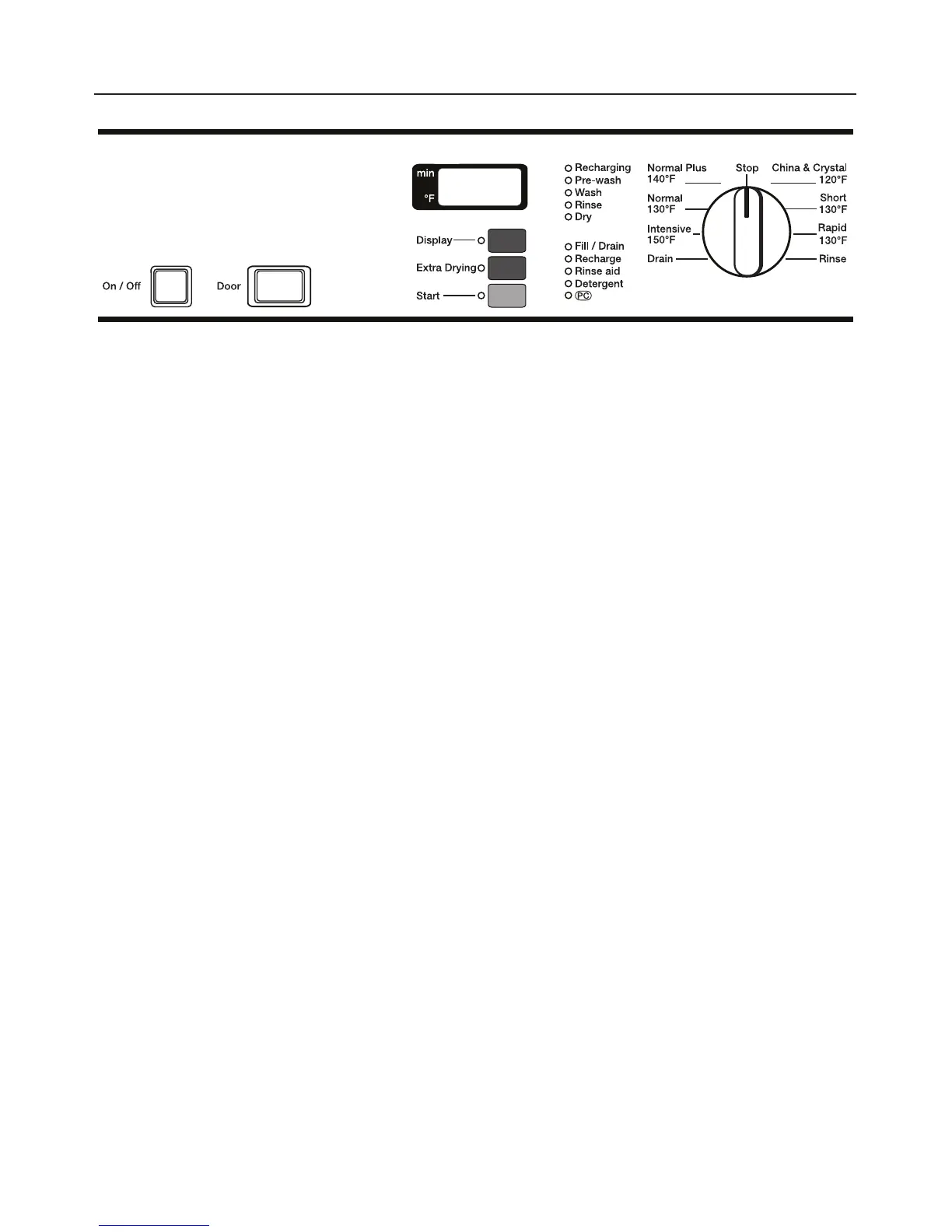
Turning on
^
Close the door.
^
Open the water supply (if closed).
^
Press the On / Off (I-0) button.
If the program selector is turned to
"Stop" a dot lights in the display.
Starting a program
^ Turn the program selector clockwise
or counterclockwise to the required
program. See the "Program guide" for
information on the programs.
The display shows the first wash
temperature of the selected program
(except "Rinse" and "Drain"). The "Start"
indicator flashes.
^
If required select the additional
feature "Extra Drying" . See "Selecting
an additional feature".
^
Press the "Start" button. The running
time is displayed in ascending
minutes.
The "Start" indicator lights.
Once the program has started all other
programs are blocked. If the program
selector is turned to another program
during the running program, the values
shown in the display will go out. The
values appear again if the program
selector is turned back to the running
program.
^ Press the "Display" button to alternate
between the elapsed time and actual
temperature in the display during the
program.
Note: during the heating stage in "Main
wash" and "Final rinse" the required end
temperature is shown in the "time run"
display field.
Use
24



 To Next Page