Using for the first time
20
Water hardness
The water hardness level indicates how
much calcium is dissolved in the water.
The higher the calcium content, the
harder the water, and the harder the
water, the more often the coffee
machine will need to be descaled.
The coffee machine measures the
amount of water and steam used.
Depending on the level of water
hardness set, more or fewer drinks can
be dispensed before the appliance
needs to be descaled.
Programme the coffee machine to the
water hardness level of your area so
that it functions correctly and does not
get damaged. At the correct time a
prompt will then appear in the display
to descale the appliance.
The machine has four programmable
levels:
Water hardness Water
hardness
level in
your area
Setting (water
hardness
level)
0 - 8.4 °dH
(0 -1.5 mmol/l)
Soft Soft 1
8.4 - 14 °dH
(1.5 - 2.5 mmol/l)
Medium Medium 2
14 - 21 °dH
(2.5 - 3.7mmol/l)
Hard Hard 3
> 21°dH
(> 3.7mmol/l)
Hard Very hard 4
The machine is programmed ex-works
to hardness level 3.
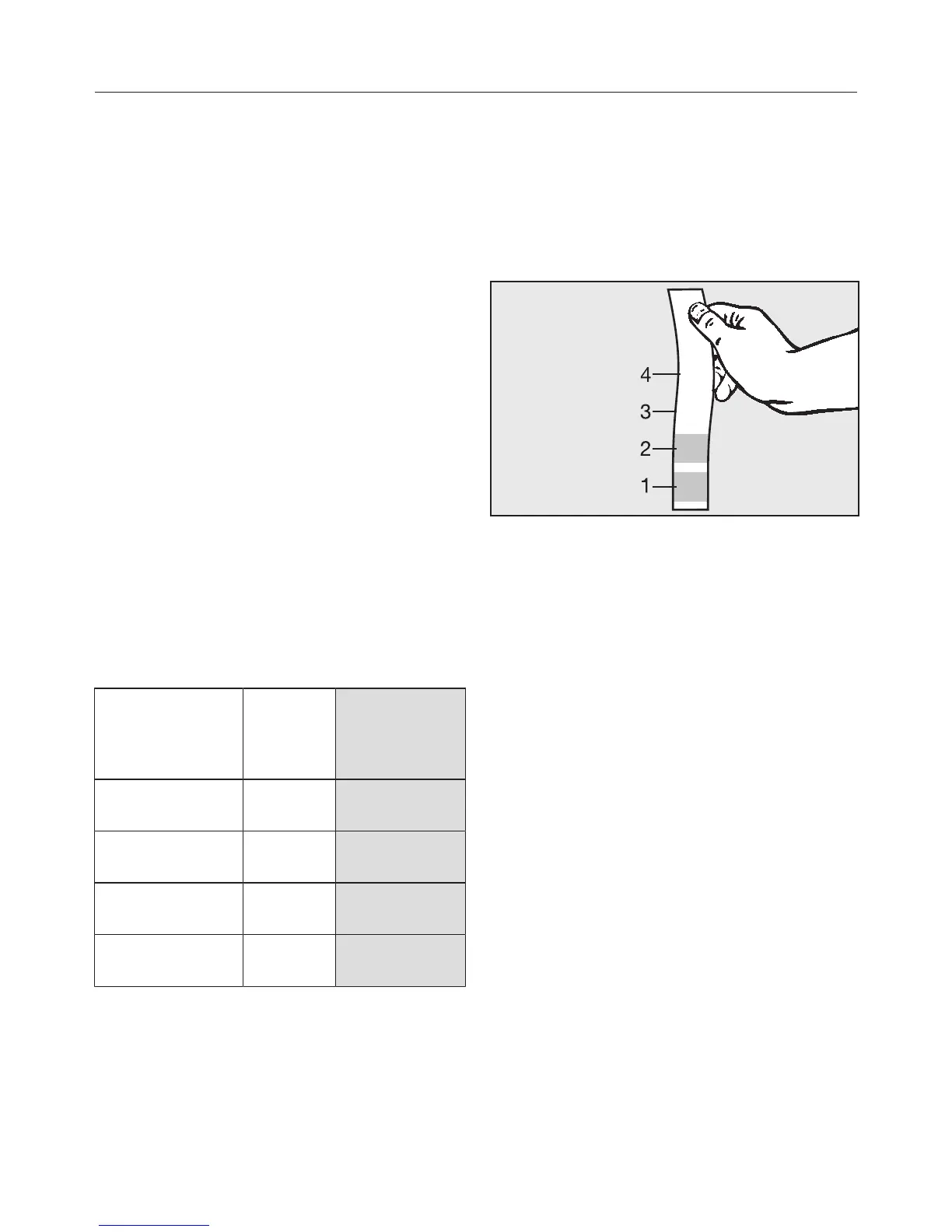
Measuring water hardness
You can measure the water hardness
yourself using the enclosed test strip.
Alternatively, your local water authority
will be able to tell you the hardness of
water in your area.
Dip the test strip in your drinking
water for approximatelyonesecond,
then shake off any excess water. The
result will be evident after about
aminute.
Setting the water hardness level
Touch .
Use the arrow sensors to select
Water hardness and touch OK.
Use the arrow sensors to
highlight the required water hardness.
Then touch OK.
The setting is now saved.


 To Next Page