Problem solving guide
88
Problem Cause and remedy
The coffee machine
does not switch itself
on, although the Switch
on at setting has been
activated for the timer.
The system lock has been activated.
You need to deactivate the system lock (see
"Settings - System lock").
A day of the week has not been selected.
Check the timer settings and change these if
necessary (see "Settings - Timer").
The coffee machine was not used after being
switched on automatically three times in succession
(holiday mode).
Switch the machine on and dispense a drink.
Fill and refit the water
container appears in the
display even though the
water container is full
and is in the machine.
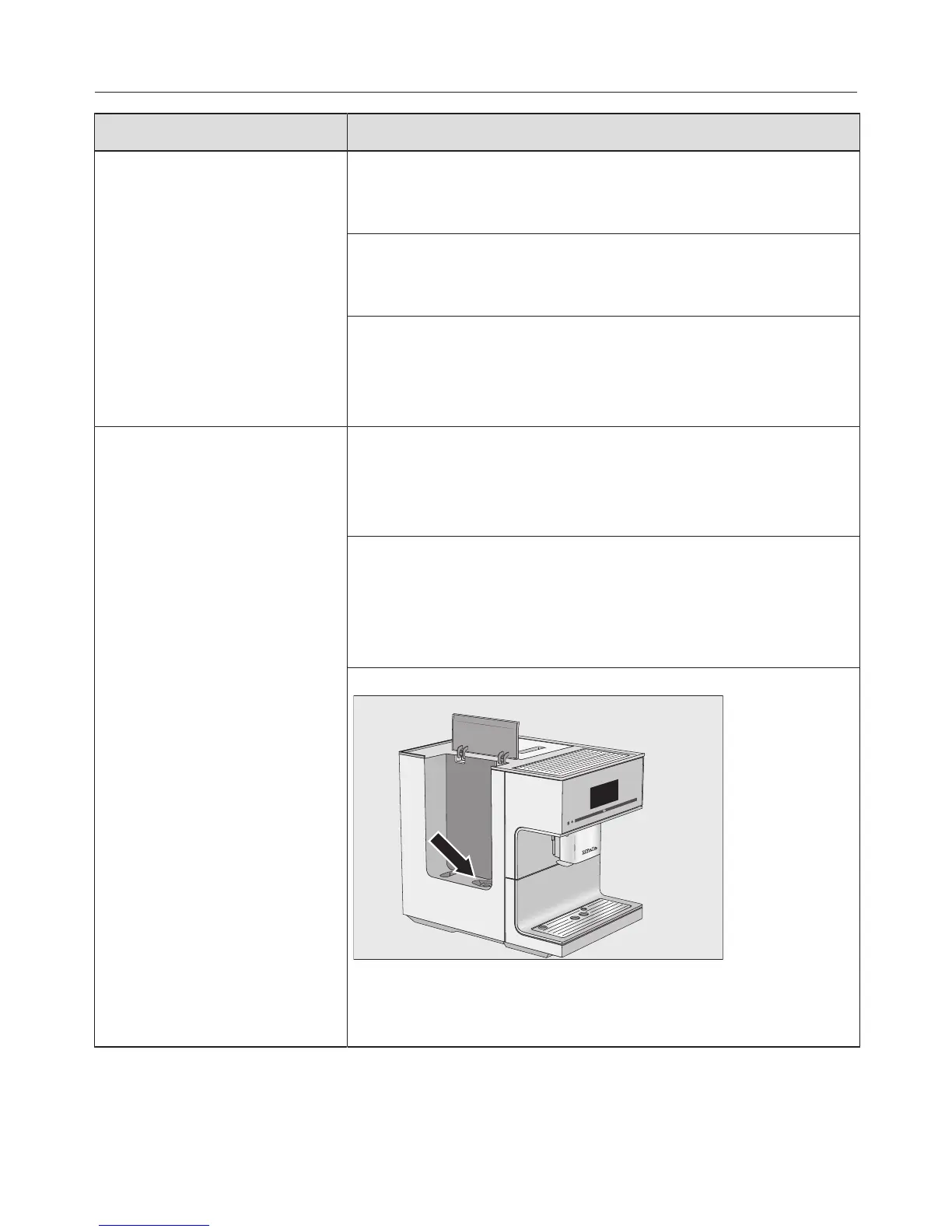
The water container is not in the correct position.
Remove the water container and replace it.
Clean the surface underneath the water container
if necessary.
You have selected Manual descaling. The water
container was not correctly filled and replaced for
descaling.
Fill the water container to the descaling symbol
and restart the descaling process.
You have selected Automatic descaling:
The water container filter is blocked.
Remove and clean the water container filter (see
"Clean the water container filter").


 To Next Page