Before using for the first time
25
Setting the water hardness level
Contact your local water supplier to
find out your local water hardness
range if necessary.
More information can be found under
“Settings – Water hardness”.
Enter your local water hardness (in
°dH) and confirm withOK.
Setting up automatic cleaning and
descaling
Information about automatic cleaning
and descaling will appear in the display.
Confirm withOK.
Tip: Touch Help to display an illustrated
guide.
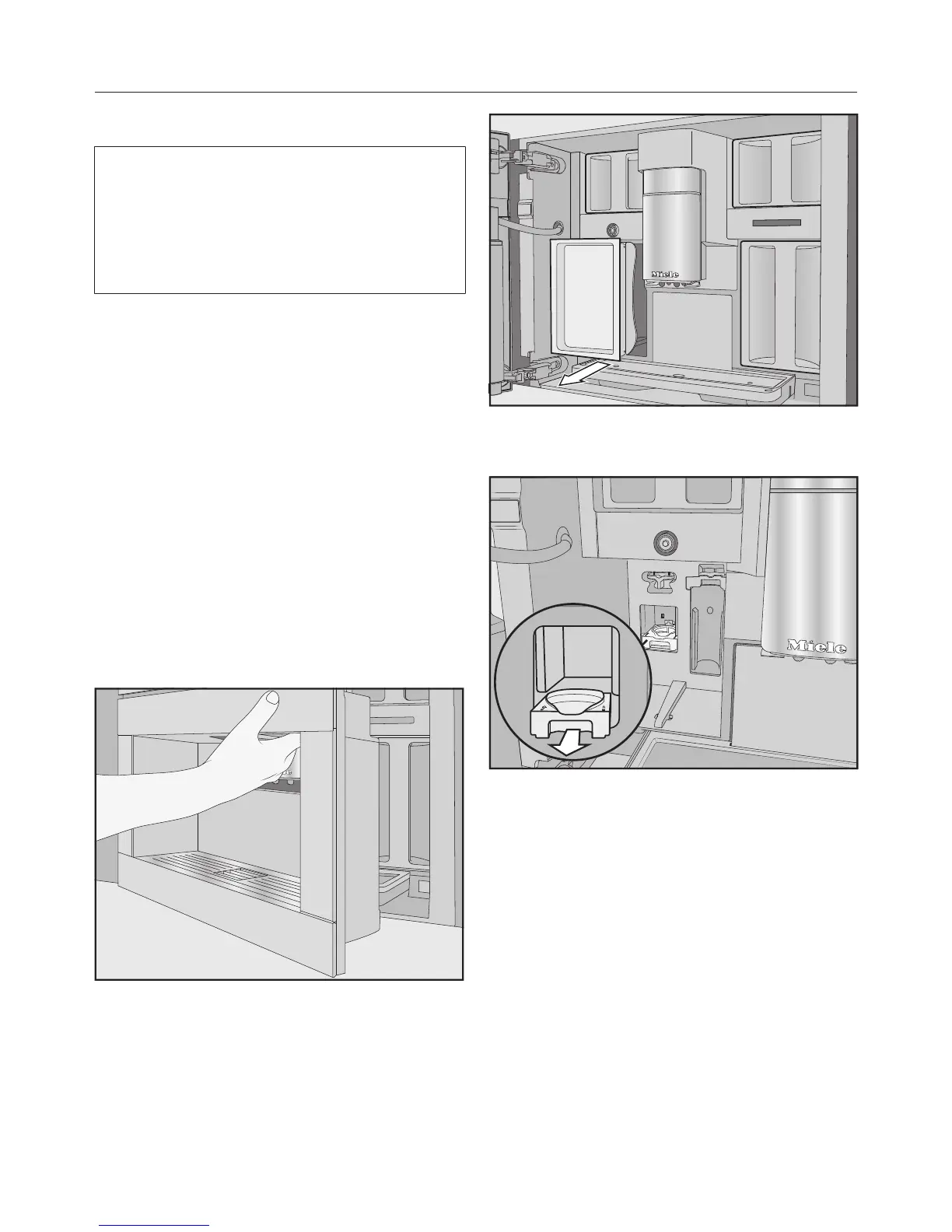
Fitting the cleaning cartridge
You will now be prompted to fit the
cleaning cartridge.
Open the coffee machine door.
Remove the maintenance container
on the left-hand side.
Pull the cleaning cartridge holder
forwards to remove it.
Once the cleaning cartridge has been
removed from its packaging, unscrew
the screw cap. The cap is no longer
required.



 To Next Page