Before using for the first time
22
Con@ctivity via the home WiFi
network (Con@ctivity 3.0)
Prerequisite:
- Home WiFi network
- WiFi-enabled Miele hob
Connect the cooker hood and hob to
your home WiFi network (see “Setting
up Miele@home”).
The Con@ctivity function will be
activated automatically.
Con@ctivity via a direct WiFi
connection (Con@ctivity 3.0)
Prerequisite:
- WiFi enabled Miele hob
If you do not have a home network, you
can establish a direct connection
between the hob and the cooker hood.
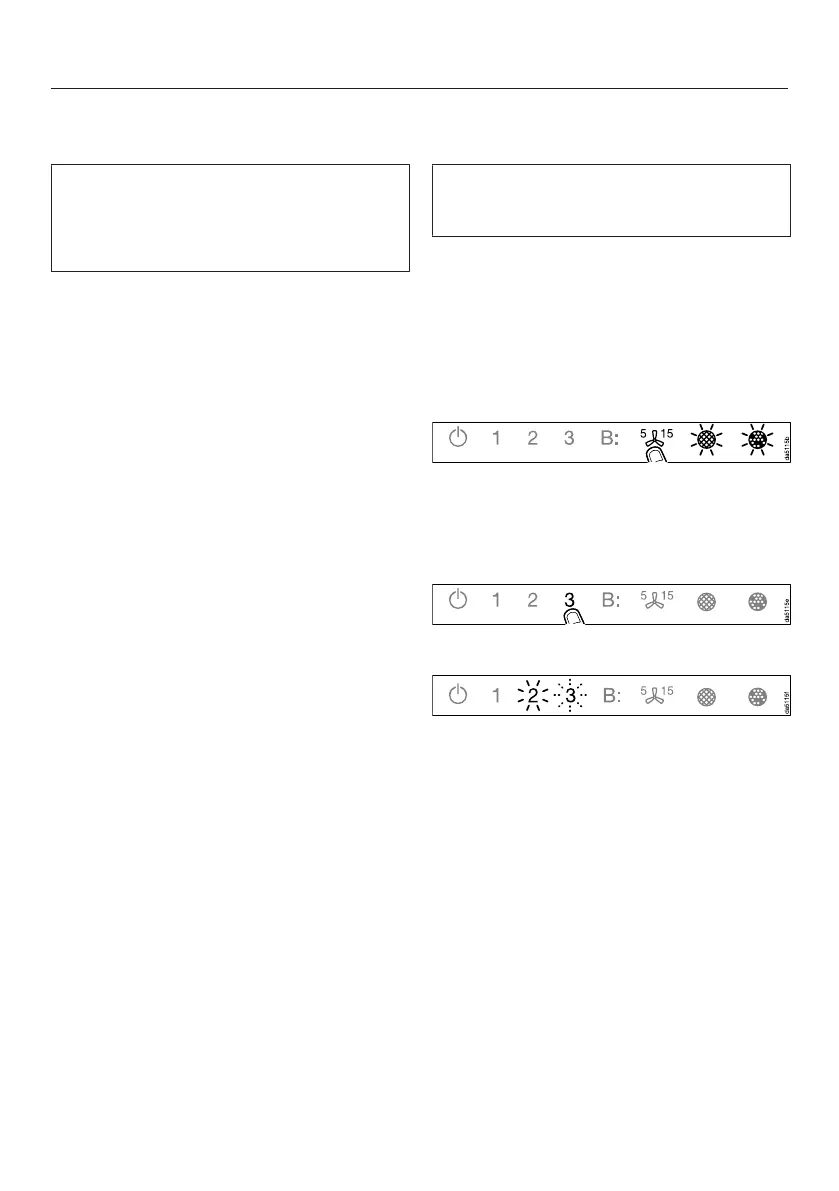
Touch the On/Off switch.
All symbols light up with reduced
brightness.
Press and hold the run-on option
control until the grease filter
and charcoal filtersymbols light
up.
Touch 3.
2will light up constantly, 3will flash.
The cooker hood will be ready for
connection in the next 2minutes.


 To Next Page