Before using for the first time
21
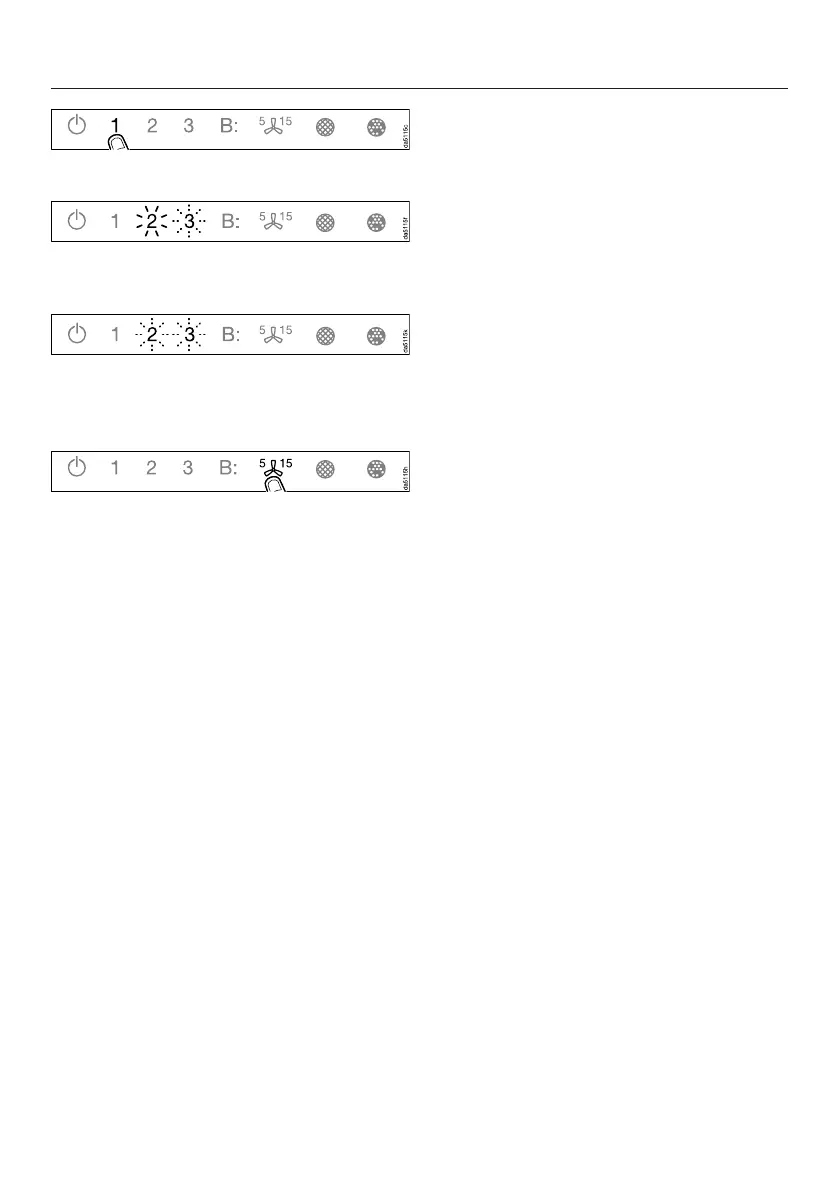
Touch the 1 control.
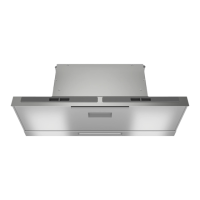
2 will light up constantly, 3 will flash on
and off.
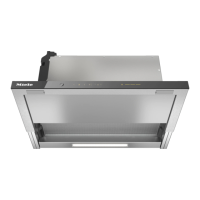
After a few seconds 2 and 3 will flash
on and off. The connection has now
been disconnected.
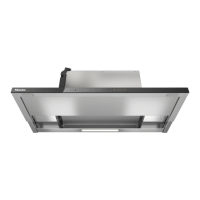
Quit disconnection mode on the
rangehood by touching the run-on
control.
The Wi-Fi connection has been
disconnected. A new connection can
now be set up.
Setting up Con@ctivity
Con@ctivity is the direct communication
system between an electric Miele
cooktop and a Miele rangehood. It
enables the rangehood to operate
automatically depending on the
operational state of a Miele cooktop
with onset controls.
- When the cooktop is switched on,
the cooktop lighting on the
rangehood comes on independently
and, after a short time, the fan also
switches on.
- The rangehood selects the power
level automatically during cooking.
The power level selected by the
rangehood depends on the number
of cooking zones being used and
their power levels.
- After switching the cooktop off, the
fan and the cooktop lighting will
switch off automatically after a
specified period of time.
See “Operation” for detailed information
about this function.


 To Next Page