Control panel
31
Symbols
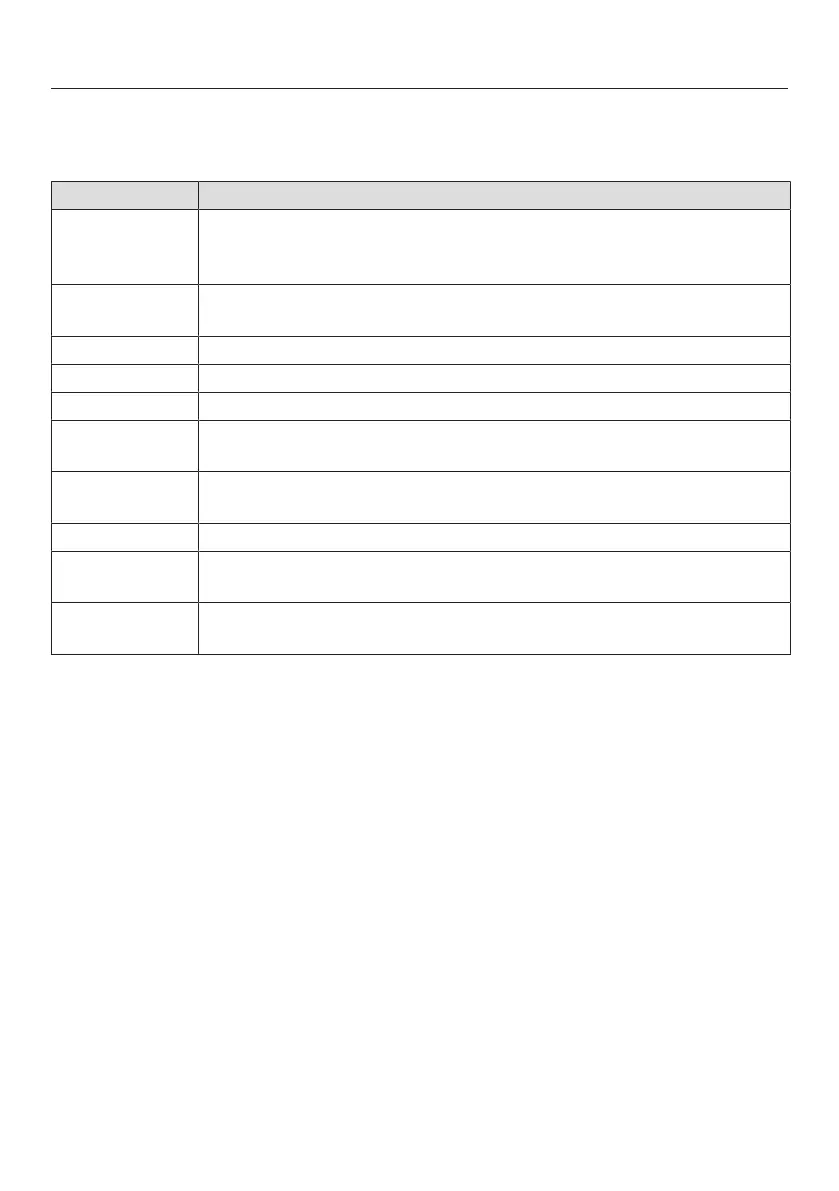
The following symbols may appear on the display:
Symbol Meaning
This symbol indicates that there is additional information and ad-
vice about using the appliance. Select OK to confirm the informa-
tion.
… This indicates that there are more menu options available, which
are not visible because there is not enough space on the display.
/ / Water level indicator
Alarm
Timer
Some settings, e.g., display brightness and signal tone volume,
are selected using a segment bar.
The system lock or sensor lock is on (see “Settings – Safety”).
The controls are locked.
Core temperature when using the probe
Remote control (only appears if you are in the Miele@home sys-
tem and have selected the Remote Control| Onsetting)
SuperVision (only appears if you are in the Miele@home system
and have selected the SuperVision| SuperVision display| Onsetting)




 To Next Page